AEP Sandbox reset & Preparation flow
1 min
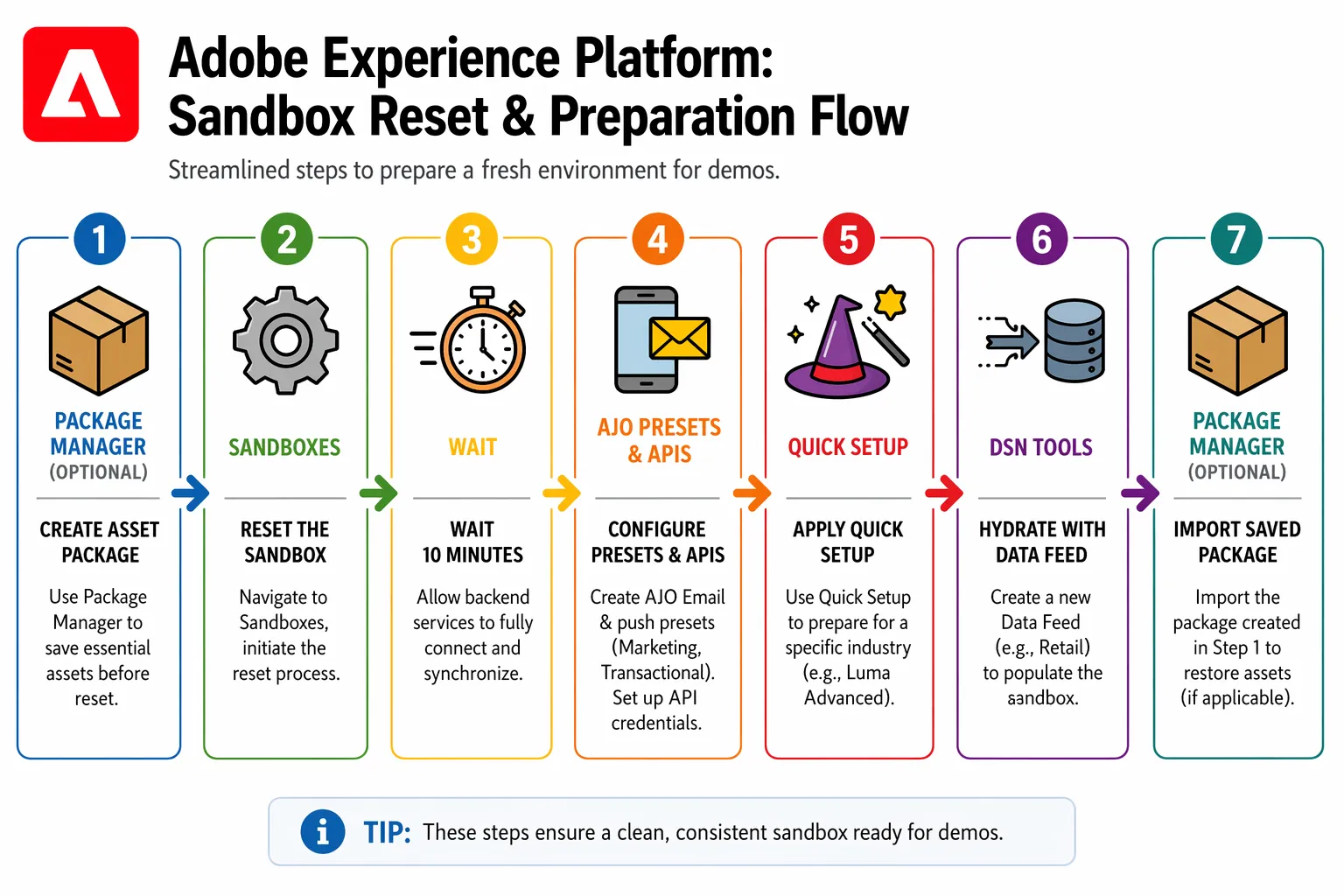
Here are the recommended steps to reset your AEP/AJO sandbox and set up a new AEP-centric demo:
Key steps
- Create a Package with the objects you would like to save, such as schemas, audiences, journeys, and more. (Optional)
- Reset your AEP sandbox if required using the Adobe Experience Platform UI, continue to the step 5 if your sandbox is already configured and does not require to a clean up.
- Wait a few minutes to make sure AEP services are ready to create and deliver a new demo.
- In Journey Optimizer, make you create the necessary channel presets (Email, Push, etc.) and API Credentials (SMS, WhatsApp, etc.).
- In Demo System Next Tools, use the Quick Setup feature to install a specific industry preset, e.g., Retail. This will configure the necessary schemas, datasets, audiences, and more, while automatically creating Web, Mobile, and CX App projects linked to data collection properties.
- In Demo System Next Tools, use the Unified B2C Data Generator tool to import profiles and events based on industry templates. You can customize these to schedule automated data ingestion through streaming and batch processes, which will populate your profiles and trigger journeys.
- Import the Package created in the first step to restore specific objects (if applicable).