AJO Mobile In-App Message
An AJO Mobile in-app message is a concise notification or announcement that appears within the AJO Mobile application. These messages commonly relay updates, introduce new features, announce promotions, or share crucial app-related information. Their primary objective is to captivate users' attention and motivate them to undertake specific actions, like updating the app to unlock new features or joining promotional activities.
Prerequistes
- Ensure you have the latest DSN schemas and a vertical mobile app set up.
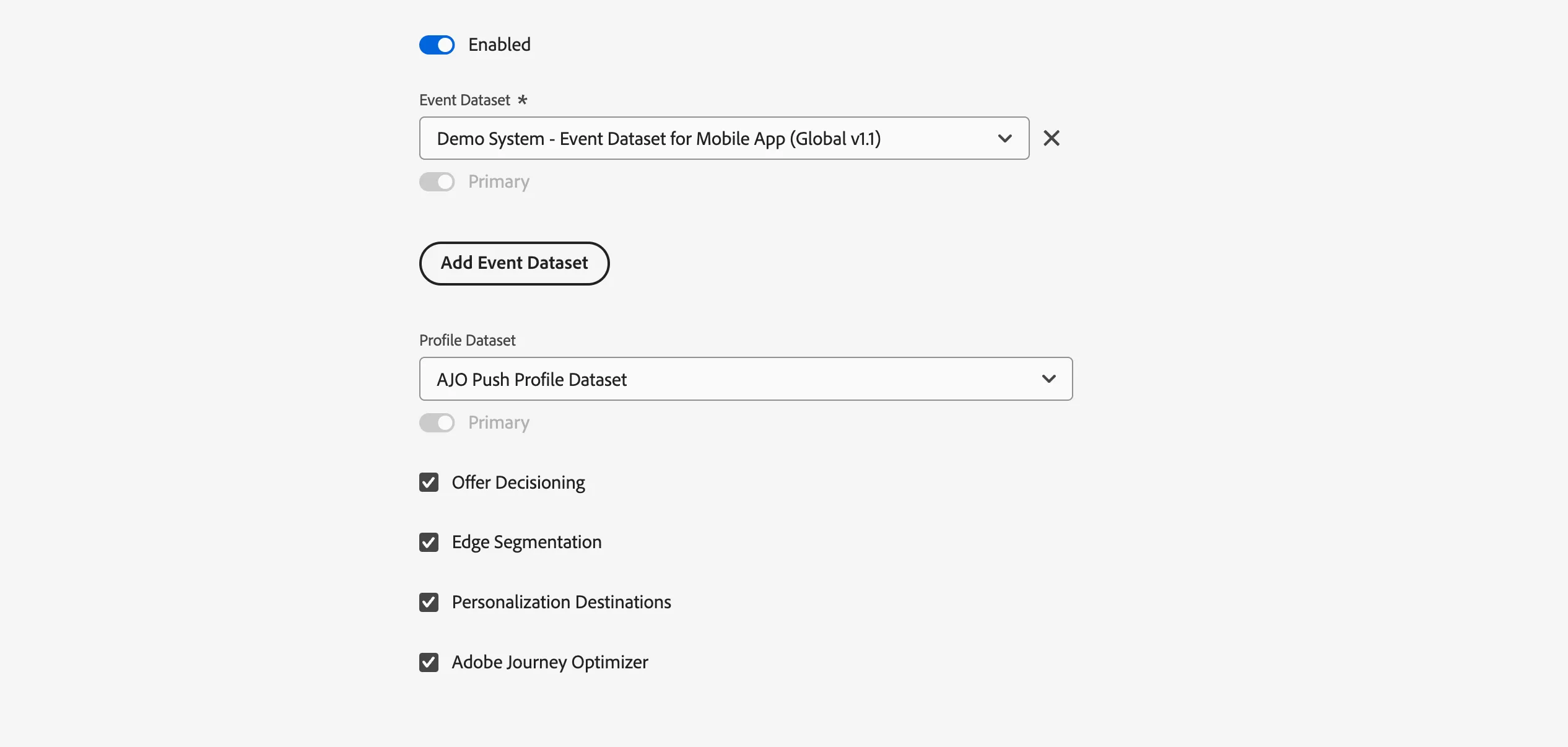
- Within AEP Data Collection, edit the mobile datastream to include Offer Decisioning and Adobe Journey Optimizer.
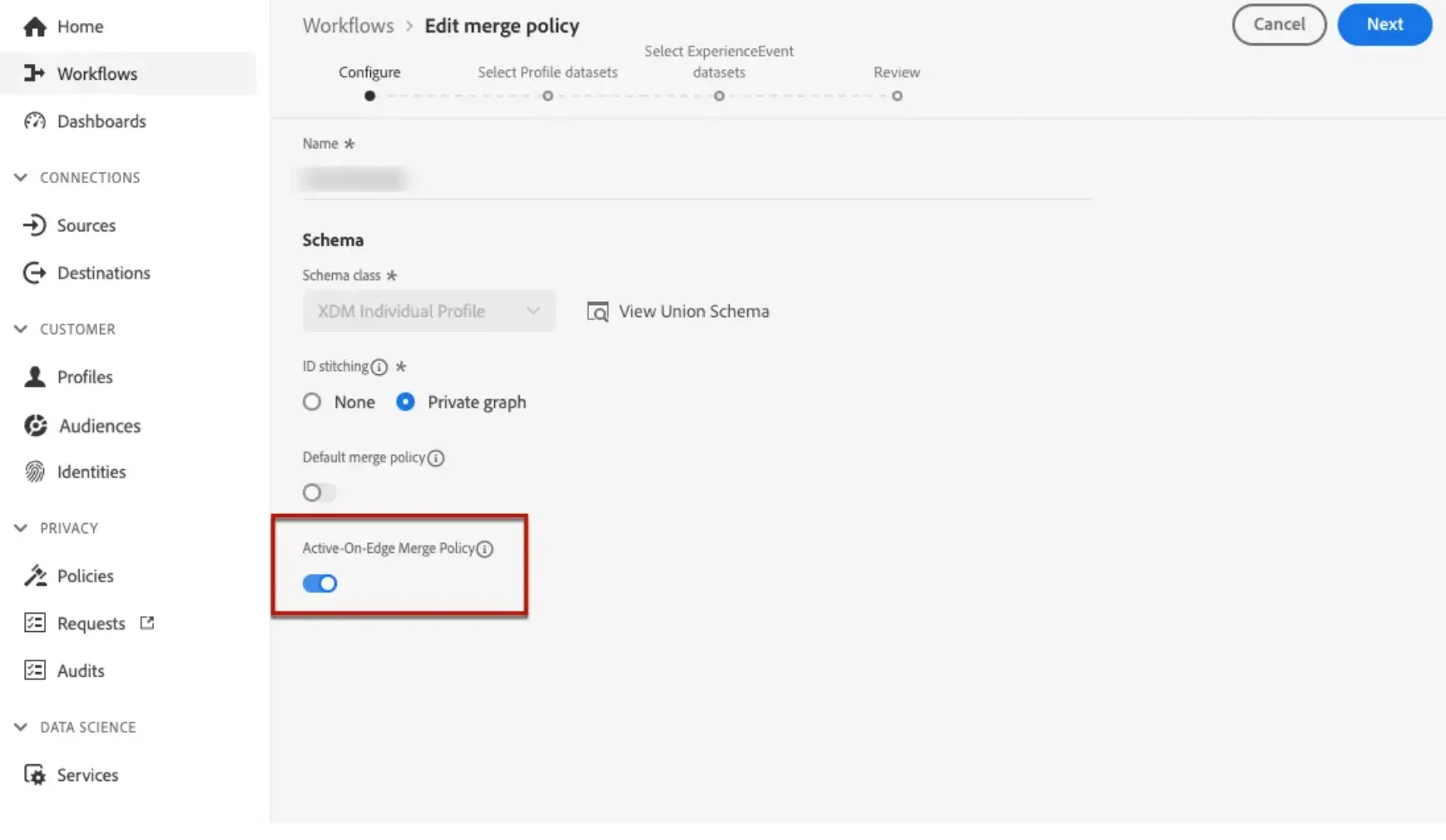
3.In Adobe Experience Platform, make sure you have the default merge policy with the Active-On-Edge Merge Policy option enabled. To do this, select a policy under the Customer > Profiles > Merge Policies Experience Platform menu.
Channel configuration prerequisites
Configure App Surface - https://dsn.adobe.com/docs/configure-app-surface
Create an In-app message
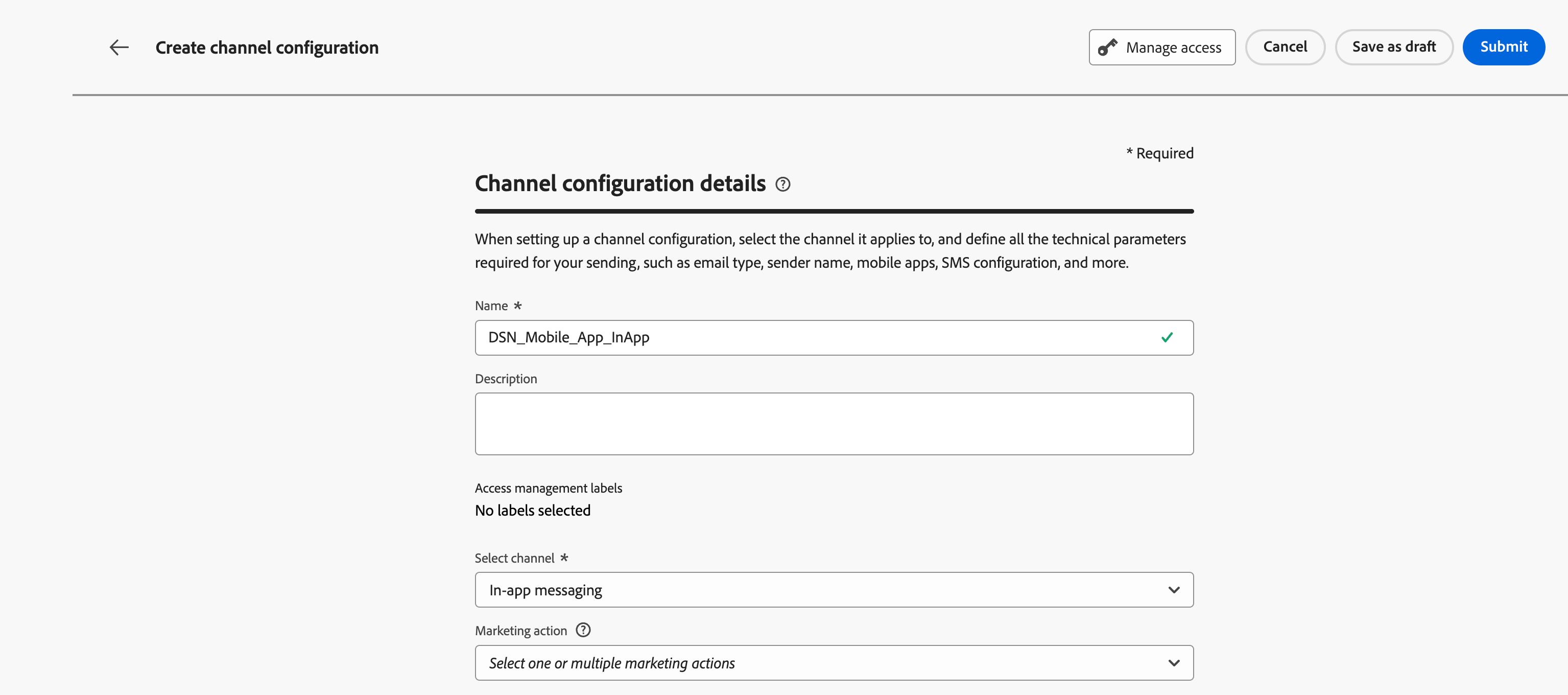
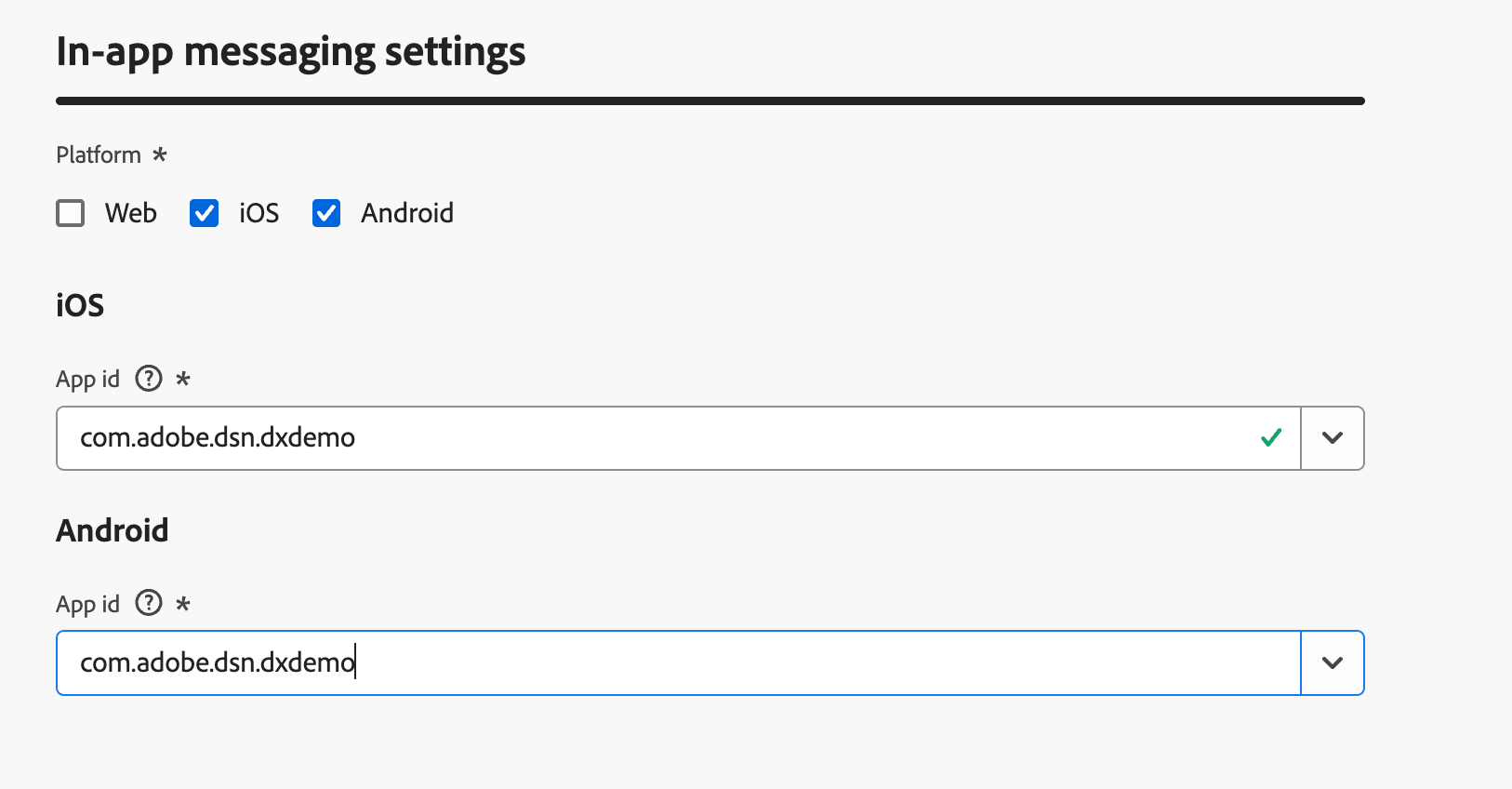
Go to AJO. Access the Channels menu and then click Create. Provide channel name, select In-app messaging in channel. Provide In-app message settings. Click submit.
Access the Campaigns menu, then click "Create Campaign."
Select when the campaign execution type: Scheduled or API-triggered. Select Scheduled.
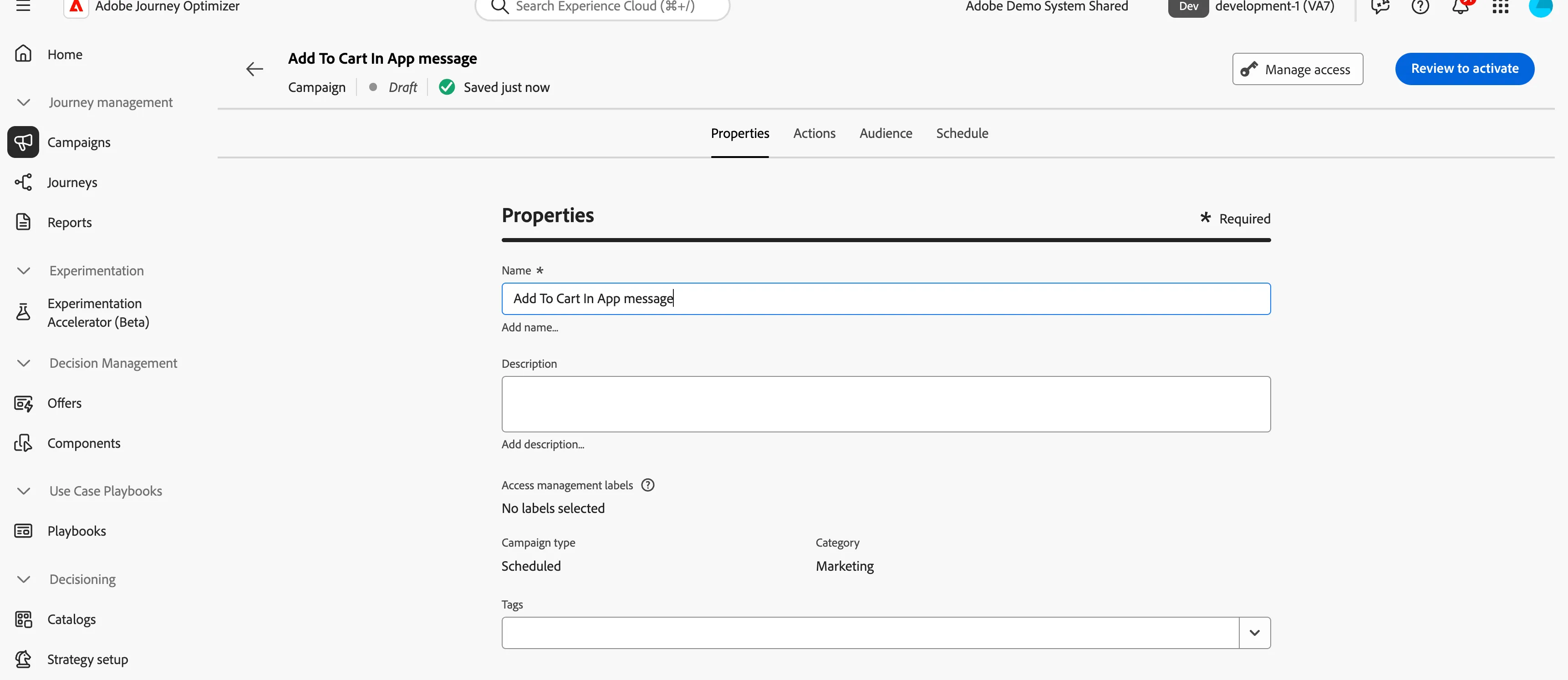
Provide properties as shown.
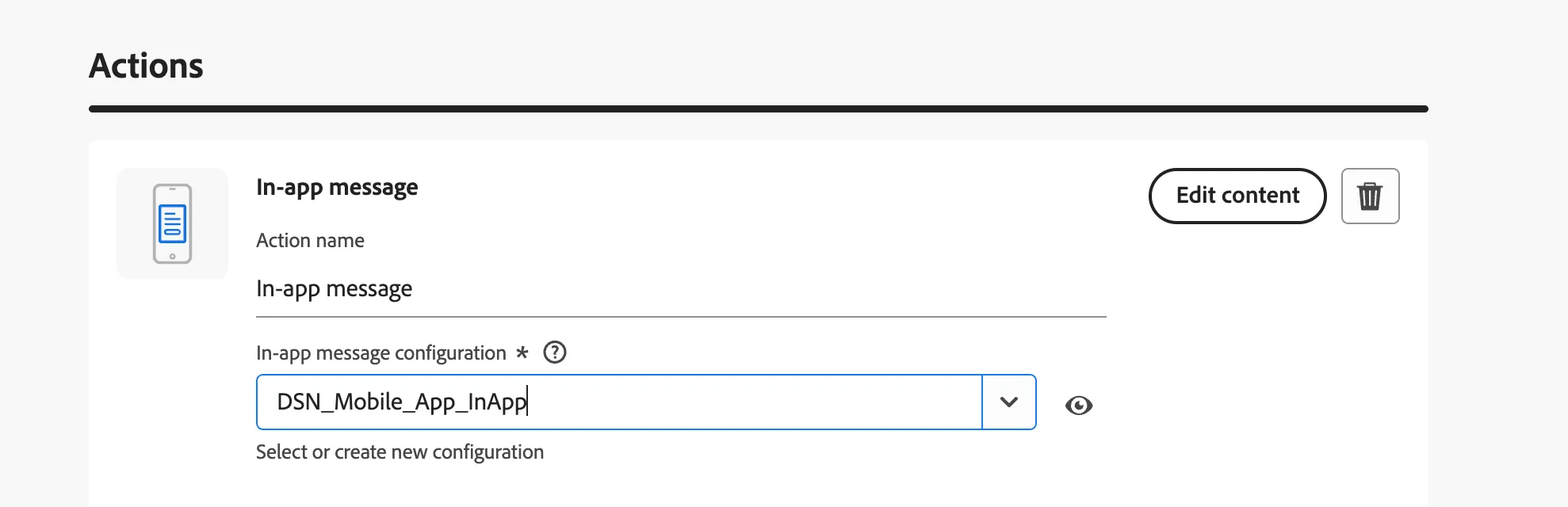
Click on the Actions tab and select the action 'In-app message', then configure the channel.
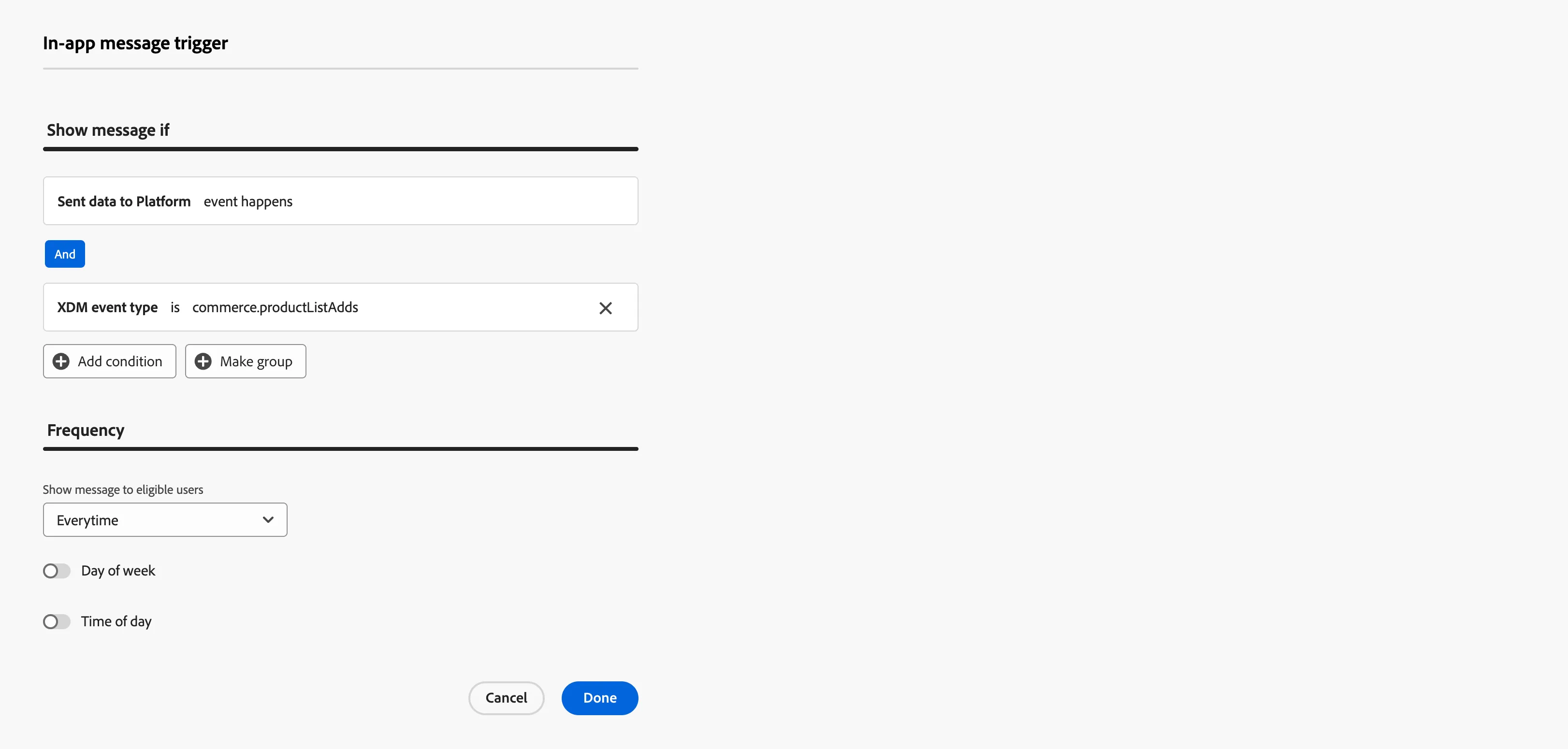
Click on 'Edit Triggers' to add a rule that triggers the in-app message when a user adds an item to their cart.
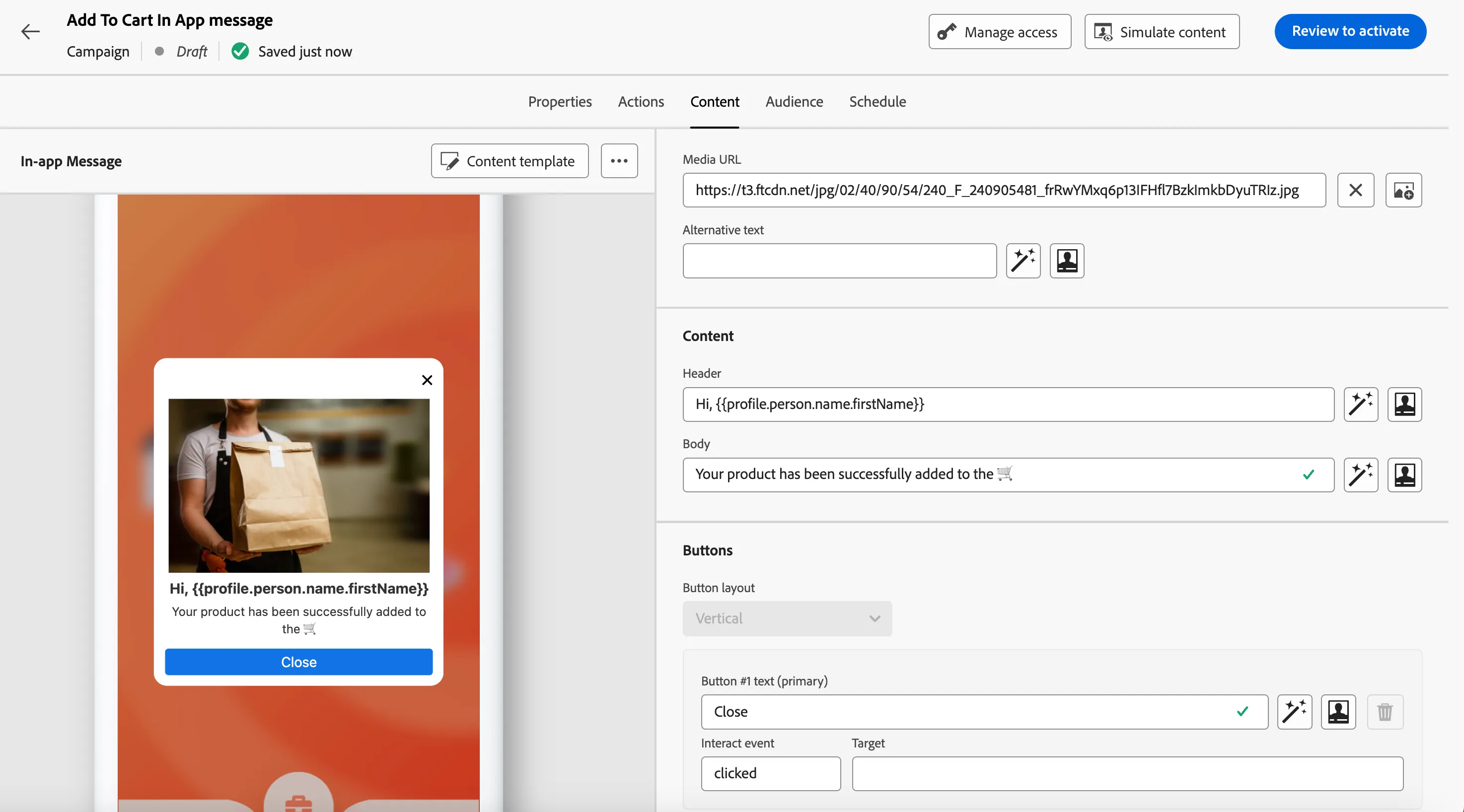
Click on Content Tab to edit the content.
Provide details :
Title: Hi, {{profile.person.name.firstName}}
Media Url: https://t3.ftcdn.net/jpg/02/40/90/54/240_F_240905481_frRwYMxq6p13IFHfl7BzkImkbDyuTRIz.jpg

Body: Your product has been successfully added to the 🛒
Click on Review to activate and activate.
Demo Scenario to show In-App message in DSN public projects: