ATM Failure Notification Journey
[Work in progress]
Business Challenge
SecurFinancial aims to improve customer satisfaction by proactively notifying users when nearby ATMs are unavailable—either due to planned maintenance or unexpected failures. Customers often waste time visiting out-of-service ATMs, leading to frustration and reduced trust in service reliability.
Opportunity
By leveraging Adobe Journey Optimizer and real-time location data, SecurFinancial can deliver timely, relevant push notifications to users in affected areas. This improves the customer experience while reducing unnecessary ATM visits and support inquiries.
Solution Overview
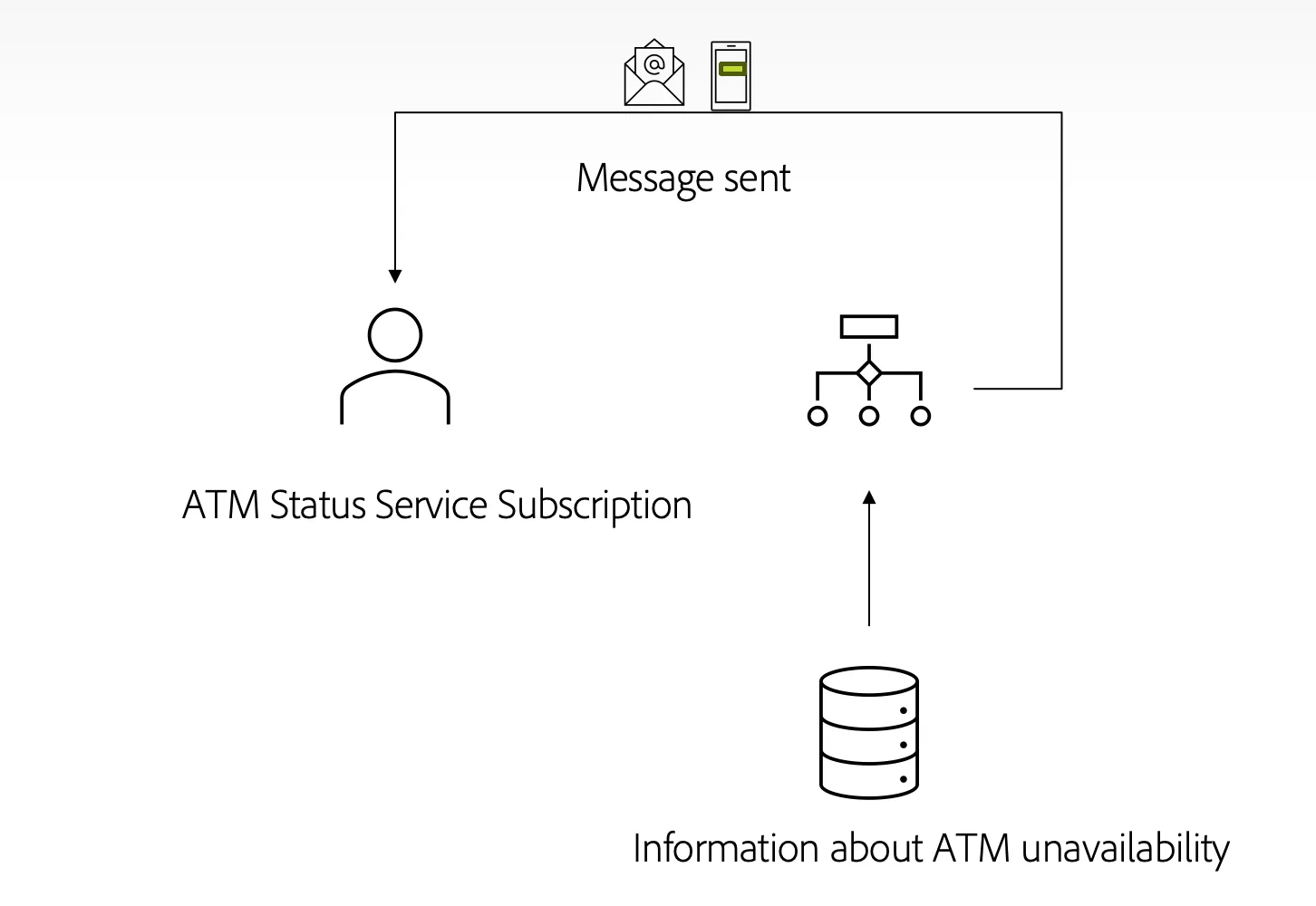
The journey is triggered by an external system (e.g., ATM monitoring platform) when a machine is down. If the customer is opted into the ATM Failure Notification Service and located in the impacted area, they receive a real-time push notification with alternative ATM locations.
Adobe Journey Optimizer orchestrates message delivery based on real-time profile evaluation. The journey uses Postman to simulate event triggers during demo scenarios.
Scenario
Before you begin, either create your own user on the SecurFinancial website or use the Alex Rivera persona; however, it might contain multiple ECID's of other users using him for the demo.
Before you begin, create your own demo persona on SecurFinancial website.
Steps:
This end-to-end journey is demonstrated through a single persona, “Alex Rivera,” as we simulate multiple real-life scenarios where ATM failures occur in different cities.
Step 1: Customer Opts In
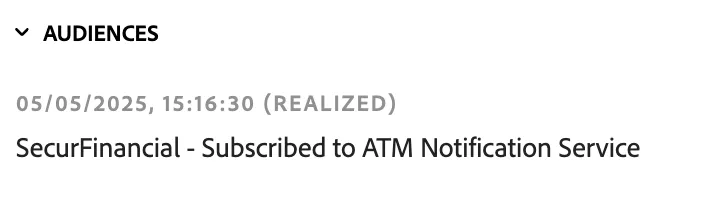
Alex Rivera, a digitally engaged SecurFinancial customer based in San Francisco, enrolls in the ATM Failure Notification Service via the SecurFinancial mobile app. This preference is captured in Adobe Real-Time CDP and makes Alex eligible for future communications regarding ATM disruptions.
Register/login in the SecurFinancial website. A segment will be resolved as a person who subscribed to ATM information service.
Step 2: Location Data Captured
Alex’s current GPS coordinates (San Francisco) are periodically captured by the mobile app and synchronized to his real-time profile via the Mobile SDK integration with Adobe Experience Platform.
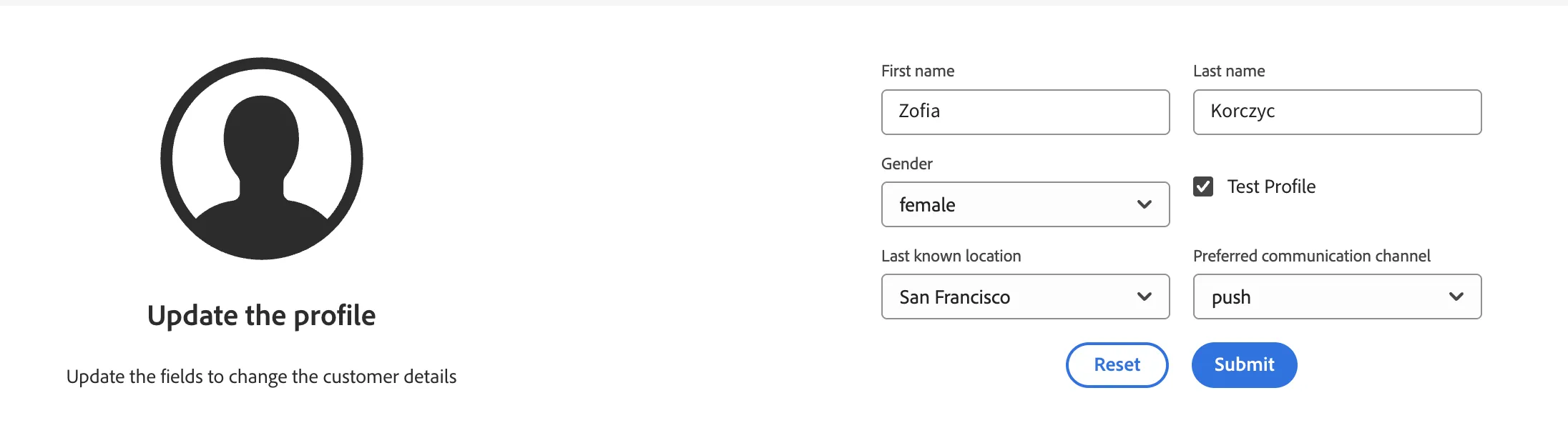
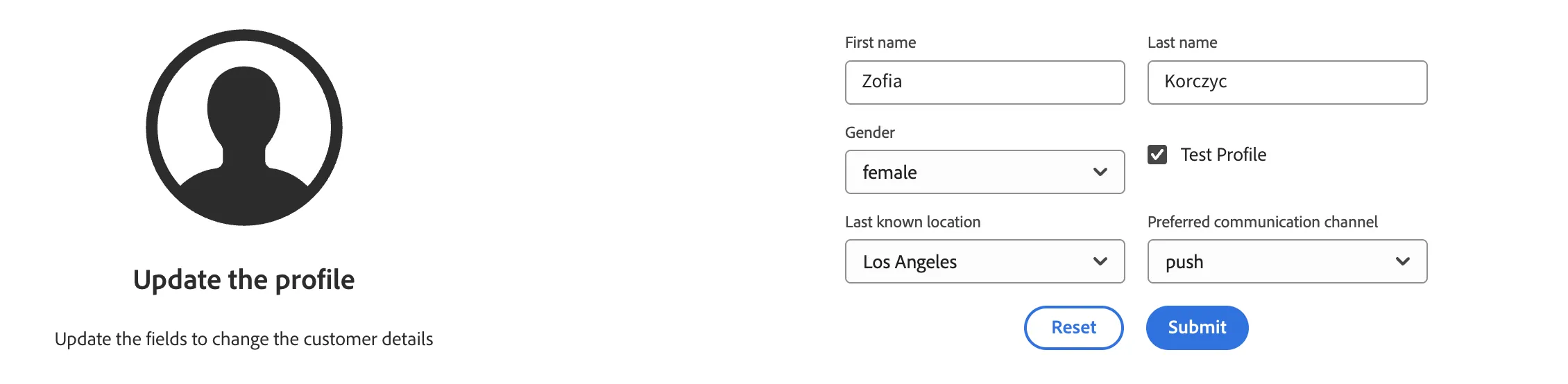
For the purpose of this demo we will simulate the customer last known location. Go to the Customer Experience App project for SecurFinancial: https://dsn.adobe.com/cx2/securfinancial2-cx
Search for your profile
Update the last known location field to San Francisco
Update prefered way of communication to push
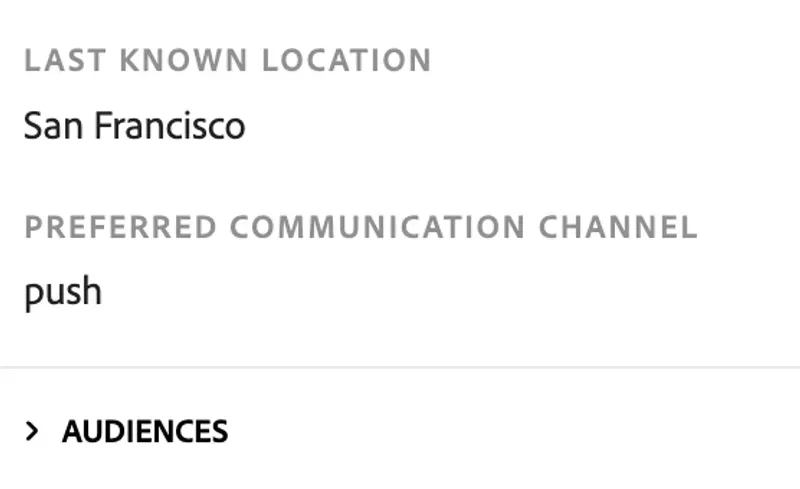
Check if your profile has required attributes in profile viewer e.g. on SecurFinancial website
Step 3: ATM Failure Triggered in San Francisco
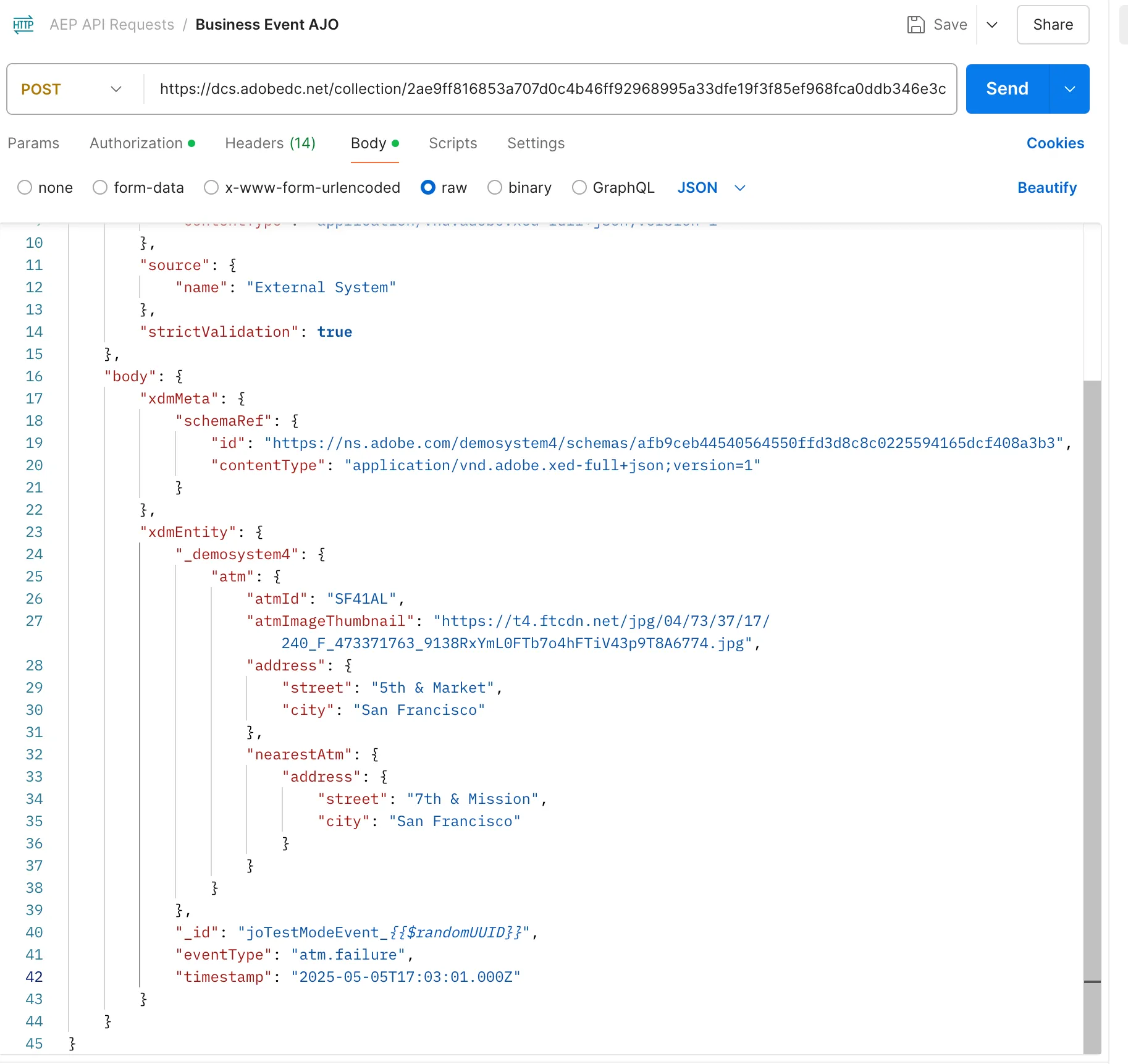
A back-end ATM monitoring system detects that an ATM at 5th & Market Street in San Francisco is temporarily out of service. It pushes an event to Adobe Journey Optimizer via API (simulated using Postman during the demo).
Journey Optimizer matches this event with a predefined audience rule:
- Users opted into notifications
- Current location = San Francisco (within defined geo radius)
Alex qualifies and enters the journey.
To simulate the external system we can use postman or any other tool to send data to platform. Details for postman request are here: https://wiki.corp.adobe.com/display/demosystem/Postman+Request+for+SecurFinancial+ATM+Scenario
Step 4: Message Delivered
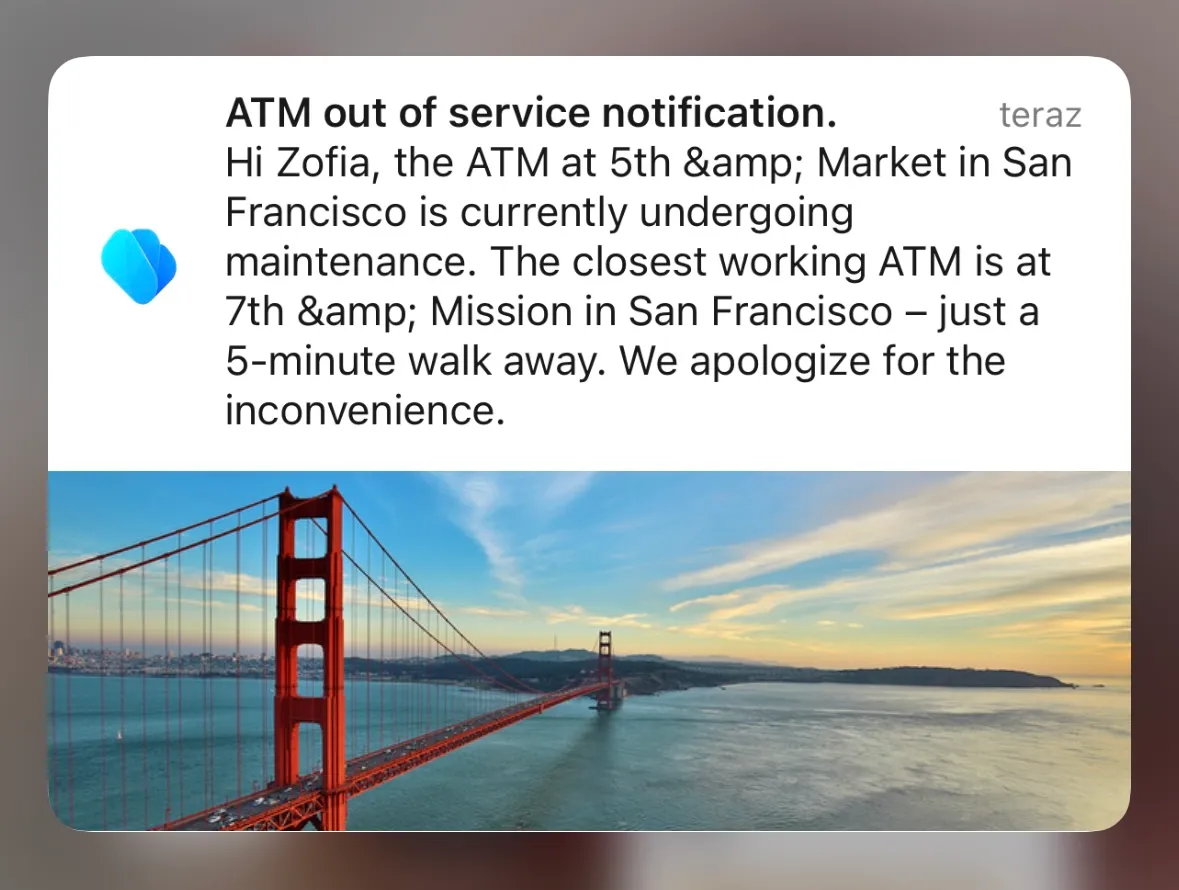
Within moments, Alex receives a push notification on his mobile phone:
"Hi Alex, the ATM at 5th & Market is currently undergoing maintenance. The closest working ATM is at 7th & Mission – just a 5-minute walk away."
The message includes location-aware copy.
Step 5: New Event – Los Angeles ATM Failure
The following day, a new failure event is triggered for an ATM in Los Angeles (Sunset Blvd). The same trigger process is used.
However, Alex’s profile still shows him as being in San Francisco. Because the journey audience rules are location-bound, he does not qualify and receives no notification.
This showcases how Adobe Journey Optimizer dynamically excludes users who do not meet real-time criteria—even if they are otherwise opted in.
To demonstrate the event for Los Angeles, use postman request included in the wiki: https://wiki.corp.adobe.com/display/demosystem/Postman+Request+for+SecurFinancial+ATM+Scenario You should not get the push notification this time.
Step 6: Location Switch – Alex Travels to Los Angeles
To simulate a mobile customer journey in motion, Alex’s location is updated to Los Angeles via the mobile app. The platform ingests this update, and his real-time profile is refreshed.
Again, we will use the Customer Experience app to simulate the last known location of Alex. As previously go to the Customer Experience App project for SecurFinancial: https://dsn.adobe.com/cx2/securfinancial2-cx
Search for your profile
Update the last known location field to Los Angeles
Update prefered way of communication to push
Check if your profile has required attributes in profile viewer e.g. on SecurFinancial website
Step 7: Re-trigger LA ATM Failure
The same Los Angeles ATM issue is triggered again via Postman. This time, Alex qualifies as his current location matches the audience geo-filter.
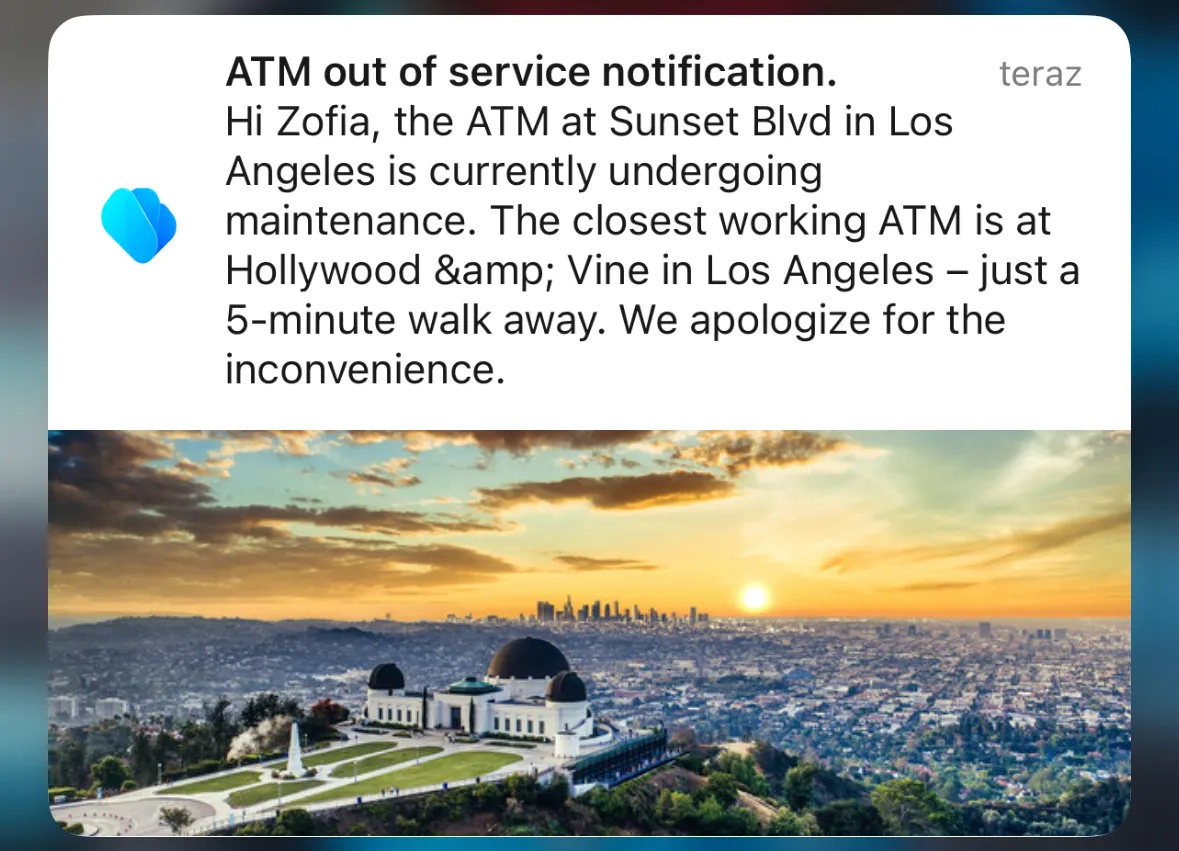
He receives a second push notification:
"Hi Alex, the ATM on Sunset Blvd is currently unavailable. The nearest alternative is at Hollywood & Vine."
This demonstrates location-aware responsiveness in Adobe Journey Optimizer based on dynamic real-time profile data.
Simulate the event with postman again, don't forget to update the event timestamp. This time as the ATM location matches the last known location of Alex, you should get push notification on your phone.
Journey:
SecurFinancial - ATM Failure Notification Service