Code Based Experiences - DEPRECATED
DSN Mobile app (DX Demo) - more info here: Mobile App Overview, supports AJO Code Based experiences to insert and edit specific elements at individual and more granular locations of the app.
There are two ways you can implement Code Based Experience in your project: sending an offer to a dedicated section (use component "Offer -v2") or replacing full screen content to change the full experience of the app
As for now this feature works only on iOS devices
1.Displaying an offer on a dedicated mobile screen
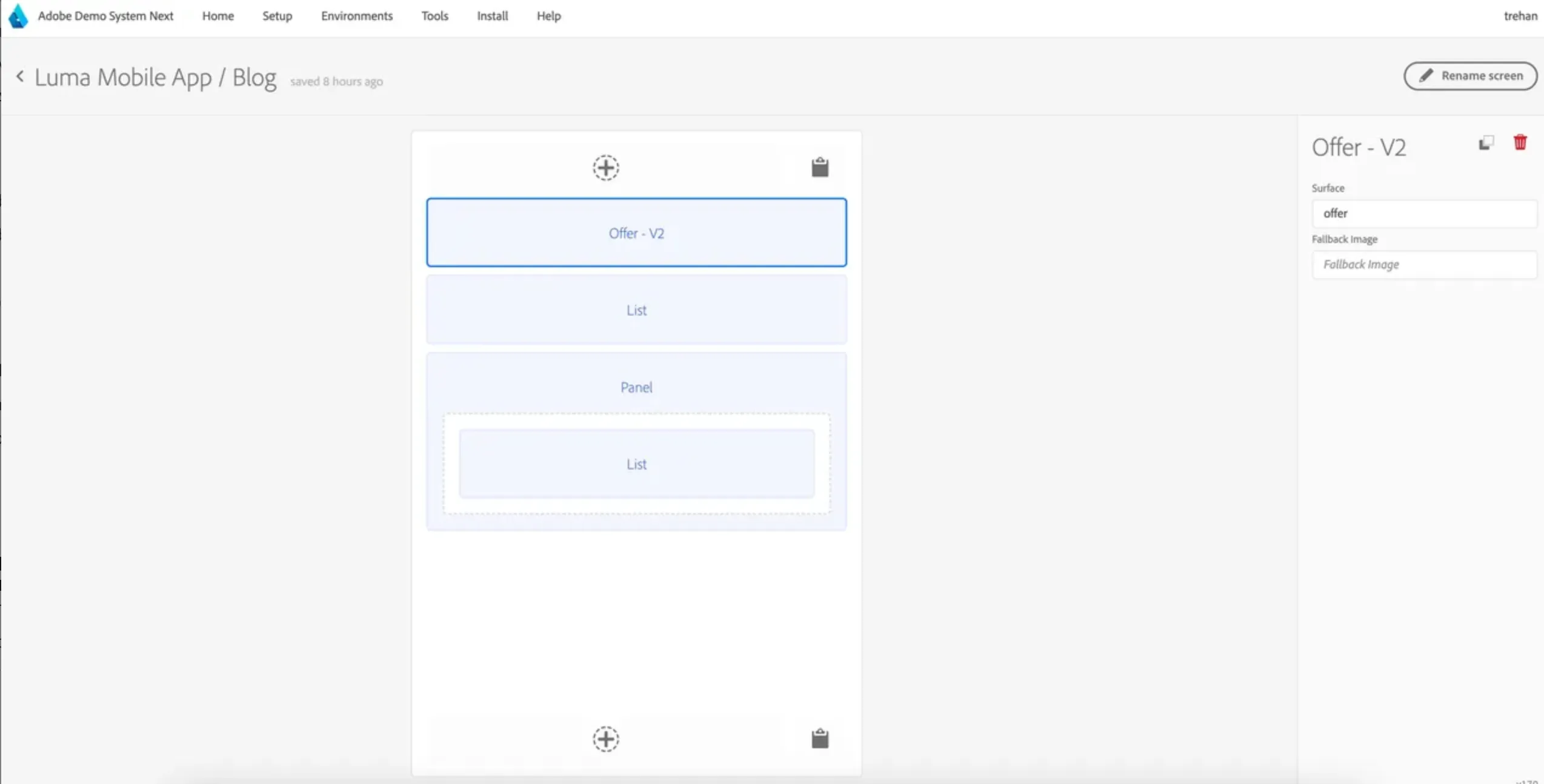
To display a dedicated offer e.g. a small ad banner withing the app, we recommend using the "Offer - v2" component.
Implementation steps:
Open the screen you would like to use to display the offer e.g. in case of Luma project, Blog screen. Edit it and add "Offer v2" component.
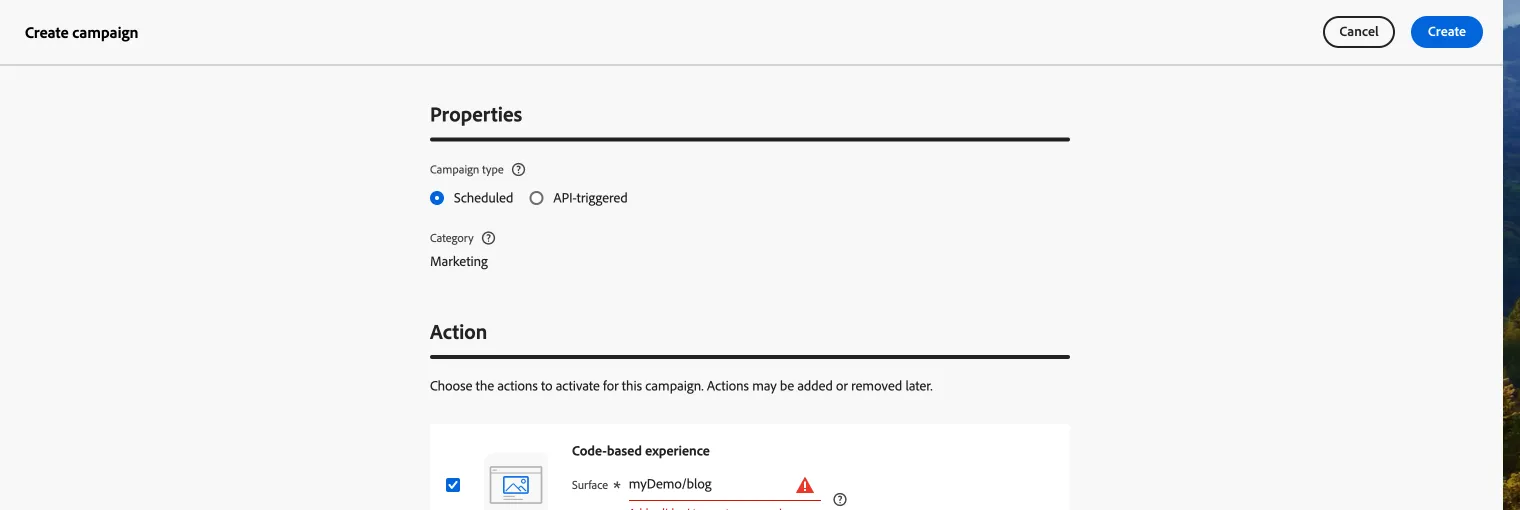
Go to Adobe Journey Optimizer and create a new Campaign. Select Code Based Experience.
Campaign is created using surface offer. So value for "Enter Uri" field for surface is mobileapp://com.adobe.demosystem.dxdemo/surface, surface should be replaced with surface name. For demo, it is mobileapp://com.adobe.demosystem.dxdemo/offer.
...
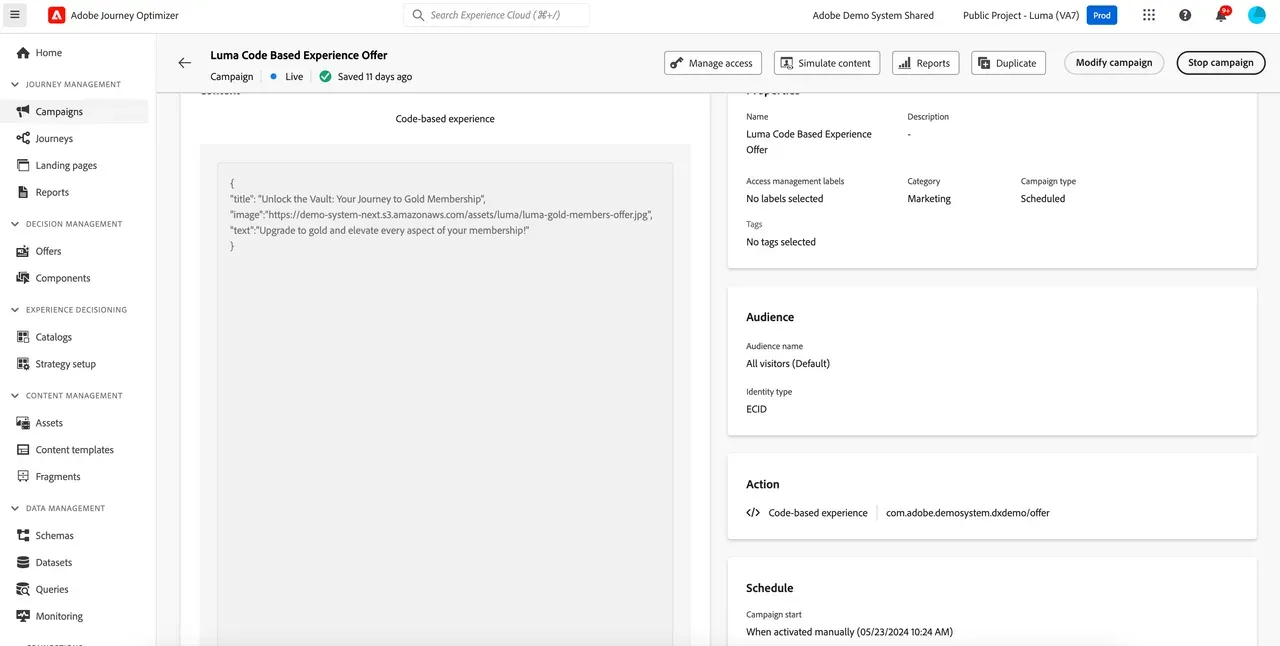
Sample offer content
{
"title": "Unlock the Vault: Your Journey to Gold Membership",
"image":"https://demo-system-next.s3.amazonaws.com/assets/luma/luma-gold-members-offer.jpg",
"text":"Upgrade to gold and elevate every aspect of your membership!",
"link":""
}
Campaign Link: https://experience.adobe.com/#/@demosystem4/sname:public-luma/journey-optimizer/campaigns/summary/090ba7d9-8d7e-4704-80c6-984e2f18186d
Sample scenario is implemented in Luma public project. More info here: Code Based Experiences
2. Replace mobile screen with offer content
To replace the full screen with an offer to create more customized user experience.
Implementation steps
Configure mobile project. Navigate to any screen in the mobile project.
For demo purpose, we are using products screen.
Click on Products screen and then click on Personalization in the sidebar.
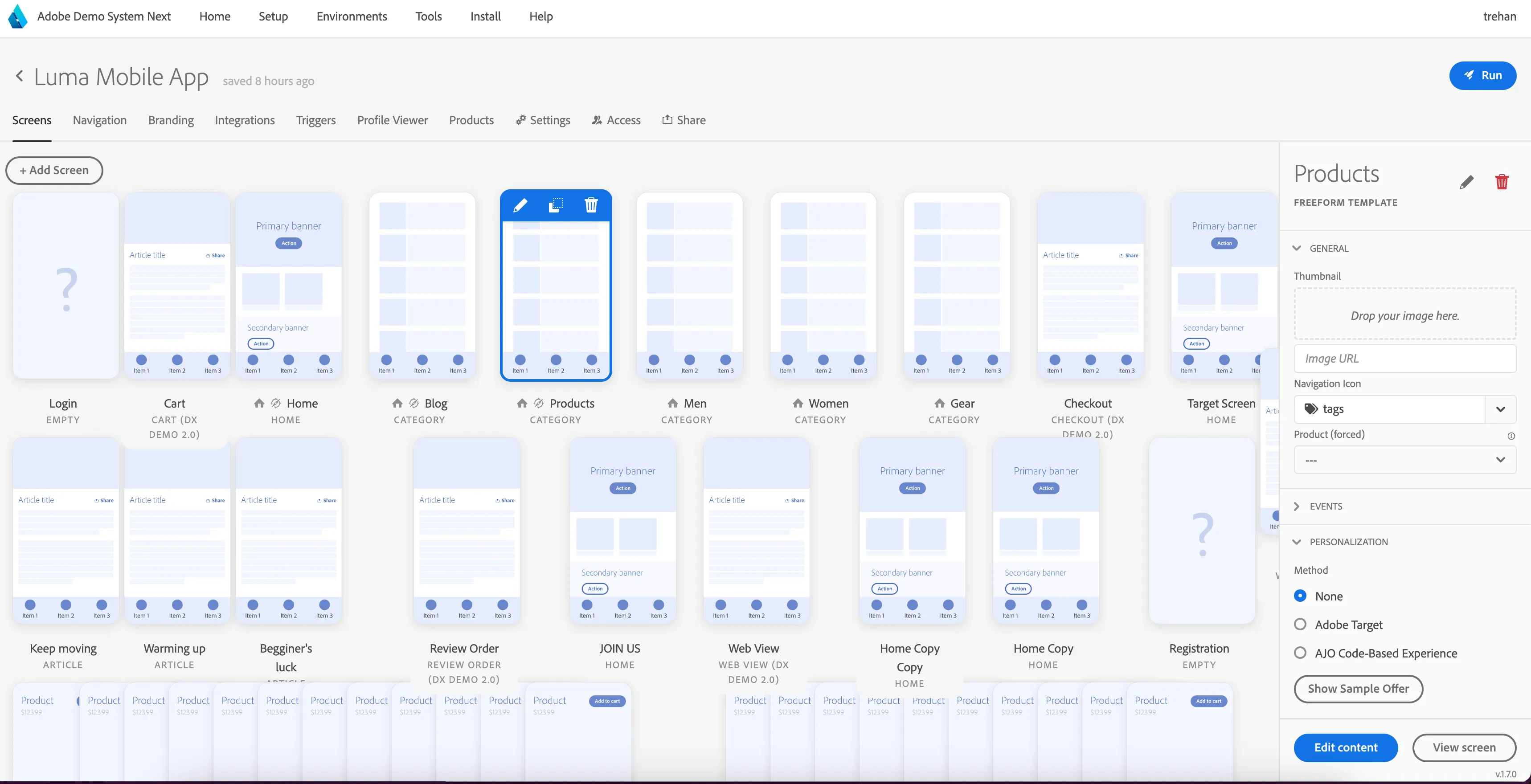
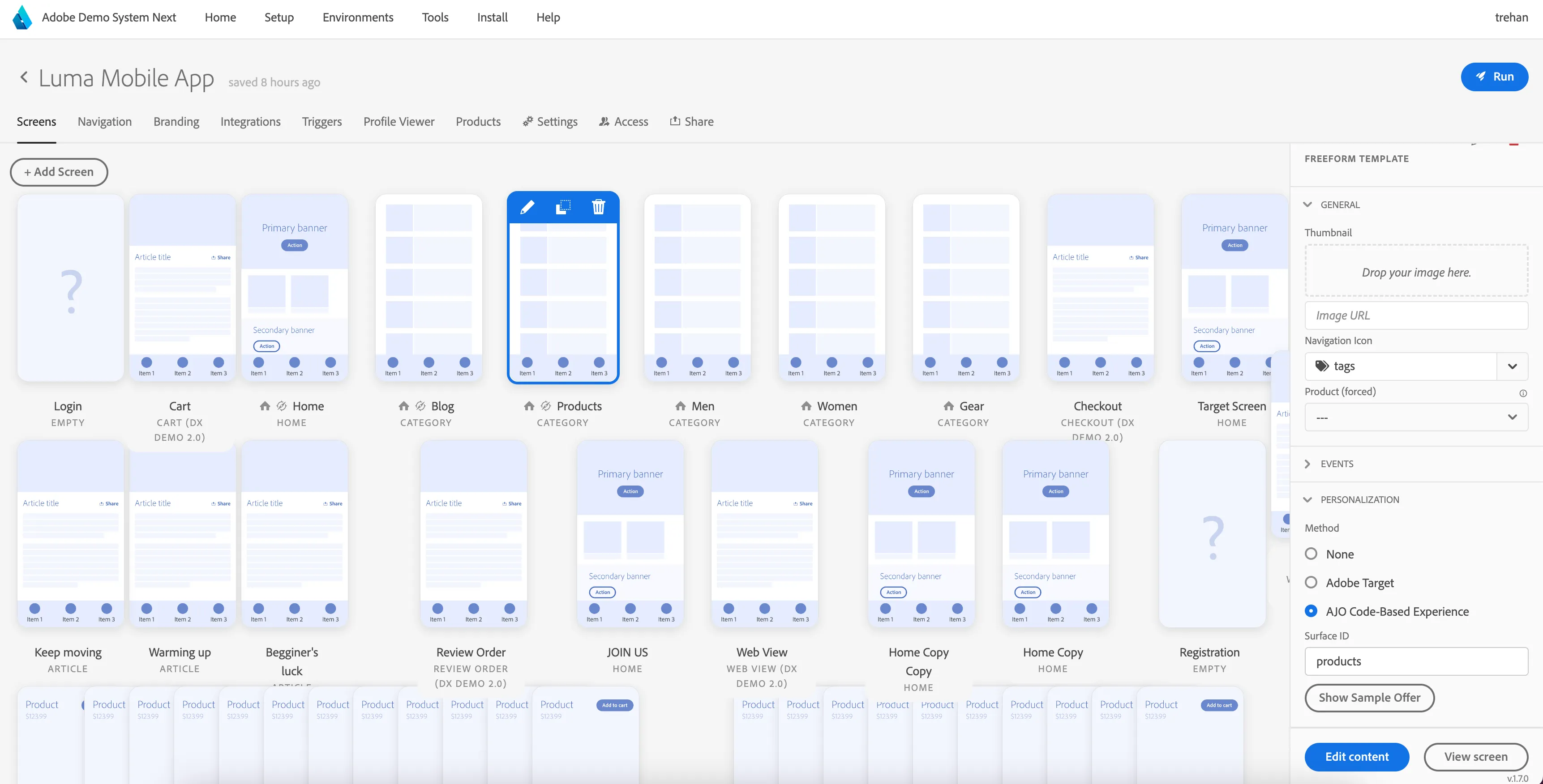
Select AJO Code-Based Experience.
It will display a field to provide surface id. Provide a value here. For demo, we would use value "products".
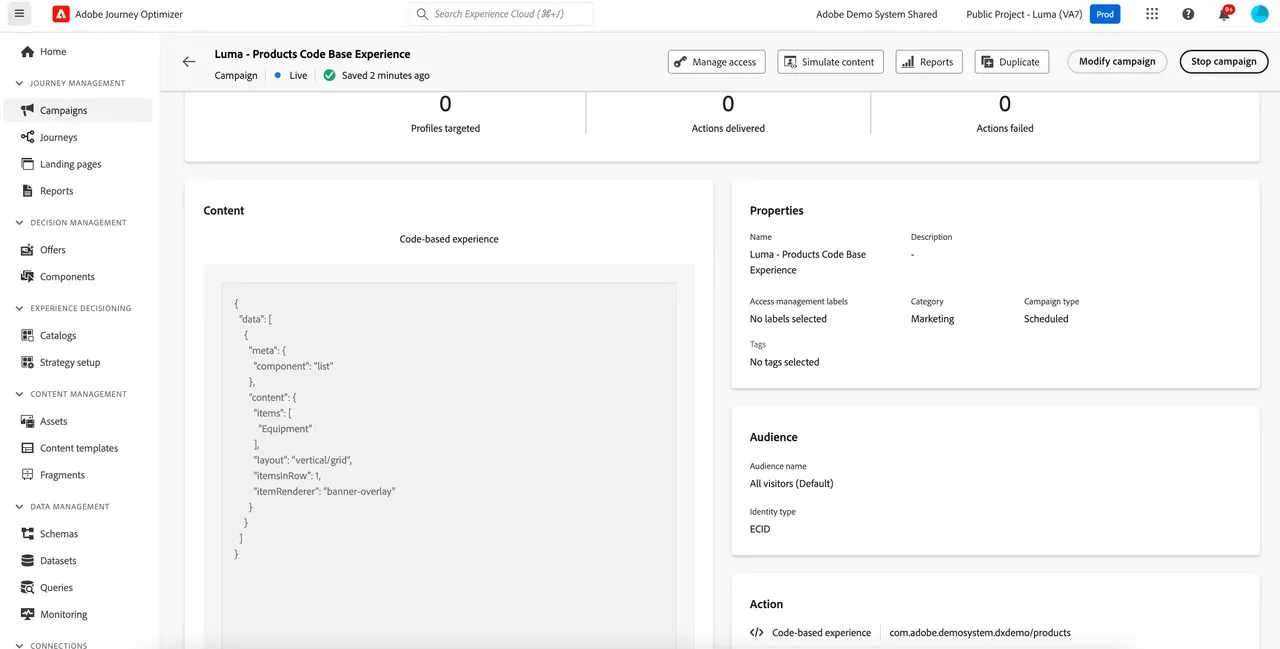
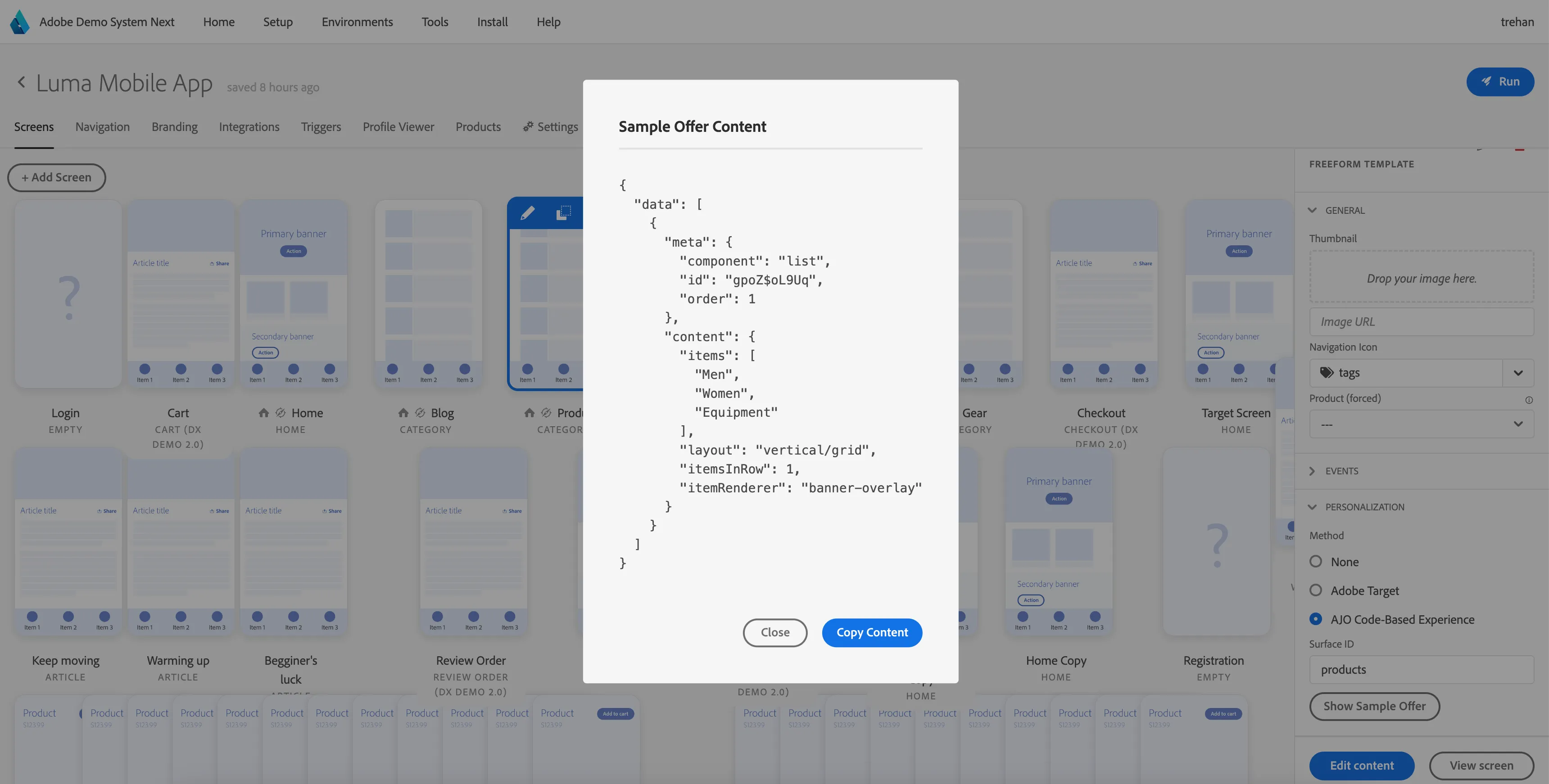
Click on Sample Offer and copy the code. This will be used when creating campaign in AJO.
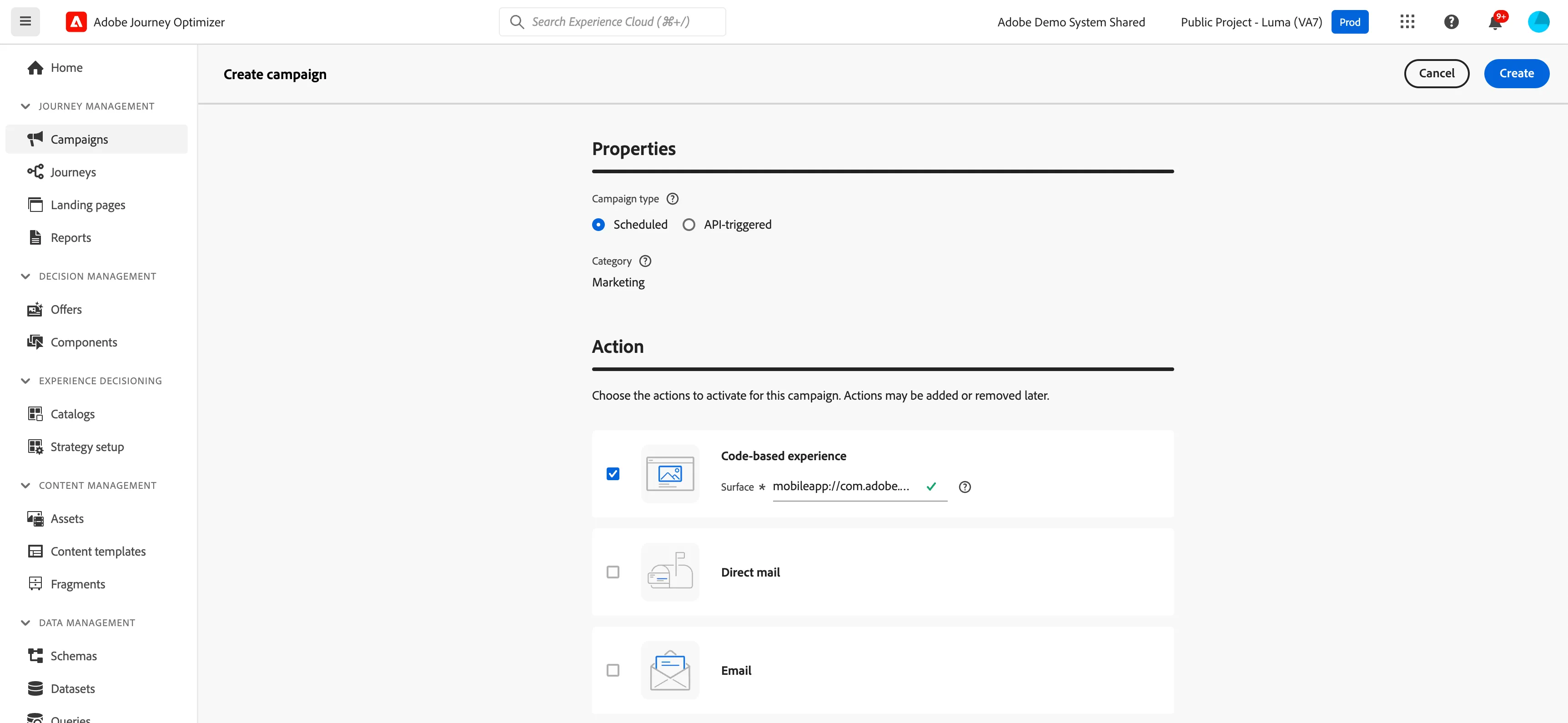
Go to AJO. Create a campaign.
- Select the Code-based experience action.
- Enter the code-based experience surface.Select Create.
- Complete the steps to create a campaign, such as the campaign properties, and , audience, and schedule.
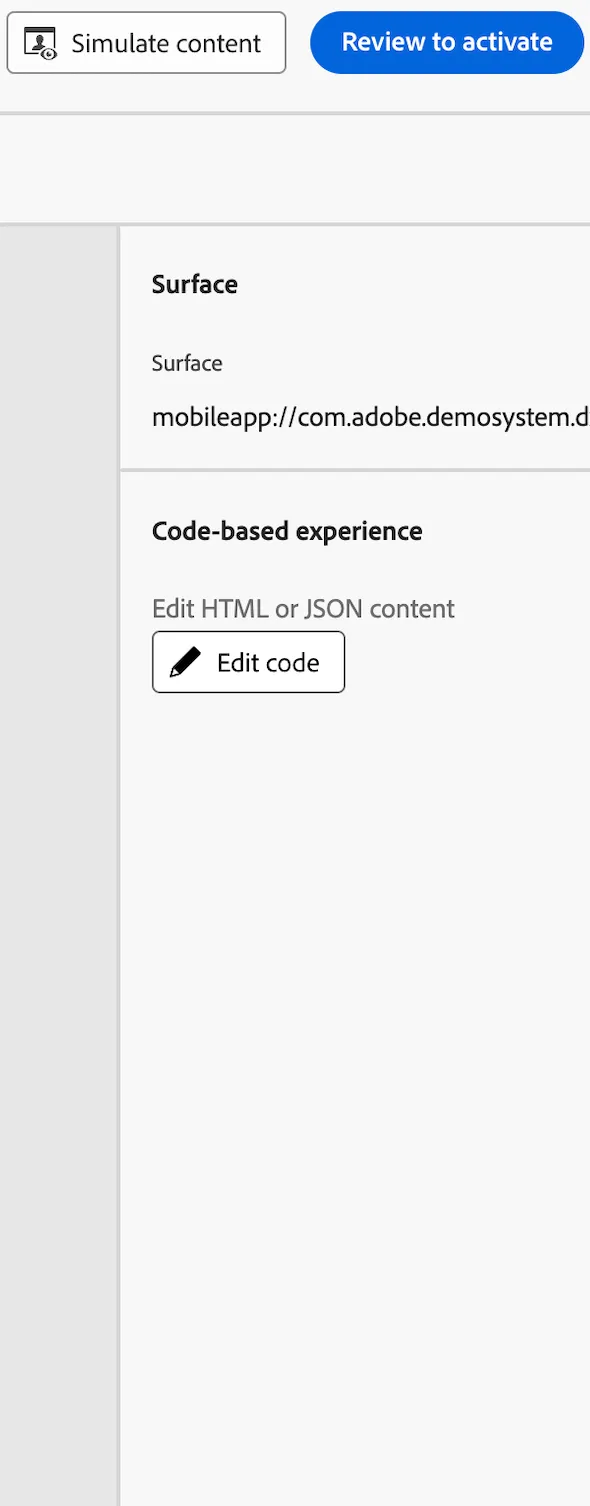
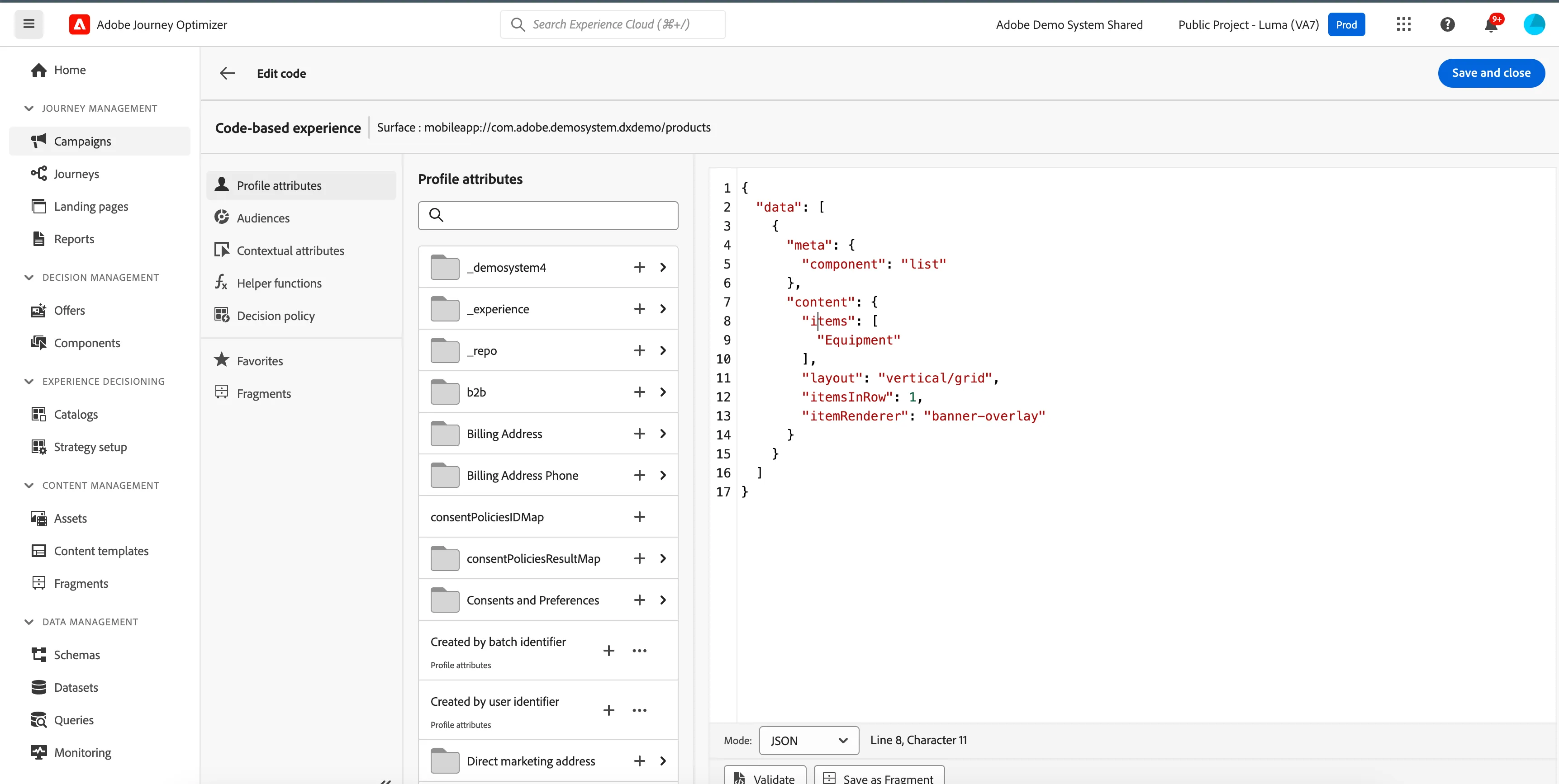
- Edit your content using the personalization editor. From the campaign edition screen, select Edit code.
- The personalization editor opens. It is a non-visual experience creation interface which allows you to author your code.
- Switch the authoring mode from HTML to JSON. Paste the sample offer code that was copied earlier. Make modifications as per the need.
7.Click Save and close to confirm your changes. Click on Review to activate and then Activate.
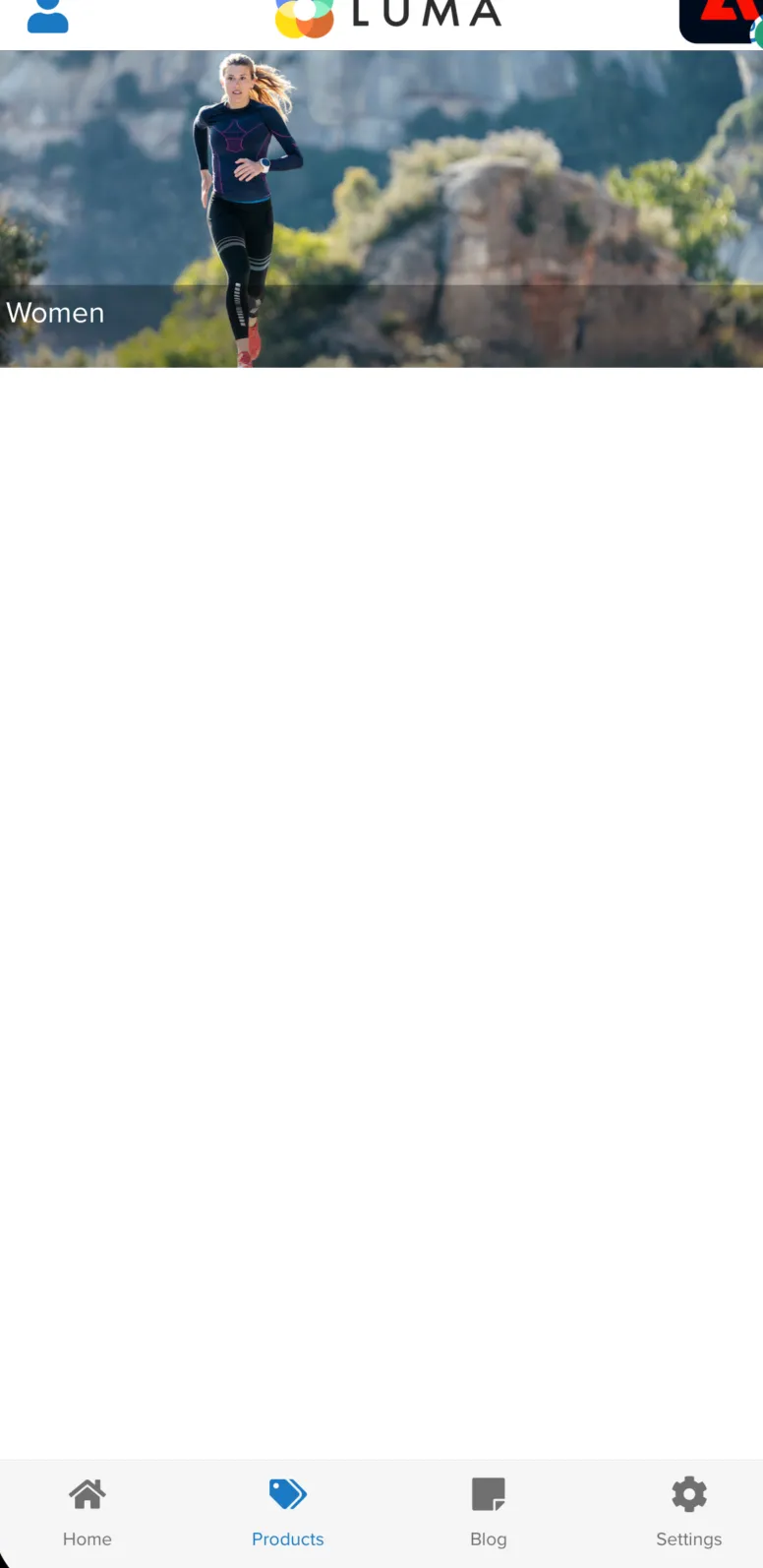
Open the app and navigate to Products screen. You should see the new content which is fetched from AJO. List of products should now only display "Women"
Campaign Used : https://experience.adobe.com/#/@demosystem4/sname:public-luma/journey-optimizer/campaigns/summary/bada4498-6246-4697-b206-c071acf4cd5e