Connections and Data Views
Connection and data view are the basic building blocks that allow the unifying profile/events and interpretation of attribute values to better understand the customer journey.
Connection for Luma Retail
The connection allows us to collect data from multiple sources like websites, mobile phones, call centers, etc., and unify profiles and experience events using a common profile identity. To learn details about how the connection works in CJA. check documentation.
Connection name: Demo System - Luma - customer journey analysis v1.0
Sandbox for dataset: Public project - Luma
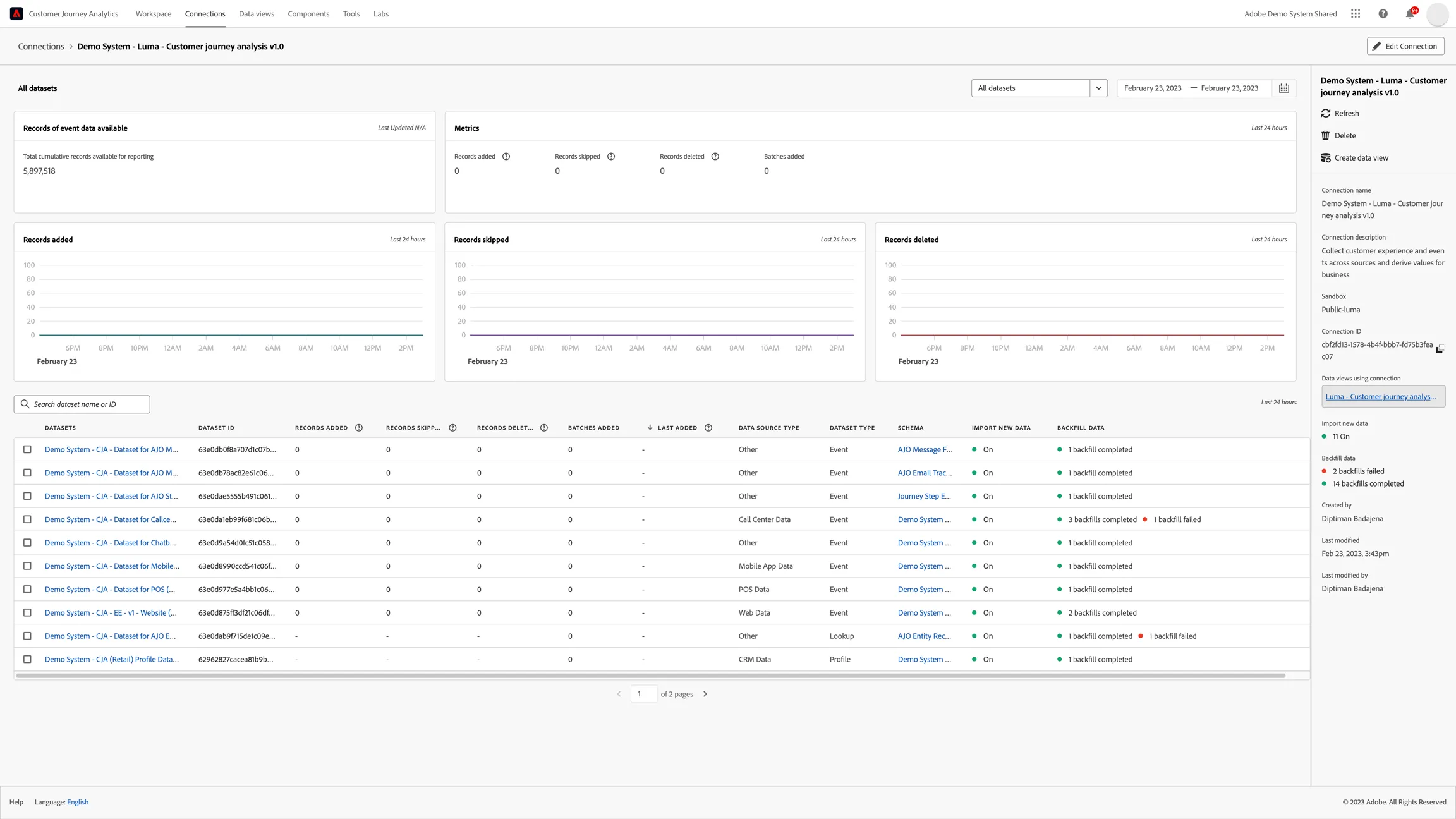
DATASETS
Experience Event Datasets:
- Demo System - CJA - Dataset for POS
- Demo System - CJA - Dataset for Chatbot
- Demo System - CJA - Dataset for Callcentre
- Demo System - CJA - Dataset for Mobile
- Demo System - CJA - Dataset for Website
Adobe Journey Optimizer Datasets:
- Demo System - CJA - Dataset for AJO Step Events
- Demo System - CJA - Dataset for AJO Message Feedback
- Demo System - CJA - Dataset for AJO Message Tracking
Lookup Datasets:
- Demo System - CJA - Dataset for AJO Entity
Profile Dataset:
- Demo System - CJA Profile Dataset for CRM
PROFILE ID(Data Stitching)
For experience event datasets _demosystem4.identification.core.crmId
- For AJO datasets identitymap (crmId)
- For AJO Entity lookup Key: _experience.customerJourneyManagement.entities.channelDetails.messageID Matching key: _experience.customerJourneyManagement.messageExecution.messageID
Data View for Luma Retail
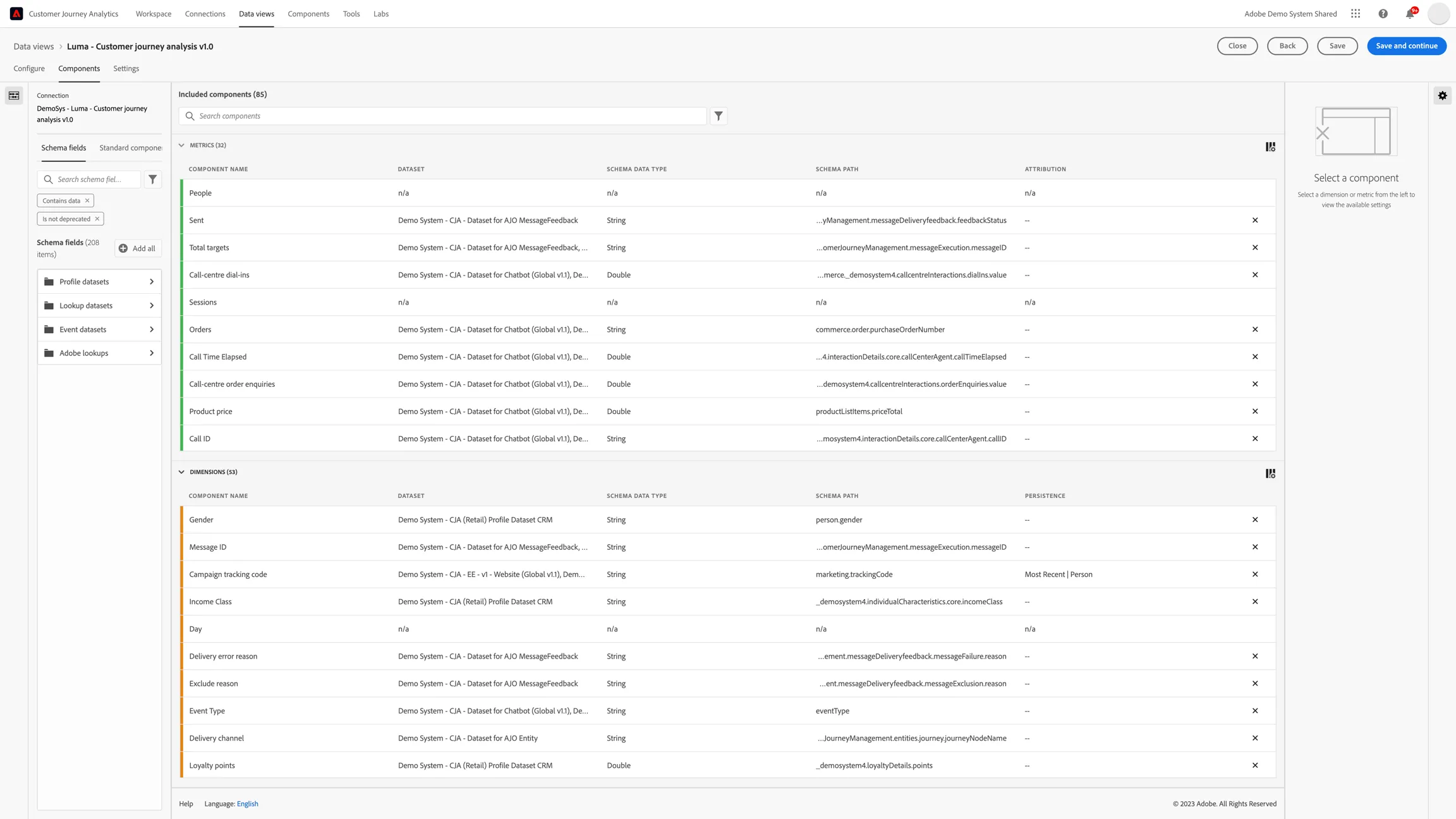
A data view is a container specific to Customer Journey Analytics that lets you determine how to interpret data from a connection. It specifies all dimensions and metrics available in the Analysis Workspace and which columns those dimensions and metrics obtain their data from. Data views are defined in preparation for reporting in the Analysis Workspace. To know additional details of Data View in CJA. check documentation.
Data view: Luma - customer journey analysis v1.0
Session timeout: 48 hours
AUDIENCE(Filters)
- Retail: Web session to Call-centre sessions
- Retail: A mobile session to Call-centre sessions
- Retail: Store visit session to Call-centre sessions
- Retail: Store visit with no purchase
- Unable to view connection and data view tabs?
CALCULATED METRICS
- Retail: Average call cost
- Retail: Average call duration
Unable to view connection and data view tabs?
You need to have additional access privileges (refer to doc). Please contact us using the Slack discussion channel, #demo-system-next, and we will add you to the user group.