Contact
The Contact module allows you to include three different contact methods to perform communication with a customer: SMS, email and a phone call.
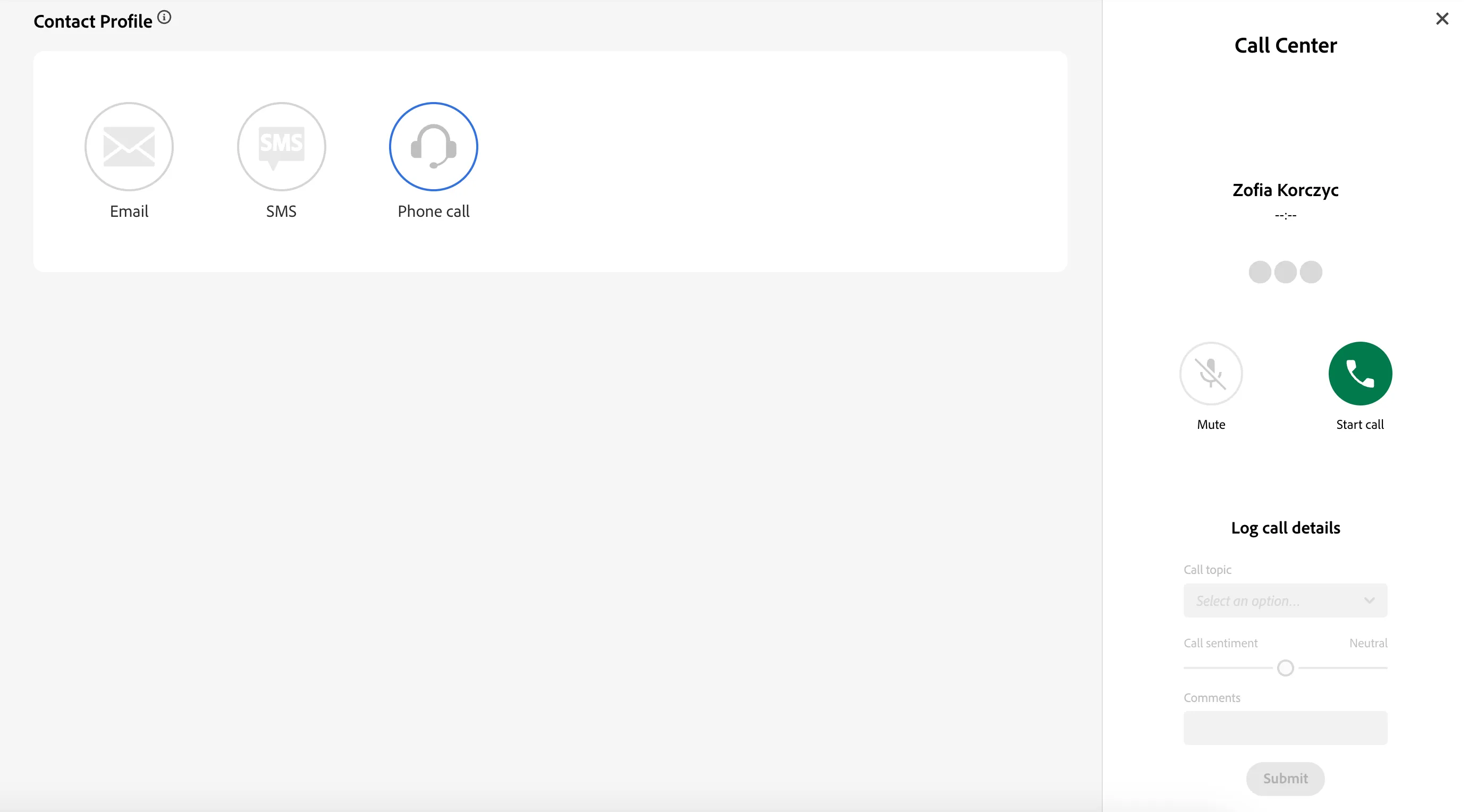
Contact methods
- SMS
- Lets one write the content of the text message which is to be sent to the customer's phone number
- Lets one write the subject and the content of the email message which is to be sent to the customer's email address
- Phone call
- Lets you simulate a phone call with a customer. After starting the phone call, an optional section of logging the call details can be used to send event with information about the call topic, call satisfaction and extra comments
Module configuration
General settings
Property | Description | Default |
|---|---|---|
Hide title | Indicates whether the module title above the module content should be hidden or not | false |
Title | The name of the module, displayed above the module content | Contact |
Description | The description of the module, displayed as a tooltip after clicking on the info icon next to the module's title | Displays a form to contact customer using email, sms or phone. Triggers customEvent in Launch |
Email settings
Property | Description | Default |
|---|---|---|
Enabled | A switch indicating whether the email method of contact should be enabled | true |
SMS settings
Property | Description | Default |
|---|---|---|
Enabled | A switch indicating whether the SMS method of contact should be enabled | true |
Phone settings
Property | Description | Default |
|---|---|---|
Enabled | A switch indicating whether the phone call method of contact should be enabled | true |
Show log call section | A switch indicating whether the phone call logging should be enabled | true |
Call topics | List of the call topics that appear in the dropdown of the call details logging section of the module | 'Promotion', 'Invoice questions', 'Complaint', 'Refunds' |