Content Analytics
Content Analytics Overview
Adobe Content Analytics (ACA) uses AI and machine learning (ML) to identify the characteristics driving engagement so you can optimize content at scale. Content Analytics will automatically record, tag, and track the assets on your website—as well as overall page ‘experience’ that the visitor sees—without the need for manual tagging. Content Analytics brings new content dimensions such as asset ID and experience ID, metadata attributes such as colors, emotions, lighting, photography styles, and many more. You will also now have new content metrics such as asset and experience views, clicks, CTR, etc.
Demo Overview
This live demo allows you to present the new Adobe Content Analytics interface, including the image preview service, the Analysis Workspace template and several ACA-specific reports in a live environment.
To present the demo, open the Content Analytics Overview project in Adobe Demo System Shared (ADSS). If you do not have access to ADS, you can request it through the #demo-system-next channel (Adobe internal).
Demo Data Details
- Organization: Adobe Demo System Shared (additional orgs pending)
- Sandbox: CID Data
- Data View: Omni-Channel Multi-Industry (dv_65e6a686302d5e6d5f427cbd)
- Workspace Project: Content Analytics Overview
Access Instructions
- Request Access to Adobe Demo System Shared (Adobe internal only): #demo-system-next
Setup Instructions
- Open the dashboard: Content Analytics Overview in Adobe Demo System Shared
- Check the date range. It should be set to August 3, 2025 to August 9, 2025.
- Scroll down to the ‘Top performing experiences’ report.
- Make sure ‘Luma+ Loyalty Signups’ is NOT one of the metrics displayed.
- Make sure it is sorted by ‘Percent change’ DESCENDING.
- Scroll down to the ‘Top performing assets’ report.
- Make sure it is sorted by ‘Percent change’ DESCENDING.
Use Cases
Introducing Content Analytics
Talk Track | Click Path |
|---|---|
Content Analytics will automatically record, tag, and track the assets on your website—as well as overall page ‘experience’ that the visitor sees—without the need for manual tagging Content Analytics will bring new content dimensions such as asset ID and experience ID, metadata attributes such as colors, emotions, lighting, photography styles, and many more. You will also now have new content metrics such as asset and experience views, clicks, CTR, etc | View the Content Analytics template 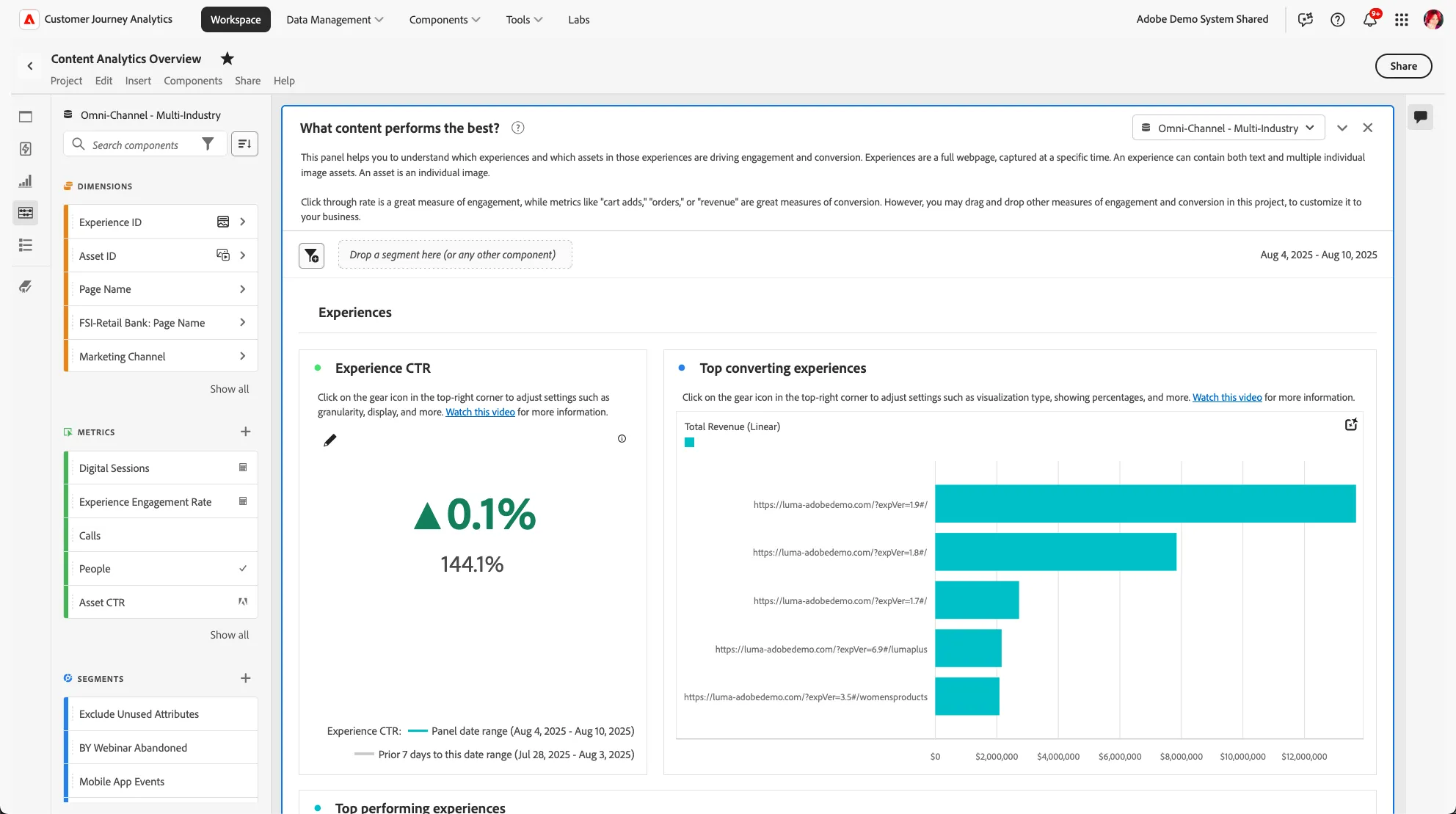 "What content performs best?" panel |
Adding additional CJA metrics to Content Analytics data
Talk Track | Click Path |
|---|---|
The dedicated content analytics template will generate reports and visualizations on how your site content performs. | View panel 1: "What content performs the best?" "What content performs best?" panel Scroll down to the "Top Performing EXPERIENCES" freeform table 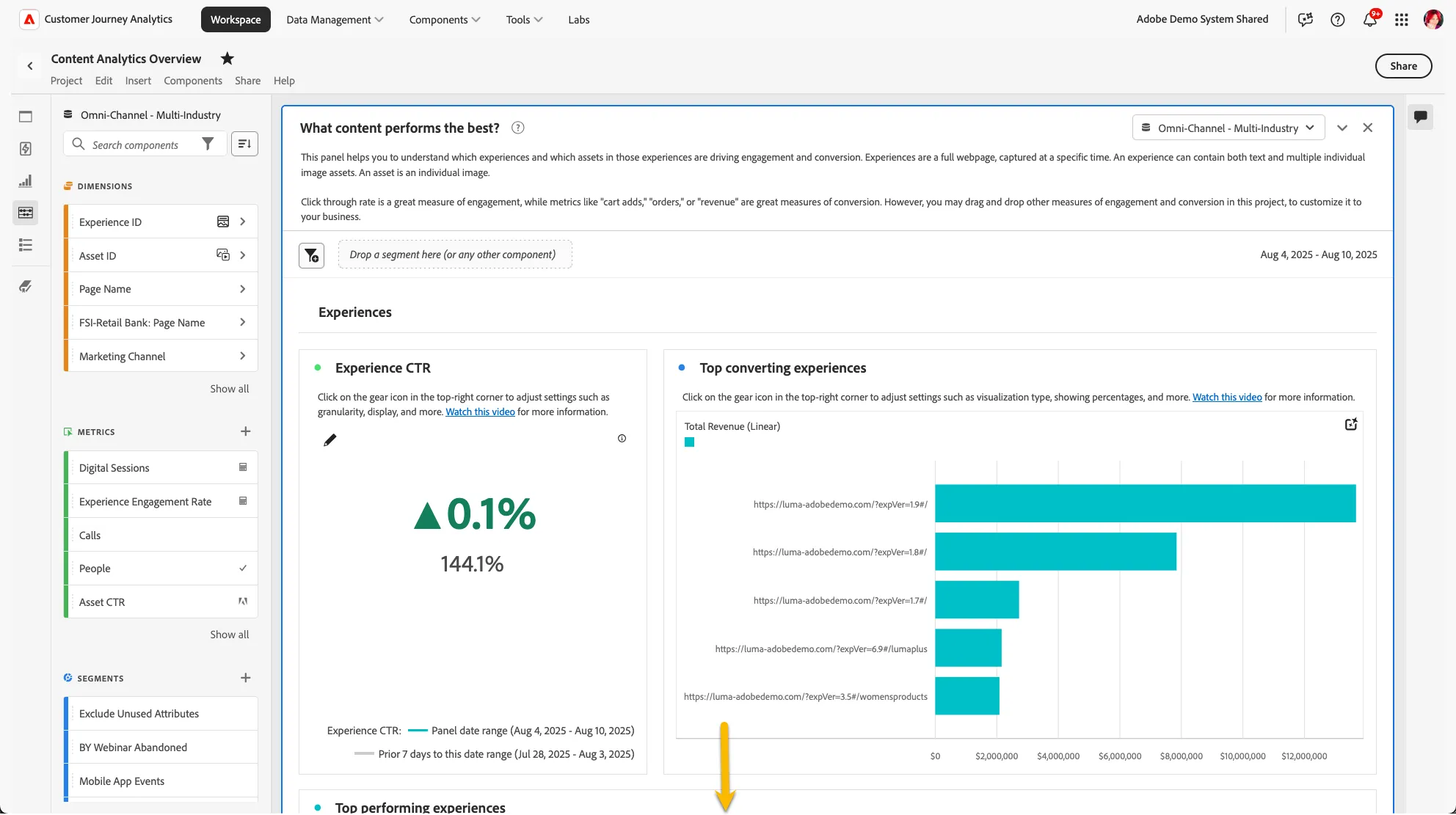 Scroll to Top Performing Experiences 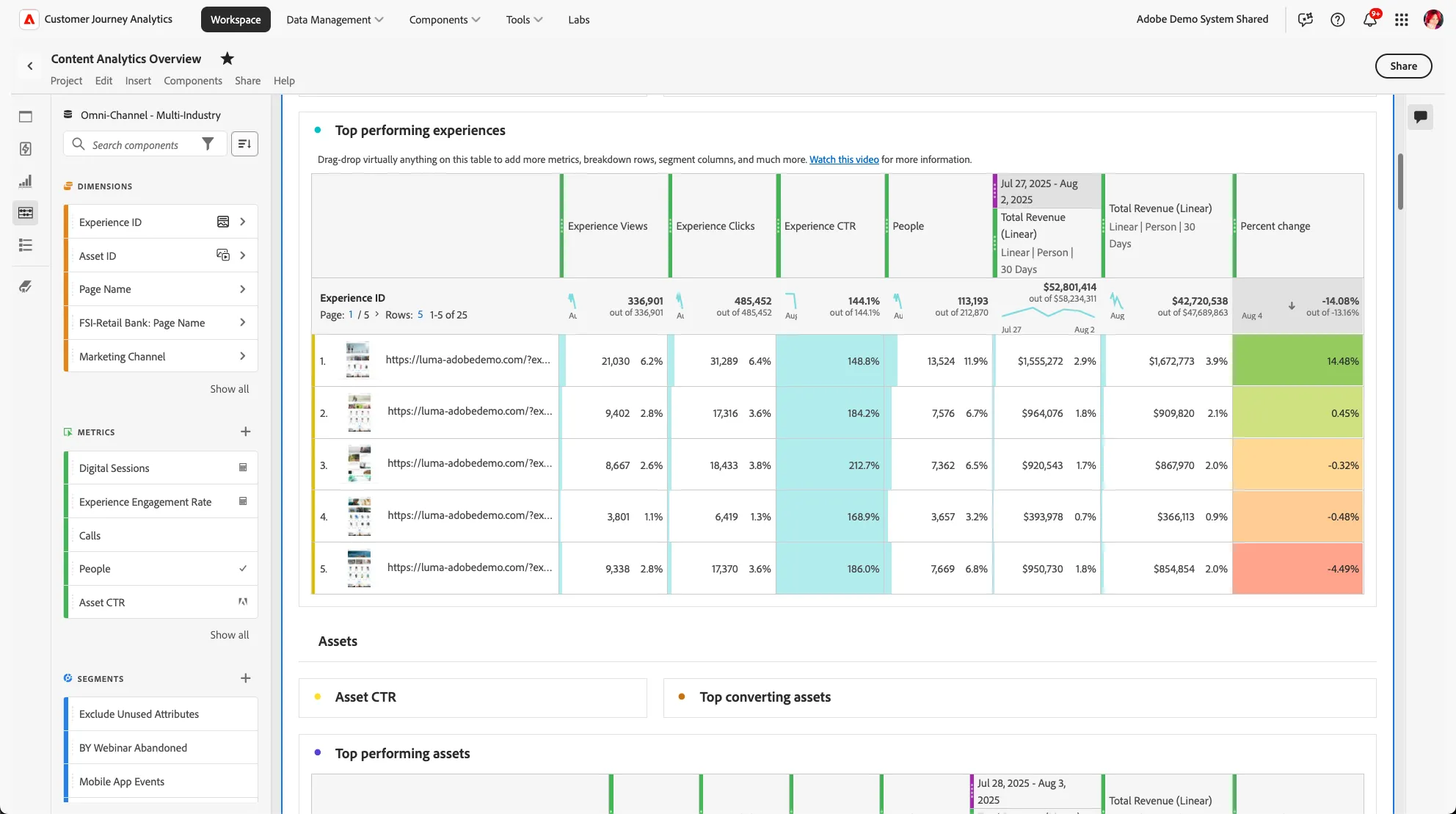 Top Performing Experiences table |
| Click inside the "Search components" text box in the left-hand component rail |