Engagement
This page details the flow for presenting a standard demonstration of RT-CDP B2B/P (CDP) + Adobe Marketo Engage (AME) using the Bodea Public Project. Part 2 shows Engagement orchestration.
Bodea public projects are connected to Adobe Demo System Shared org, public-bodea sandbox. All Adobe Employees can have read-only access to it.
Business Objective (Recap)
B2B Marketers are seeing a rise in the number of systems and data points that support their engagement marketing. Within the highly competitive digital marketplace, they need unique messaging strategies that give their sales people the greatest chance at closing opportunities. To support this objective, digital marketers want to leverage knowledge from previously untapped sources to track, resolve, and unify profile details at the person and account level in order to drive differentiated buying cycles with customers.
The following flow shows how Mark and others within the ABC Corporation Buying Group are monitored for progress as they go through the BodeaSecure Trial Experience. Events captured by RT-CDP are used to develop Segments, whose members are then shared with Adobe Marketo Engage as static list members (updated in real-time for steaming segments) to enhance the engagement marketing experience configured by Christina (Bodea Marketing Team).
Persona Intro (Recap):
ABC Corporation has seen a rise in machines that are not compliant with the latest Antivirus updates within their organization. To assist with closing the compliance gaps Director of Security Shawna has asked her team to investigate a new solution for distributing and monitoring Antivirus installations across the organization.
Sr. Security Manager Mark, along with Security Analyst Rashid, from Shawna's team have been tasked with researching potential solutions. Together, the three team members make up the Buyer Group that is evaluating improved Antivirus solutions. The following scenario will show how RT-CDP helps track and connect activity within the Buyer Group to align engagement marketing through Marketo Engage. The enhancements will alert the Bodea sales team to key activities within the deal cycle and accelerate the sale to a close through greater access to previously untapped detail.
To begin, Mark and Rashid leave the latest team meeting and with the researching of potential solutions top of mind.
Engagement Scenario
Starting point
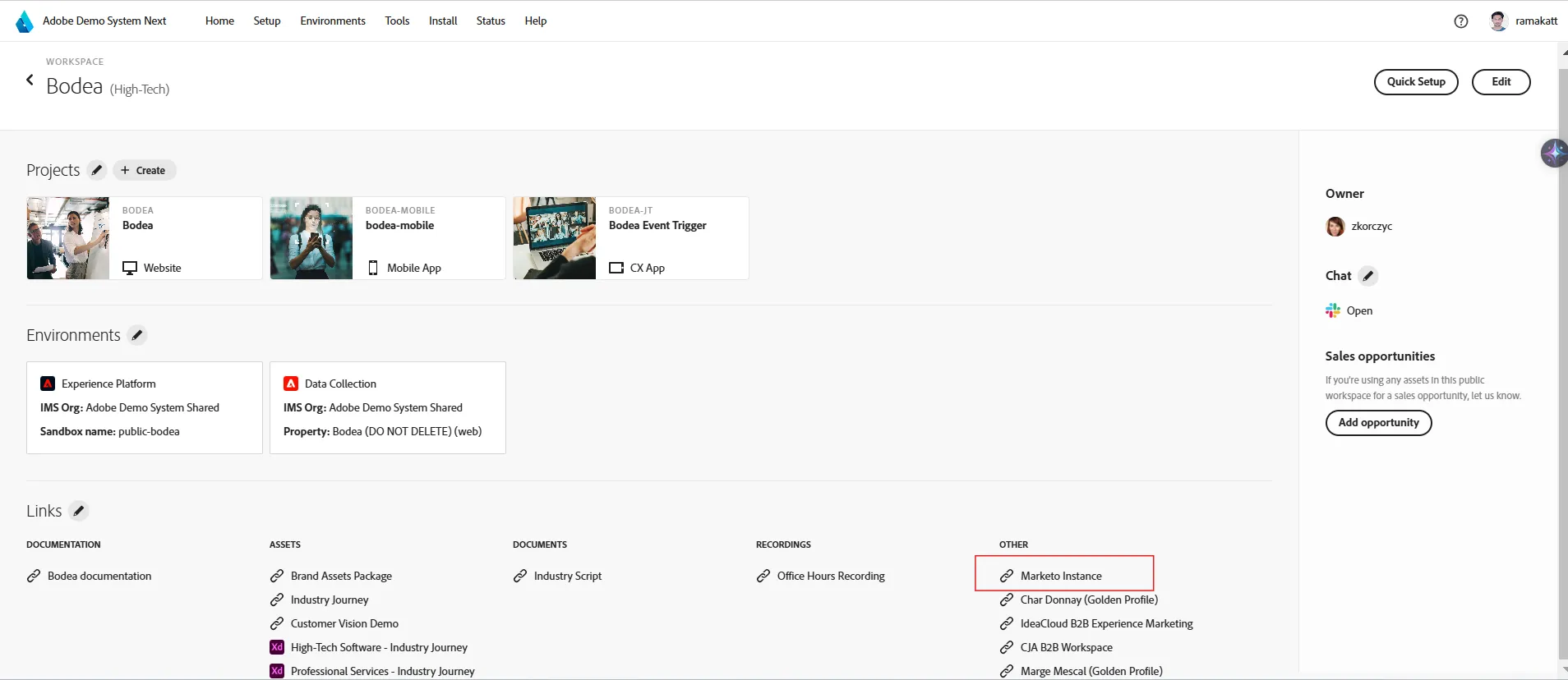
Navigate to the shared Bodea Marketo Engage instance from https://dsn.adobe.com/workspaces/bodea or directly via https://experience.adobe.com/#/@demosystem4/so:185-NGX-811/marketo-engage
STEP 3 - ENGAGEMENT MARKETING
With previously untapped detail collected, the Bodea Marketing team can orchestrate more informed follow-up with the ABC Corporation Buyer Group, helping solidify interest, expand depth within the account, inform sales to the progress, and drive the opportunity to a close.
INSTRUCTIONS
1) Return to the DSN Home Page and Launch the Bodea Marketo Engage Environment.
2) Review the Marketo Engage Home Page and Foundational Applications (if needed).
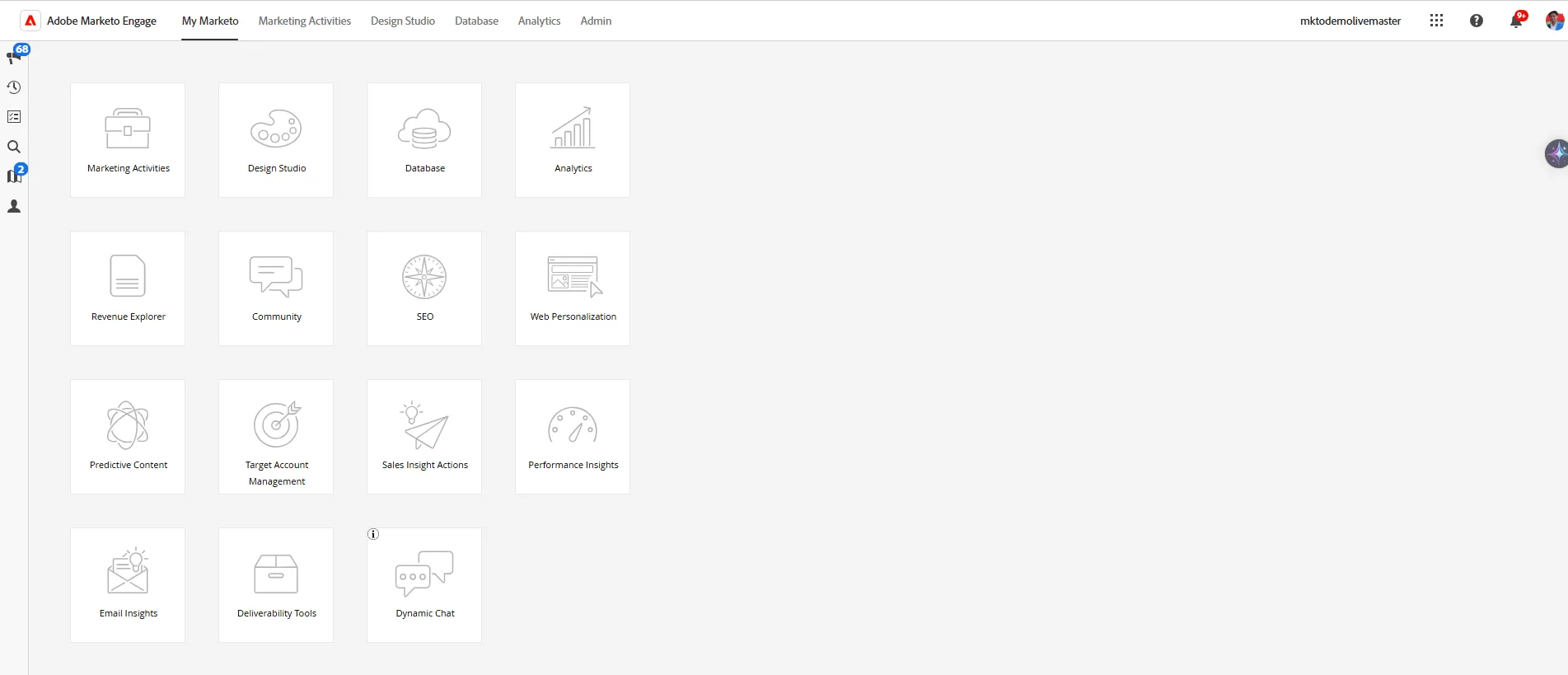
3) As part of the the Bodea Marketing Team, Christina can now access detailed segment information from RT-CDP directly within Marketo Engage.
Navigate to the Database Section of Marketo Engage and locate the "AEP Segment Lists" within the Group Lists Folder. Expand the folder to show the Lists that are being synchronized between RT-CDP and Marketo Engage. Click on one of the Completed Segments to see contact records that have reached a specific phase within the Trial Experience.
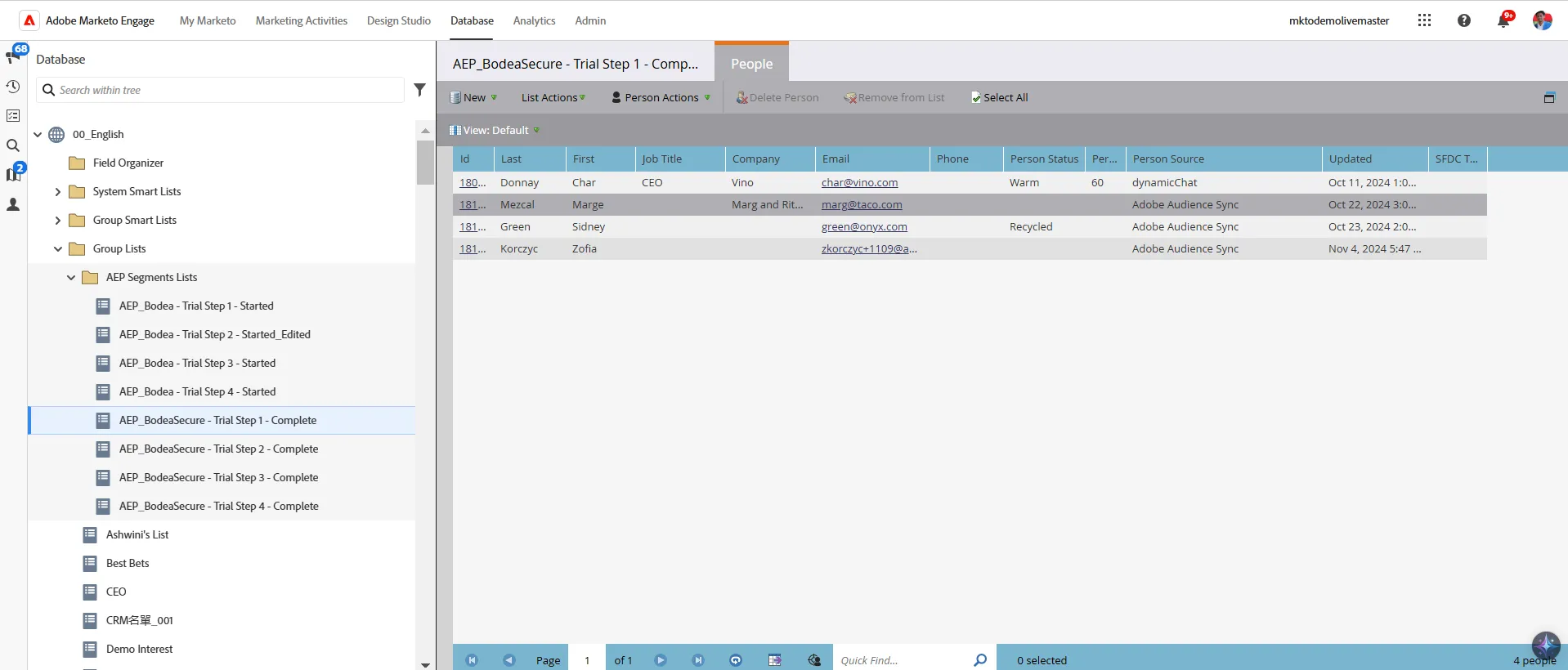
Marketo Engage expands the value of the RT-CDP Segments by automatically listening for list membership updates, allowing Christina to transform the Segment Detail into Activation Mechanisms for Smart Campaigns.
Navigate to the Marketing Activities Tab of Marketo Engage. Within Workspace 1, locate the !RT-CDP B2B Ed. + Marketo Engage folder. Open the Trial Account Nurturing folder and the BSecure (RT-CDP) folder to locate the sample Programs.
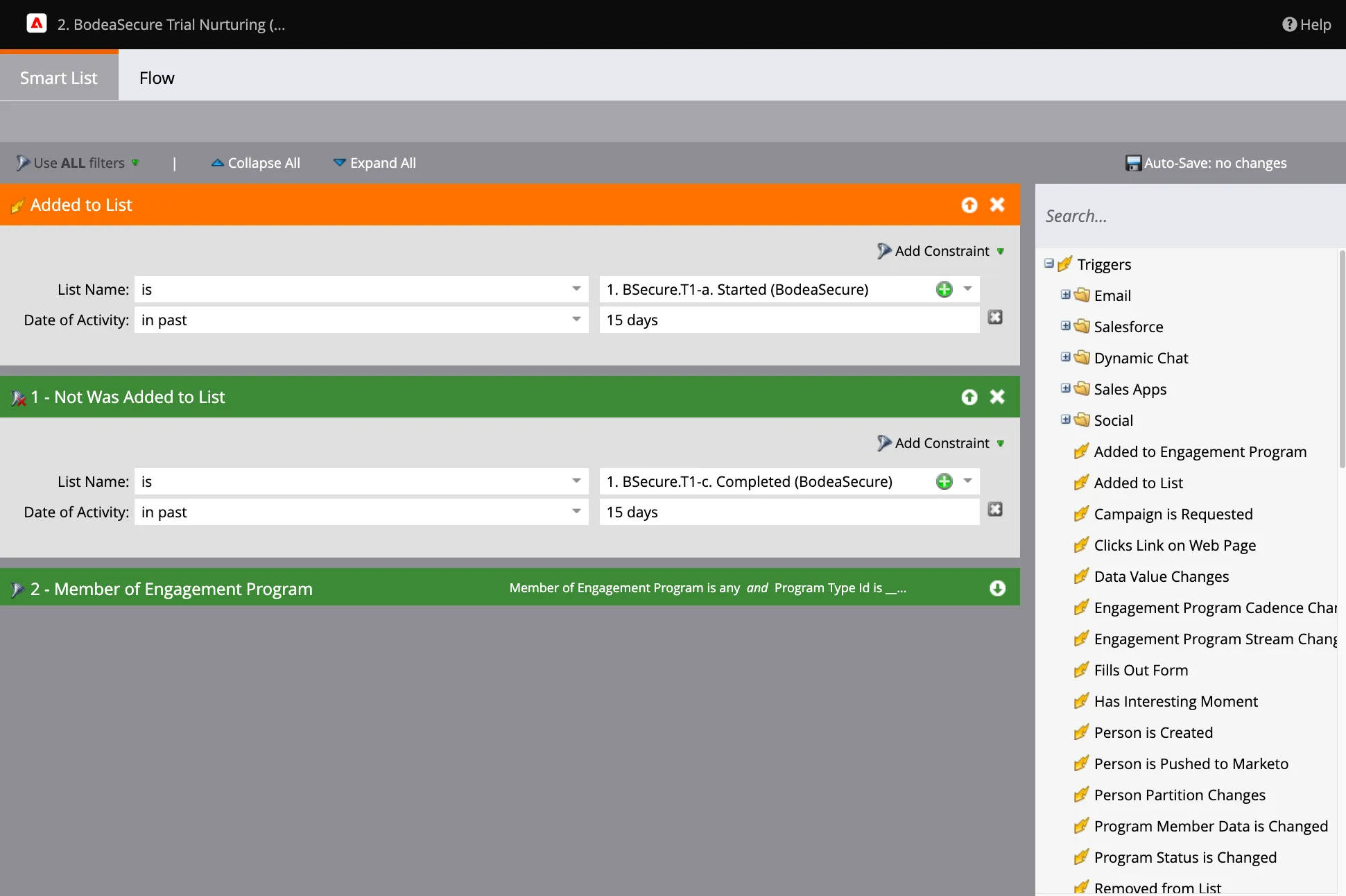
Open the Workflows and Local Lists for Trial 1 Status. Click into the "1. Track Status (BodeaSecure)" Smart Campaign and onto the SmartList.
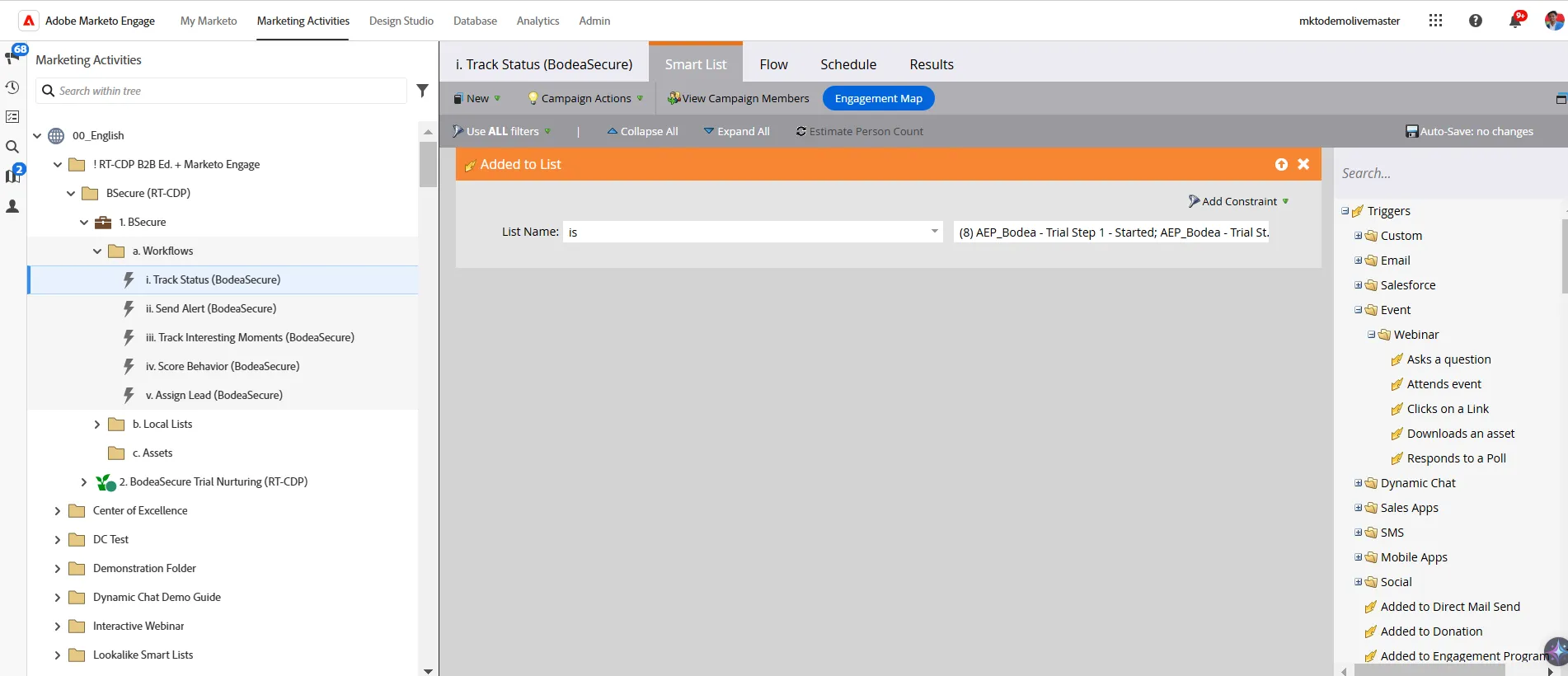
The Smart Campaign can activate Flow Steps that update more detailed status lists. By cascading through the list update statuses on a Person-level, Marketo Engage can turn Segmentation into refined Campaign & Messaging Orchestration.
Click over to the Flow Tab to show the use of the List Update to Trigger updates to the Program-level lists that will help control status flags on the person record. The Remove from List update will make sure that people are not receiving messaging for a phase of the Trial that has been completed.
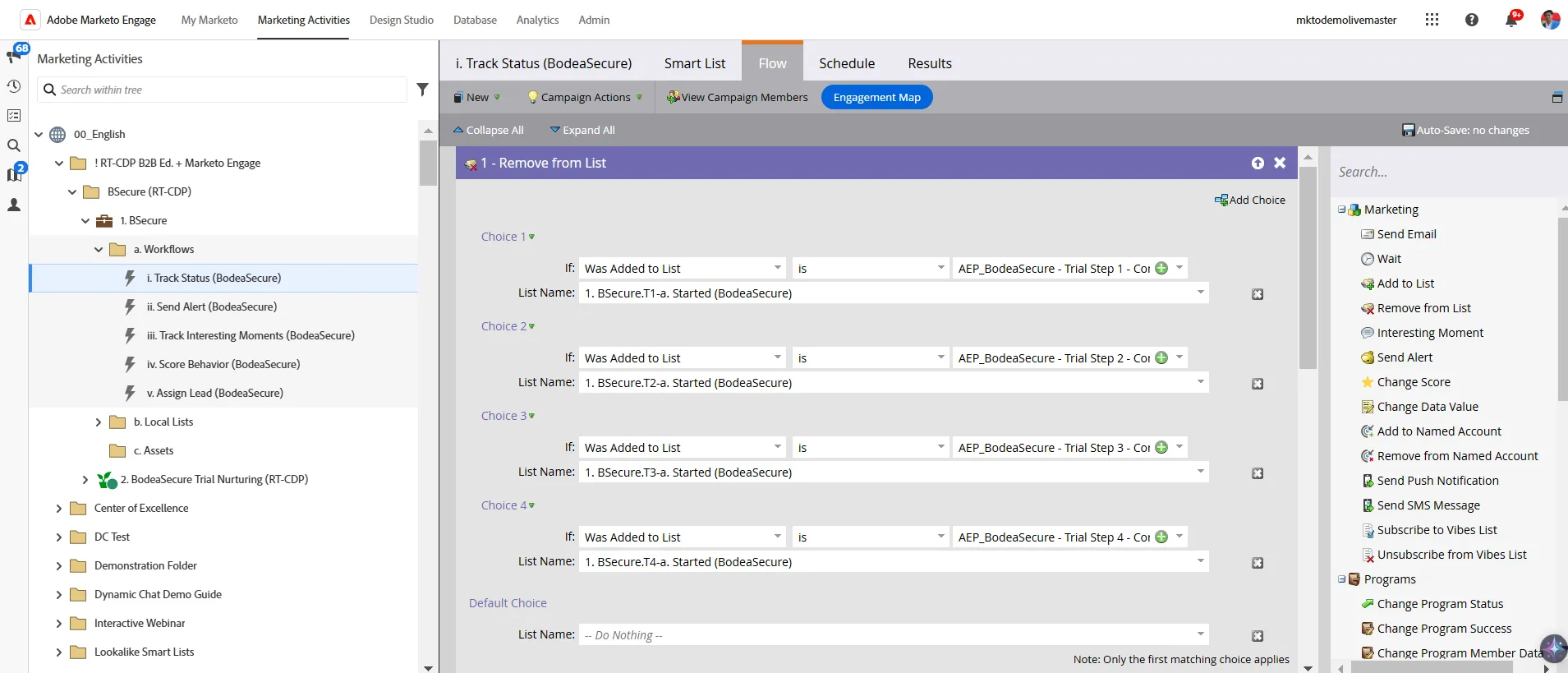
Christina can use updates for a wide variety of B2B Orchestration Logic. This includes the activation of Sales Alerts, recording of Interesting Moments, Scoring of Behaviors, Assigning Leads and much more.
Scroll down and Expand the Add to List Flow step to show the use of AEP Segment Details to update the Active Phase of Trial Status Alerts, Interesting Moments, and Intelligent Nurturing.
Verbally review the other Smart Campaign capabilities that are all benefitted by the enhanced signal management of RT-CDP Segment Sharing to Marketo Engage, such a Sending Sales Alerts, Tracking Interesting Moments, Scoring Behaviors, and Assigning Leads.
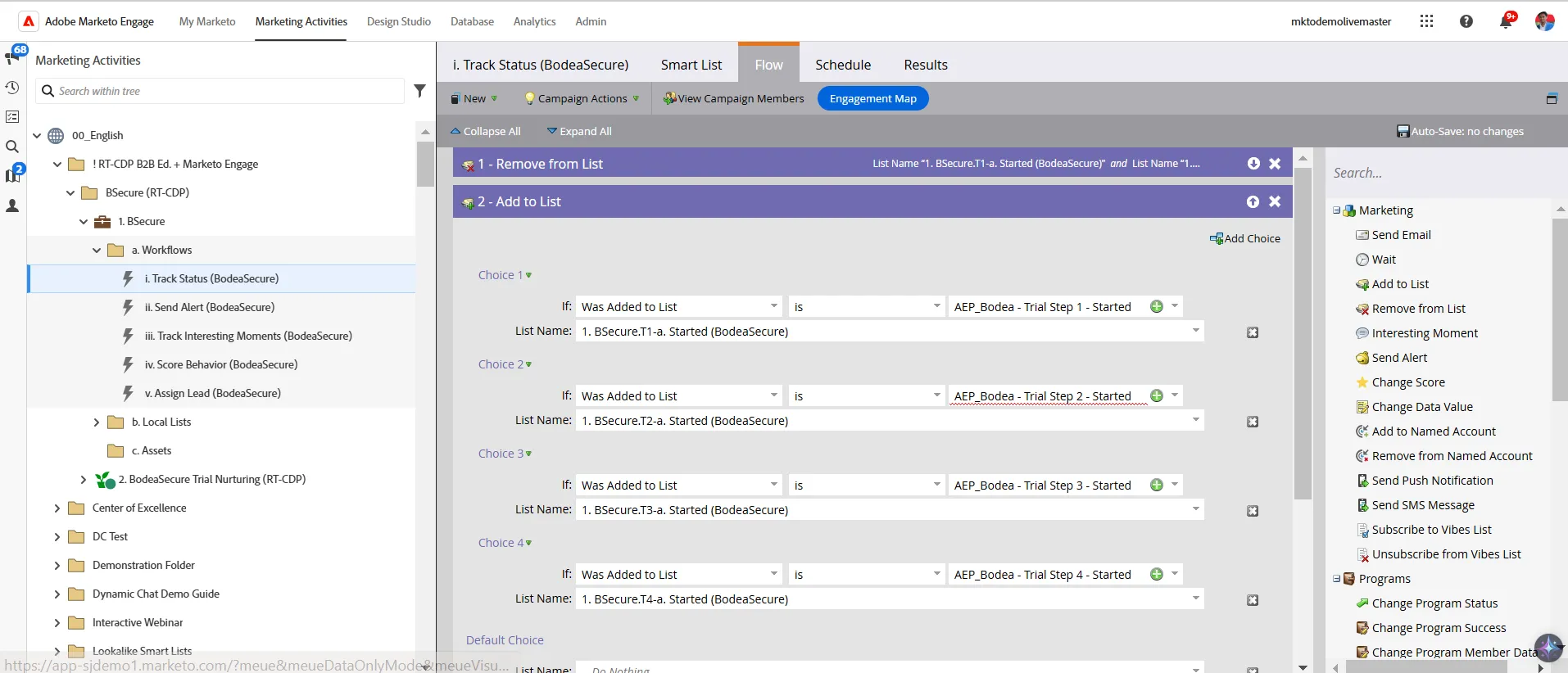
All of the aggregate logic can be used to more accurate activate follow-up, assign people to status-specific nurturing, expand messaging to other known contacts within the buyer group, and time sales follow-up.
Close the BSecure Program and open the BodeaSecure Trial Nurturing Program and review the benefits of Marketo Engage Intelligent Nurturing, now benefitted by access to previously untapped details supplied through RT-CDP Segmentation connected to Marketo Engage.
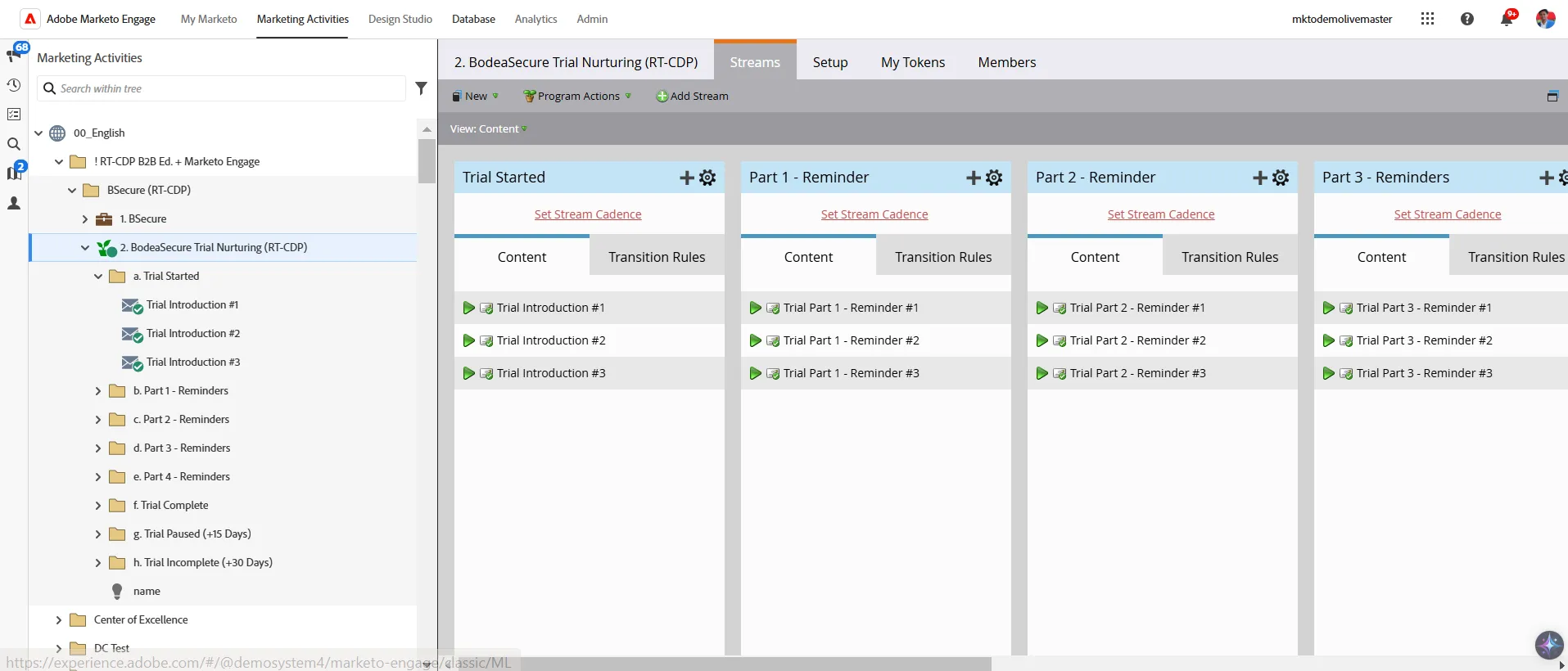
Marketo Engage can use the list and status updates to more accurately define transition rules for product trials and solution evaluations. This helps Christiana ensure that messaging is the most effective for nurturing opportunities to a close.
Click on the Transition Rules to show the use of enhanced signals to better align the timing and focus of Nurturing.
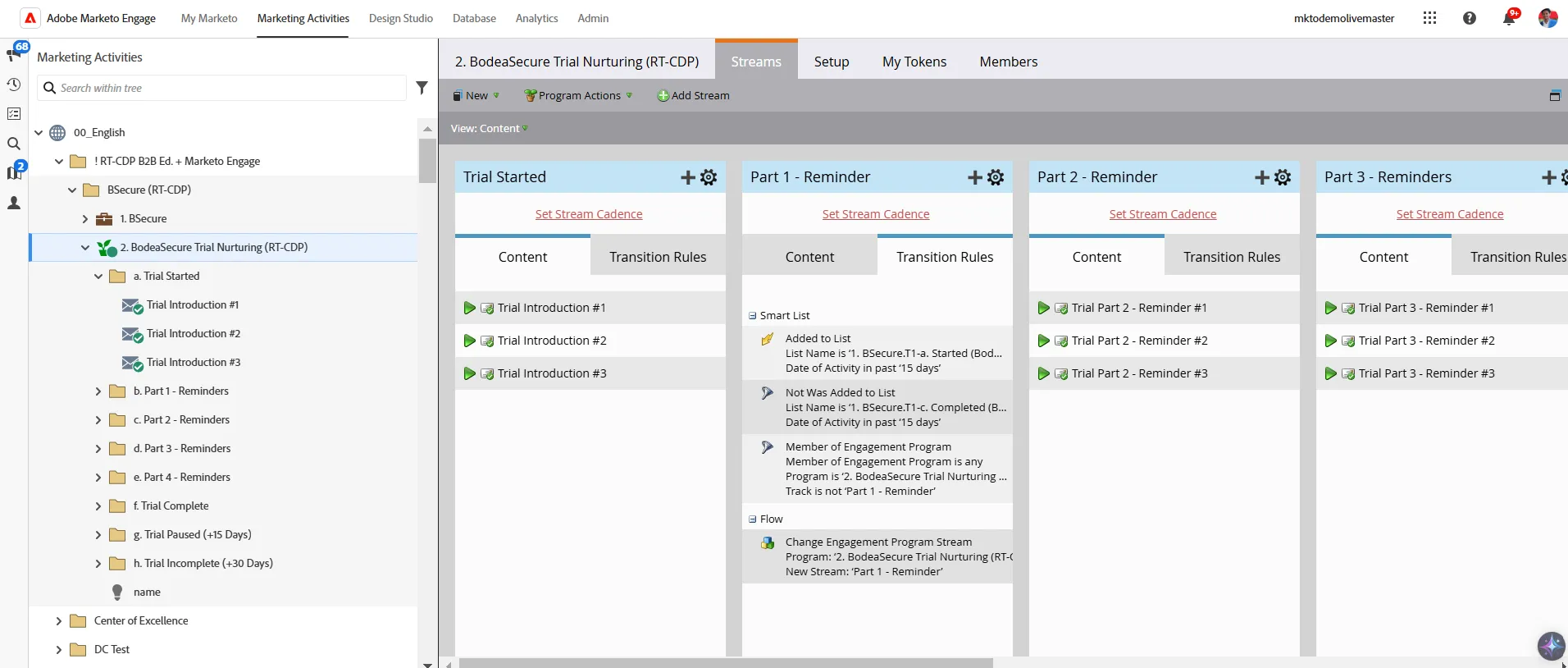
Double-click to open the Transition Rules and show the flexibility and extensibility of connecting the enhanced signals to the activation of messaging.
Mike, a Strategic Account Manager at Bodea, gets a notification from his CRM about ABC’s interest in Bodea. The alert Mike gets includes Shauna’s lead score indicating that this as a high priority lead. Lead scoring and priority is determined in part by 1) number of people from the company interacting on Mobile Mike notification for lead qualification Triggered by Marketo > CRM system where an opportunity is opened the site and their titles and 2) are they engaging with the assets that historically drive a conversion. He gets an understanding of ABC’s interactions over the past several months, which helps him gain a better picture of what Bodea can provide them and that the team recently attended a webinar.
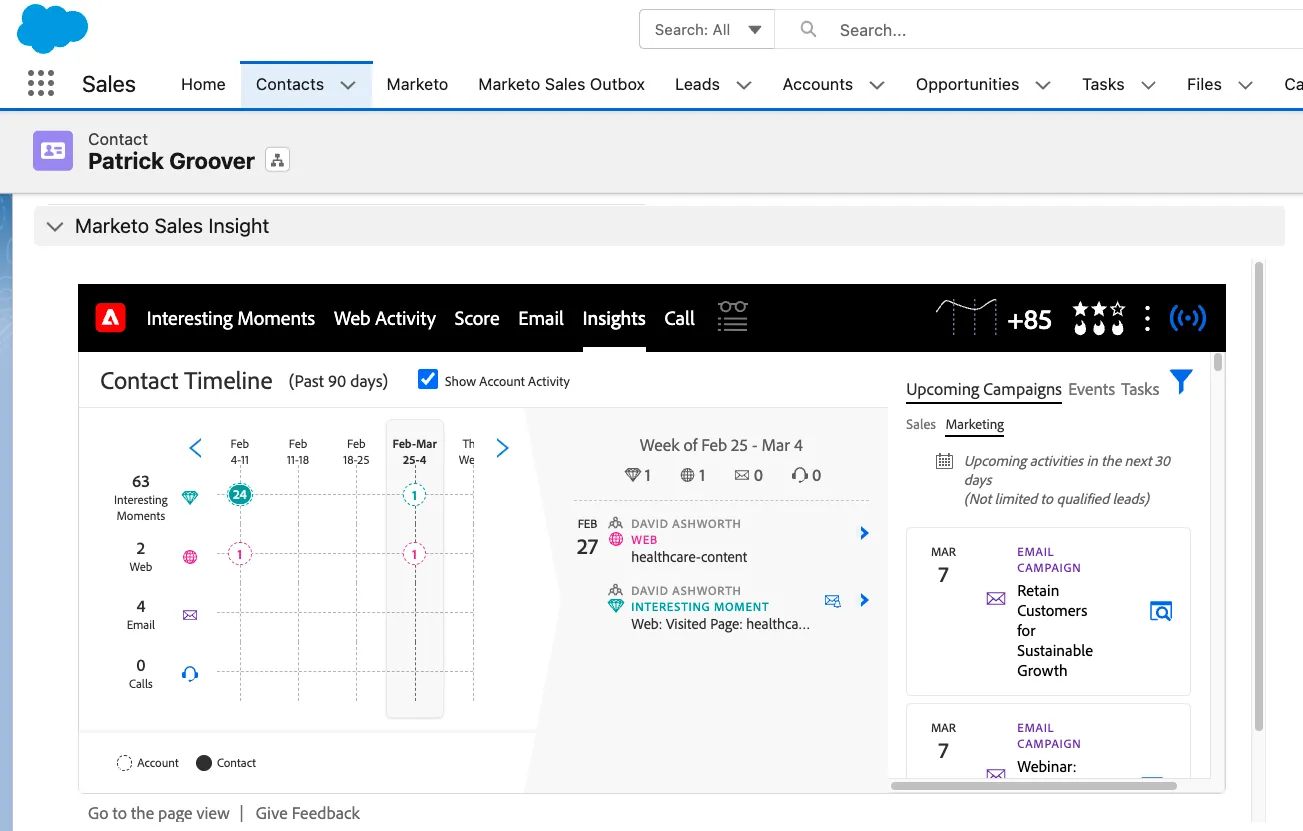
Open the MSI Overview to Highlight Sales-Marketing partnership supported through RT-CDP + Marketo Engage + MSI (CRM Native).
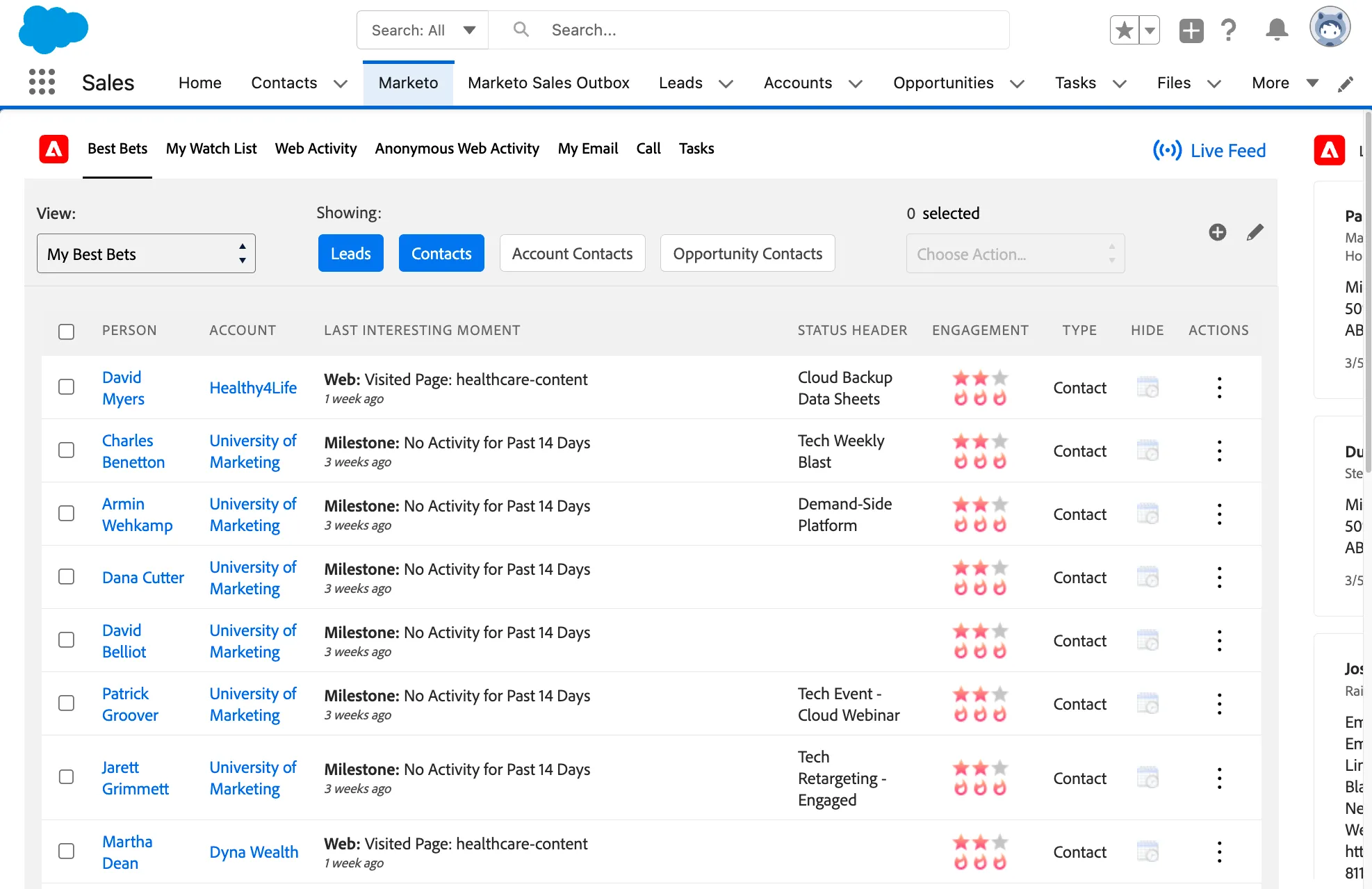
Navigate to the Person-record Interesting Moments to highlight the depth and value of the integration with Marketo. Emphasize the value of enhancing these insight through the connection of previously untapped detail through RT-CDP + Marketo Engage.
This is the end of the BodeaSecure Trial Demo.