Live Activities
AJO iOS Live Activities enable real-time, glanceable updates on a user’s device, allowing applications to display continuously updated information such as order progress, delivery status, or time-sensitive events directly on the lock screen or dynamic UI surfaces.
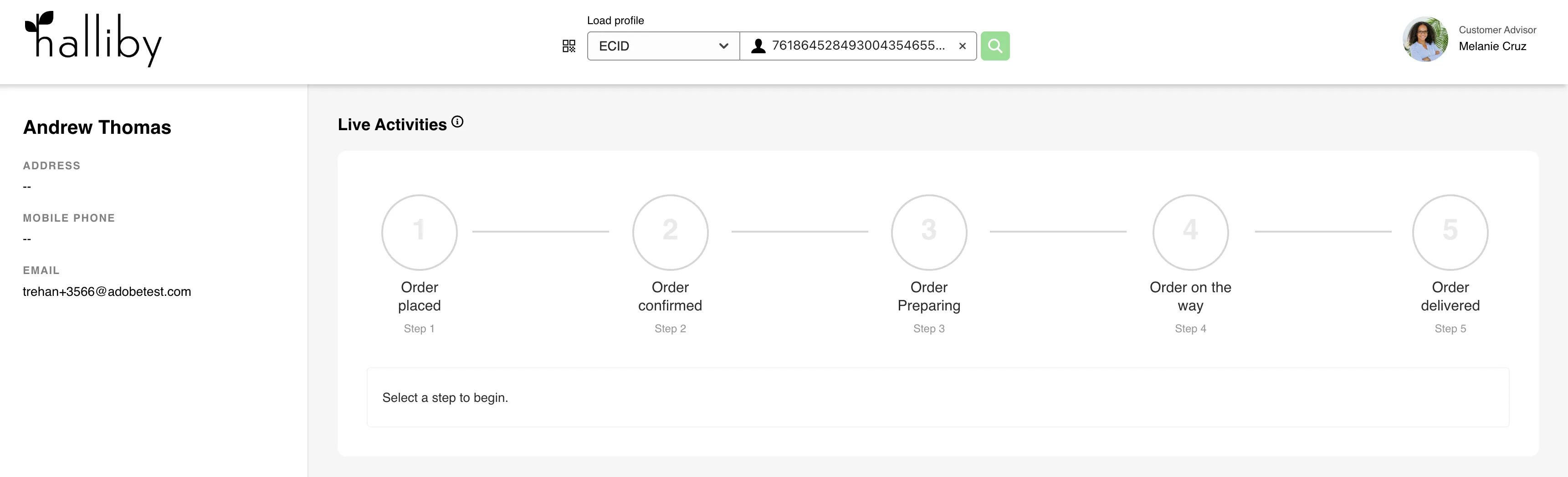
In this implementation, the Live Activities Module in the Customer Experience App acts as a configuration and simulation layer. It allows users to define a campaign-driven experience and execute a step-based flow where each step represents a stage in a journey.
Each step in the flow triggers an event, which invokes the associated campaign. The campaign then sends a Live Activity update to the device. As multiple steps are executed, the Live Activity is continuously updated in real time, reflecting changes such as order status, estimated time of arrival (ETA), and current state.
This approach helps simulate real-world scenarios, such as food delivery tracking, where users can see live progress without opening the app.
⚠️ Note:
The attributes and steps described in this document are specific to the Halliby (Retail Food) use case. Other verticals may have different attributes and step flows based on their business requirements.
Module configuration
General settings
Property | Description | Default |
|---|---|---|
Hide title | Indicates whether the module title above the module content should be hidden or not | false |
Title | The name of the module, displayed above the module content | Live Activities |
Description | The description of the module is displayed as a tooltip after clicking on the info icon next to the module's title | A guided, step-by-step checklist for working with a customer, where each step you take can trigger the right system actions (events, updates, or handoffs) the business has set up. |
Campaign ID | The AJO campaign is triggered when events are fired | |
Vertical | Defines the business context of the experience | |
Restaurant Name(Vertical Specific- Retail Food) | Represents the brand/store name used in Live Activity attributes | Halliby Food Delivery |
Steps | Defines the sequence of stages in the Live Activity journey | |
| | |
Live Activity Data Fields(Vertical Specific- Retail Food)
Property | Description |
|---|---|
Order Status | Displays the current status of the order. Eg Order Placed |
ETA | The estimated time of arrival is shown to the user. Eg, 25 mins away. |
Current State | Represents the current stage/progress of the activity.Eg 0,1,2 |