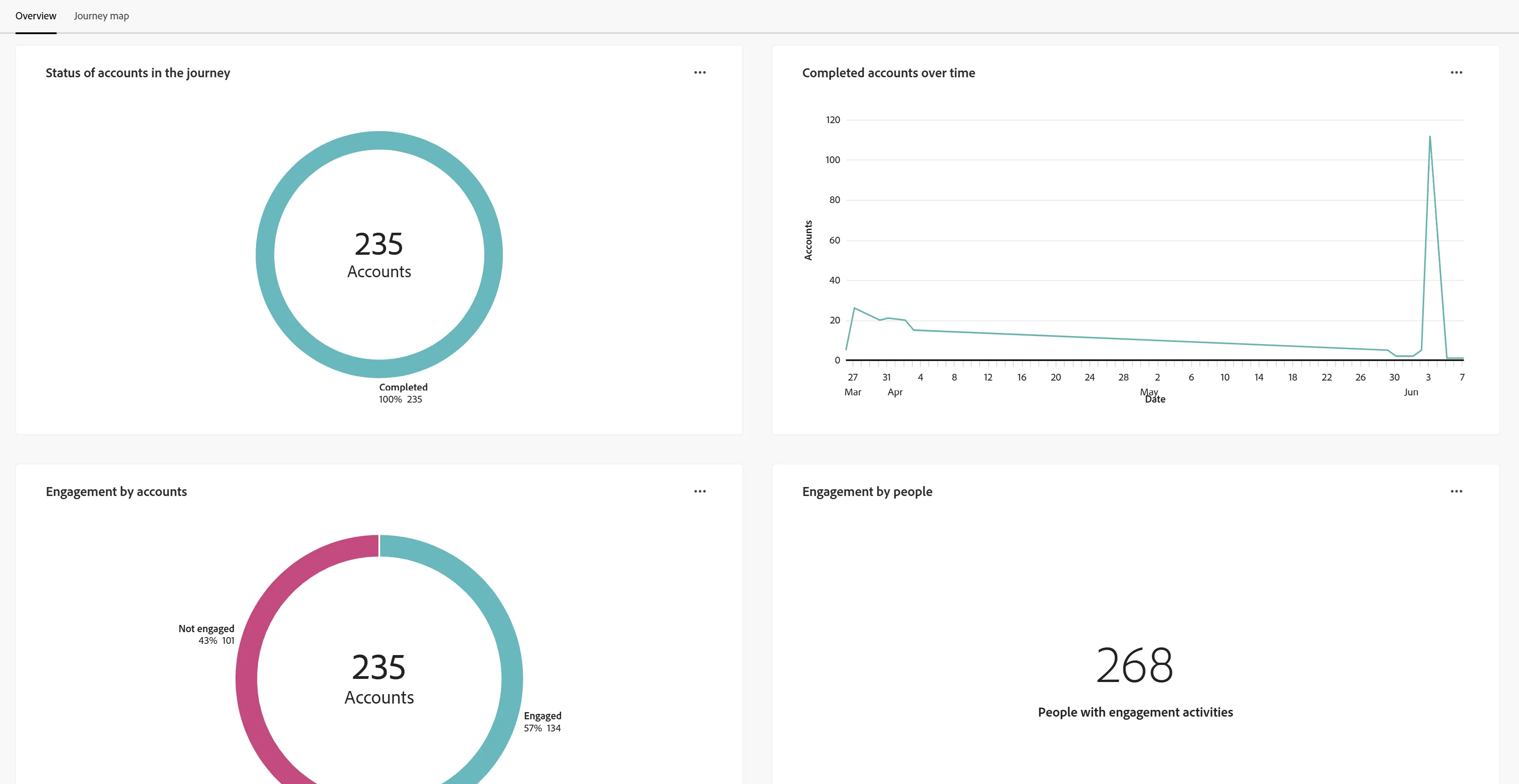
Scene 3: Analyze Engagement (engagement performance)
AJO B2B Intelligent Dashboard's statistics-
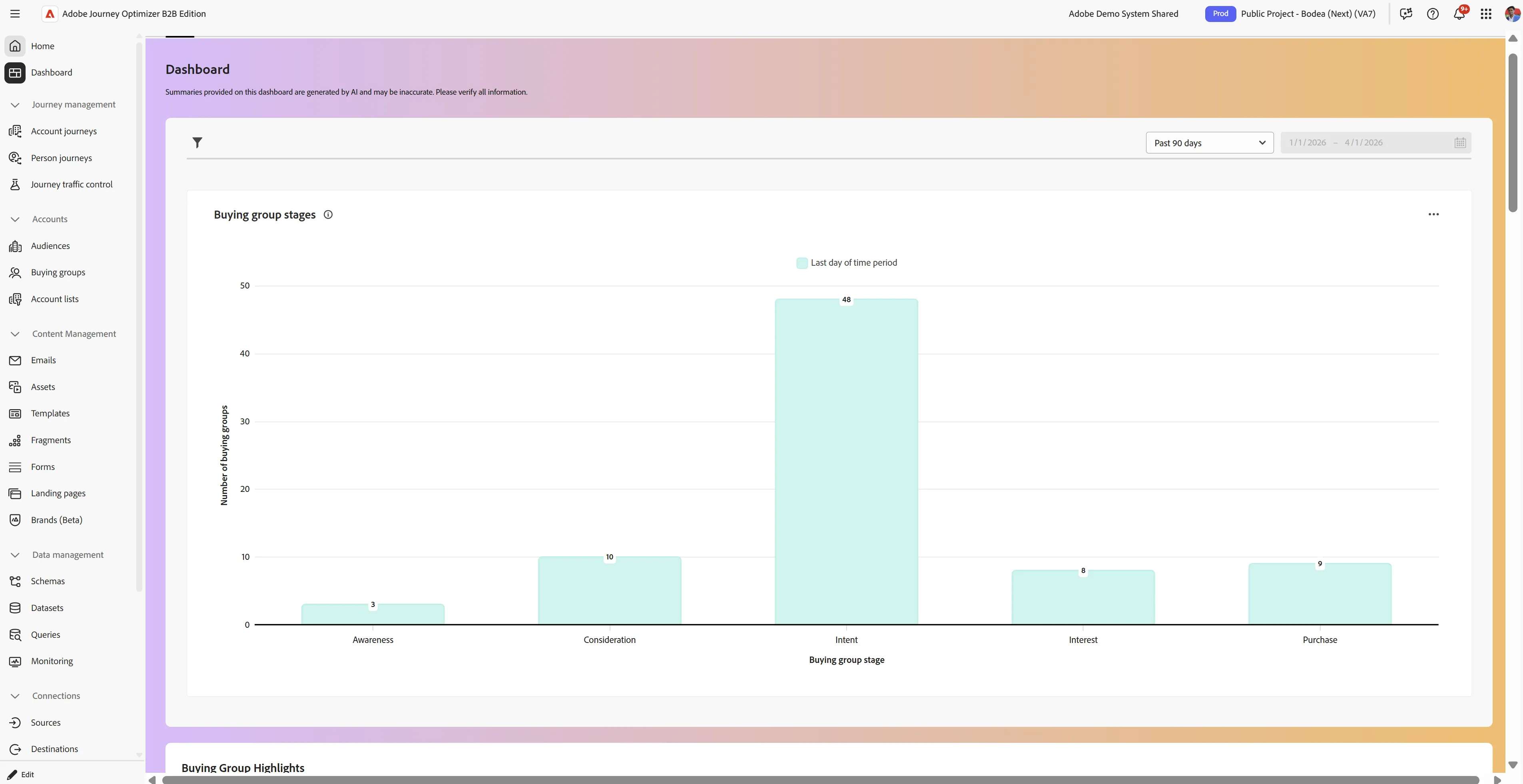
Open AJO B2B’s dashboard for a view of buying group insights. This is an executive-level view of buying groups for target accounts.
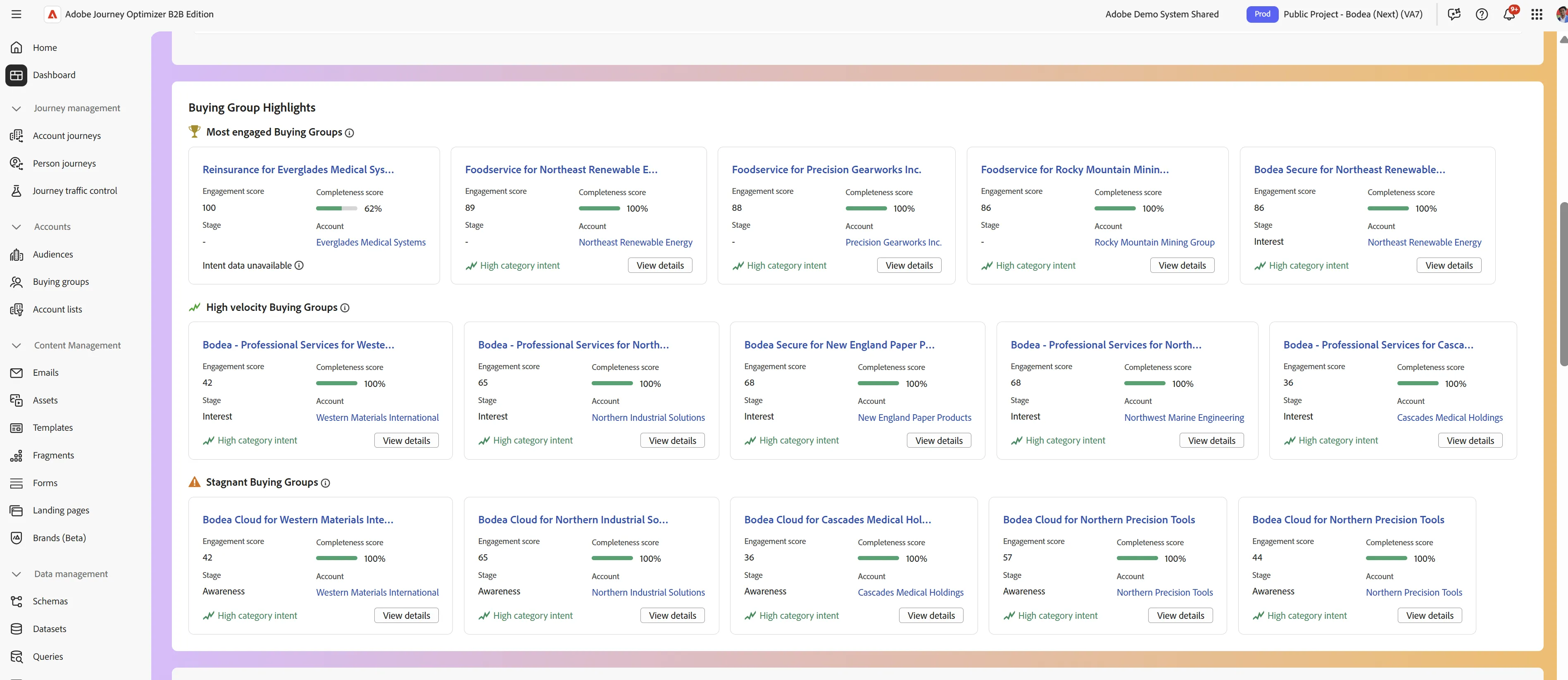
Scroll down to see highlights and which accounts have buying groups that are highly engaged, are trending, and even ones that are stagnant.
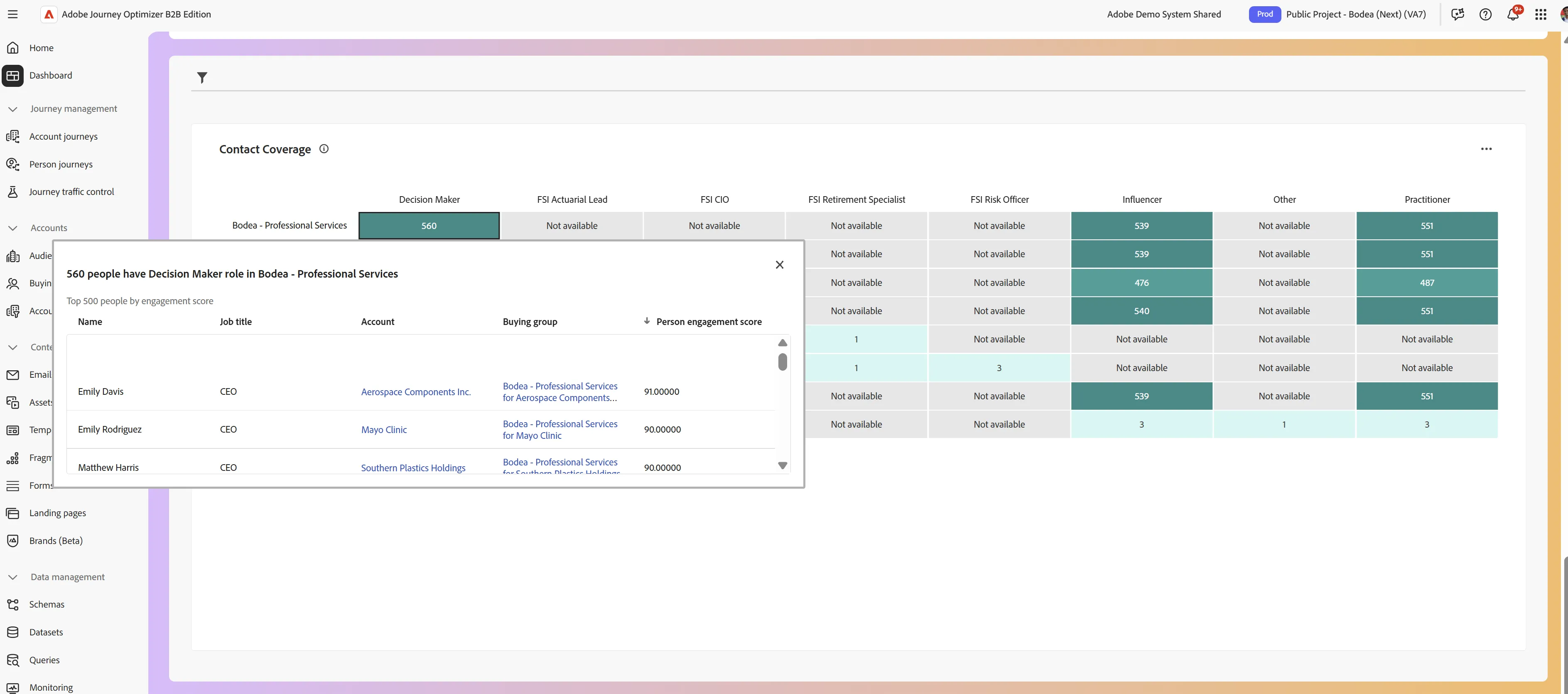
Scroll down to Contact coverage to get a view of buying group roles.
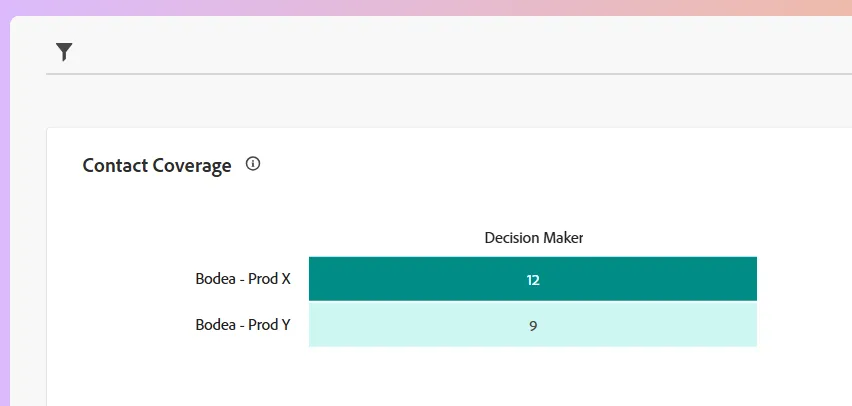
Click on a role and solution interest relationship and you can see a more detailed list of buyers we’re covering in this campaign. Let’s say we want to understand the PROCUREMENT MANAGER persona more. We can go back into CJA for a deep analysis.
Click on the Engagement, Web engagement, Email performance tab to see more statistics.
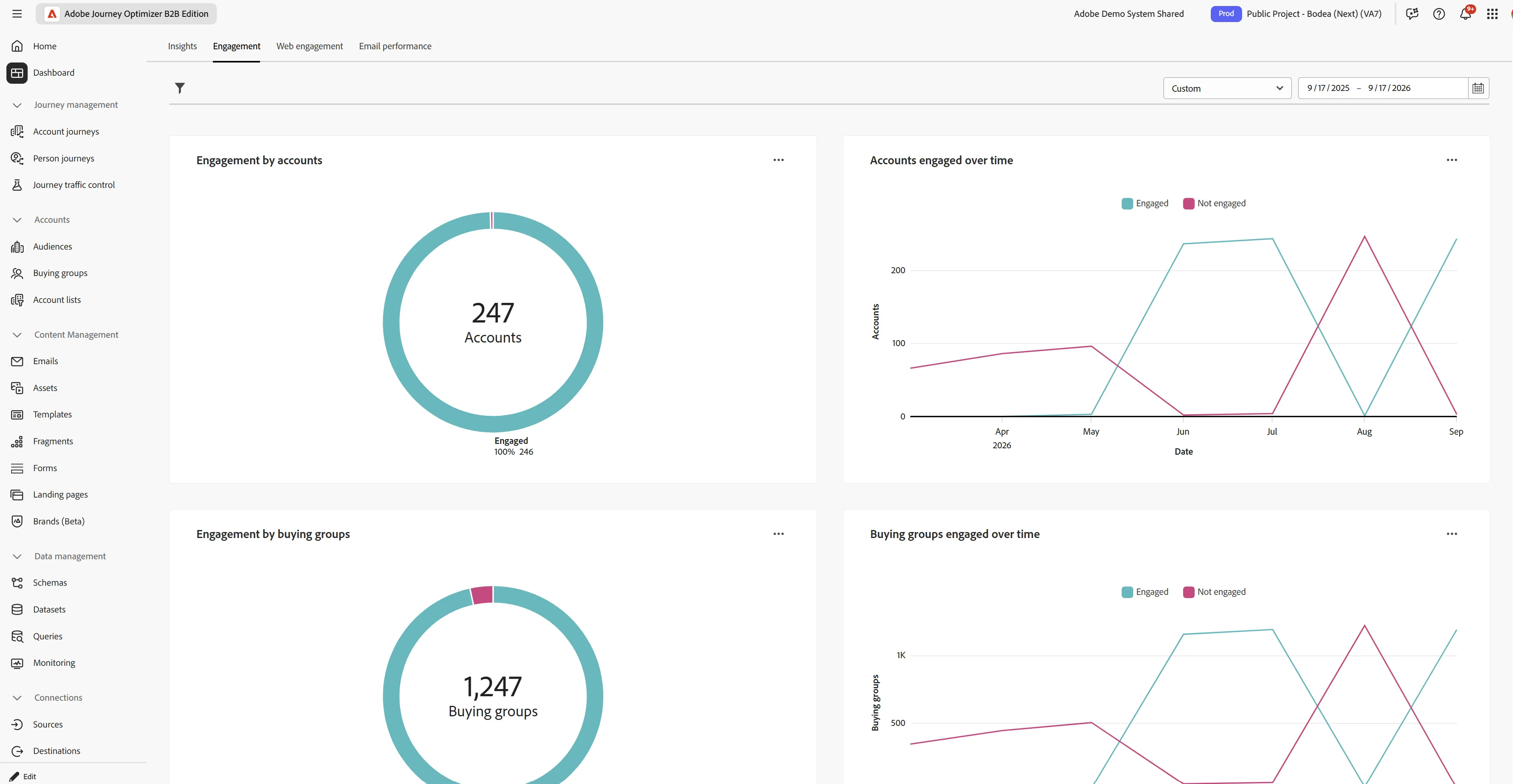
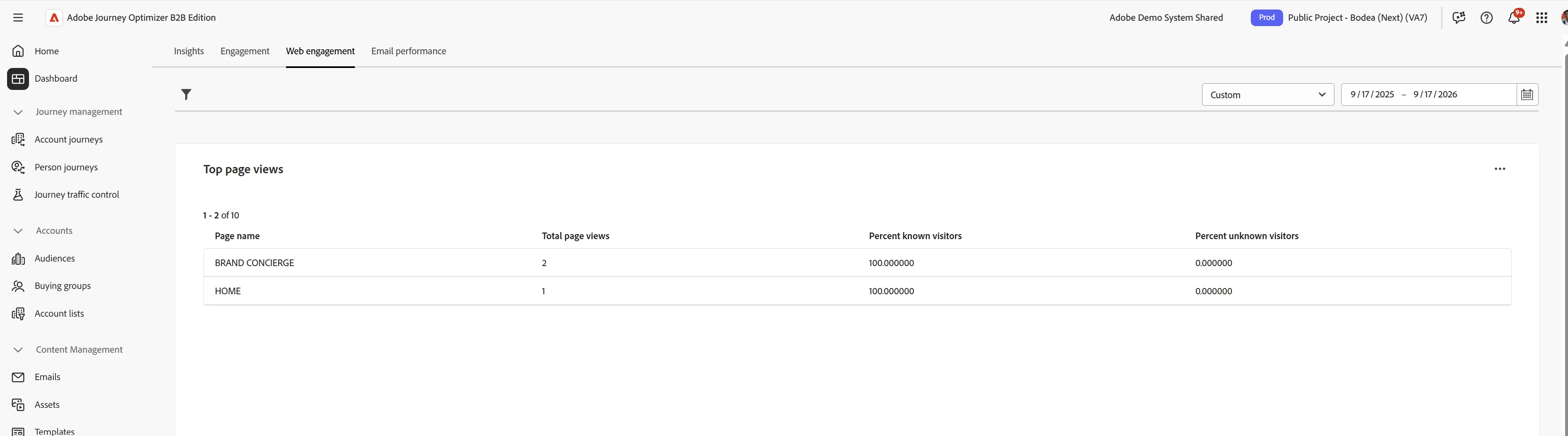
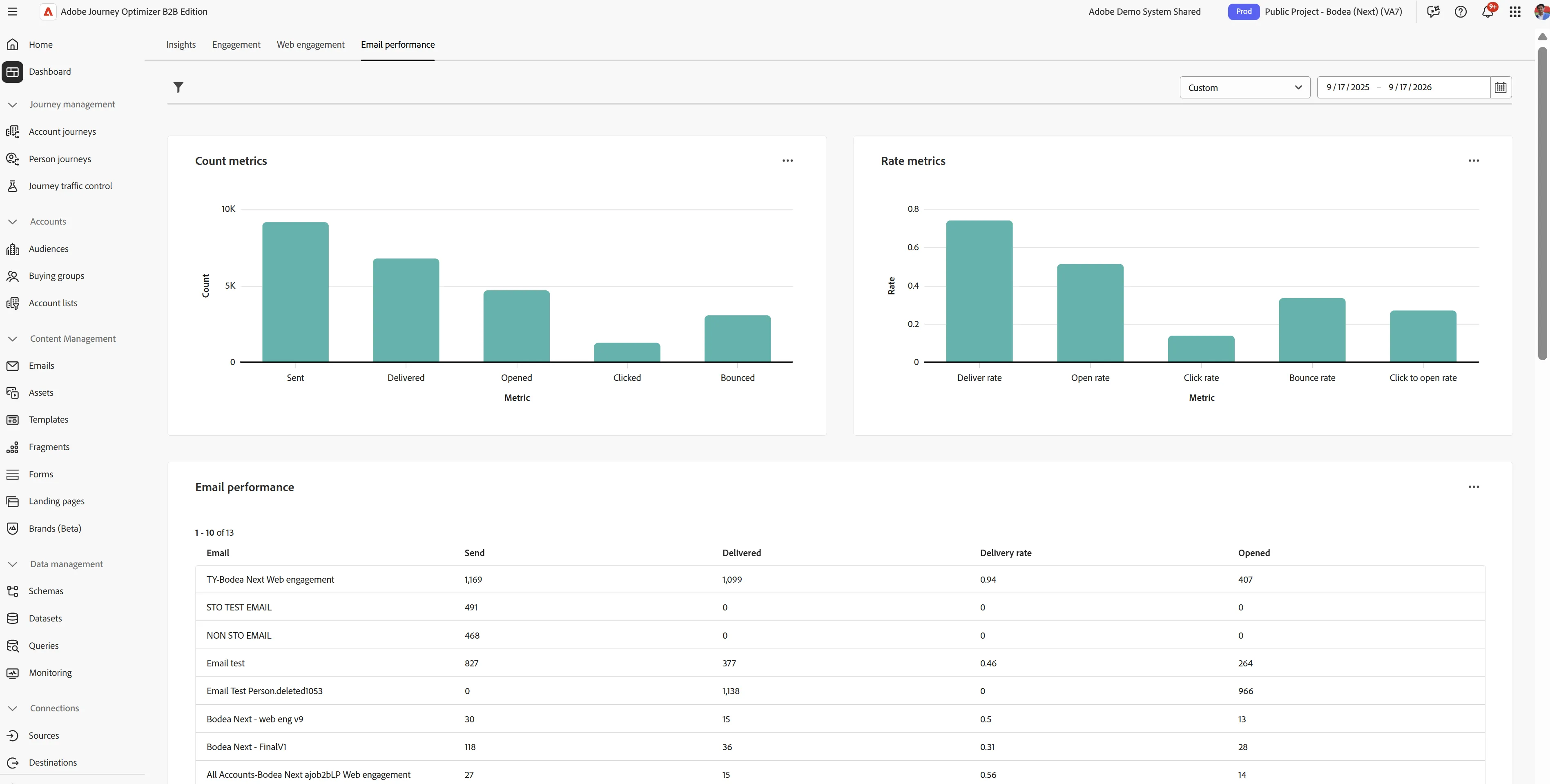
Buying Group's Statistics
Click on the Buying Group section and then the Overview and Browse tabs.
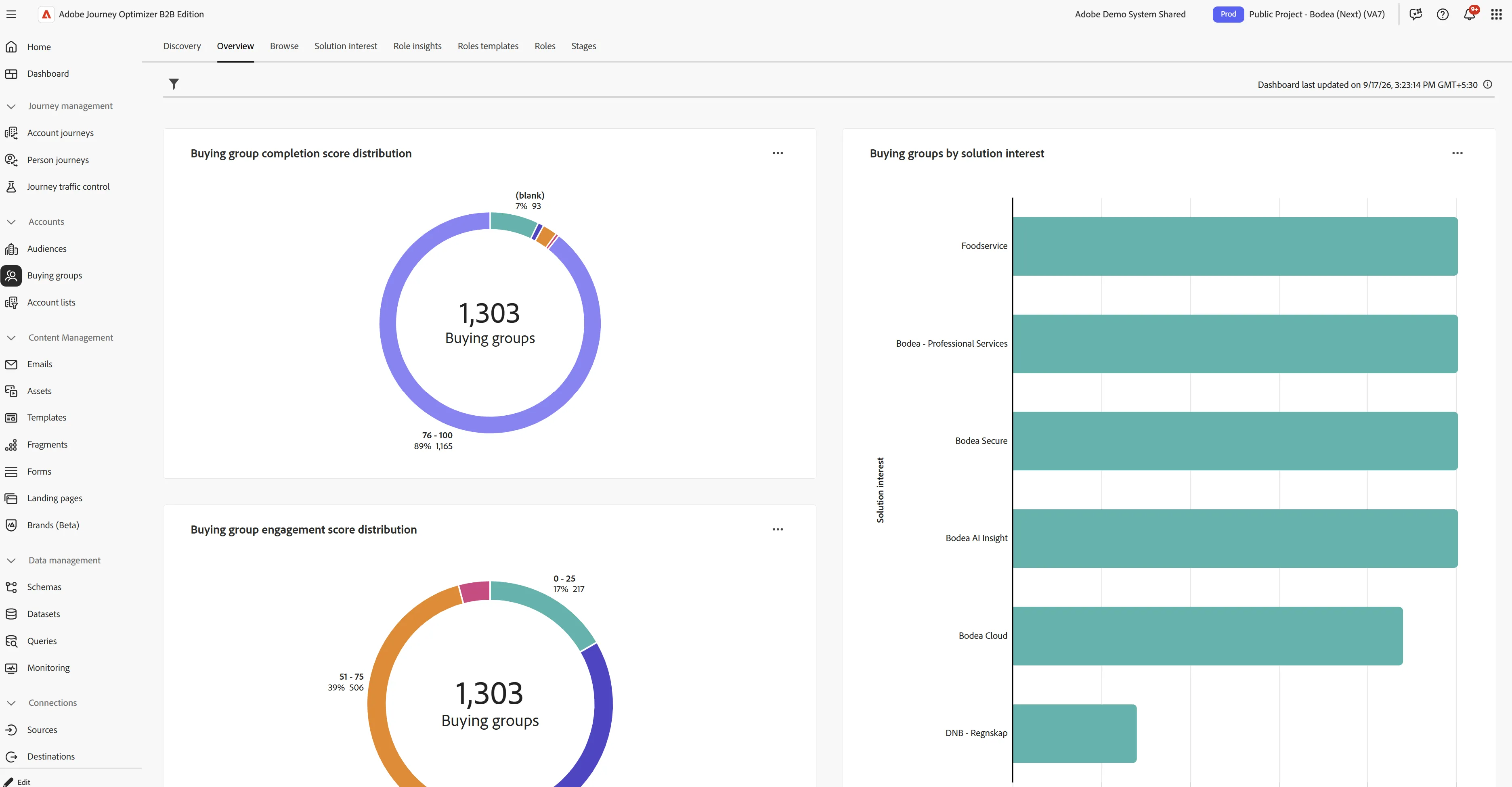
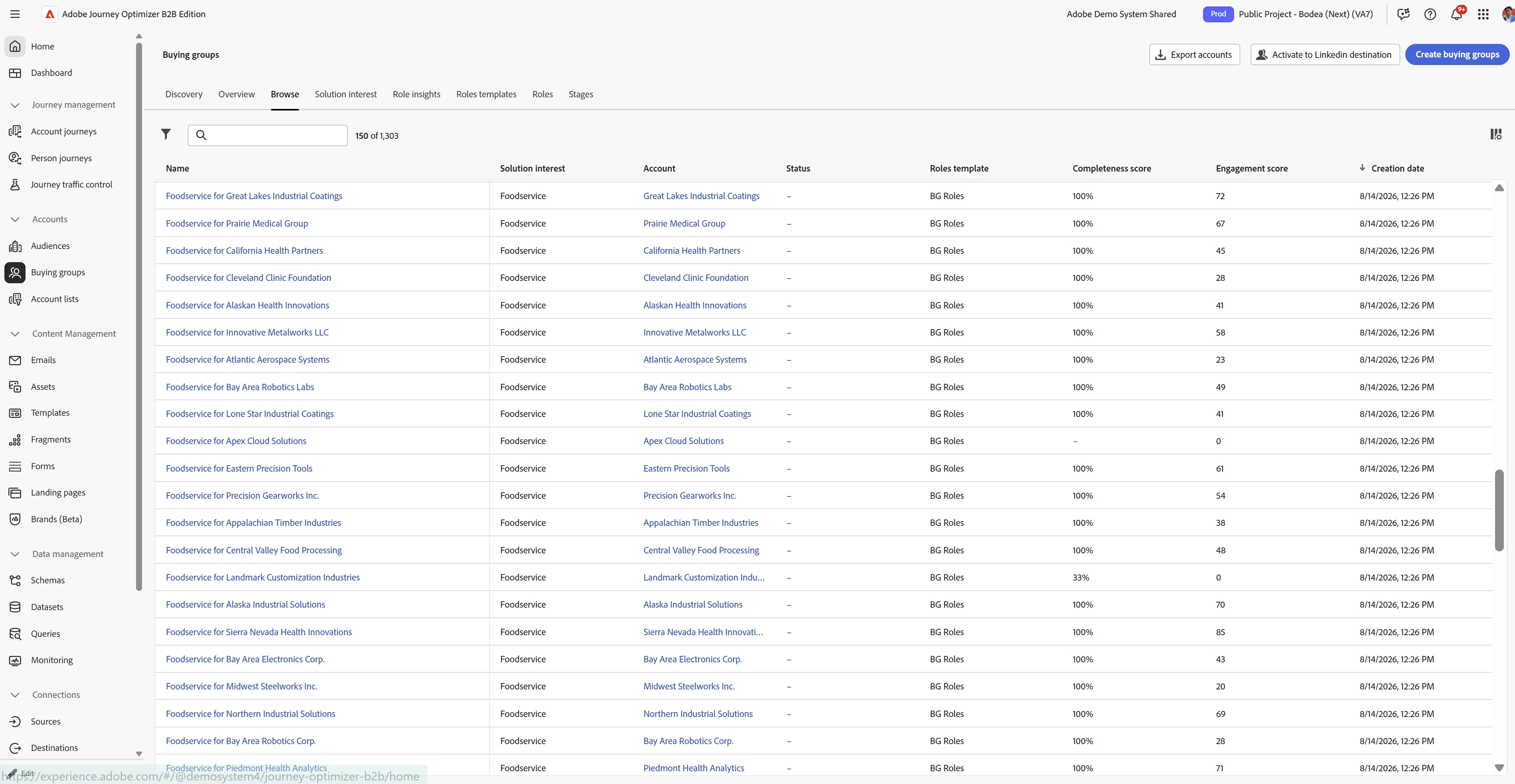
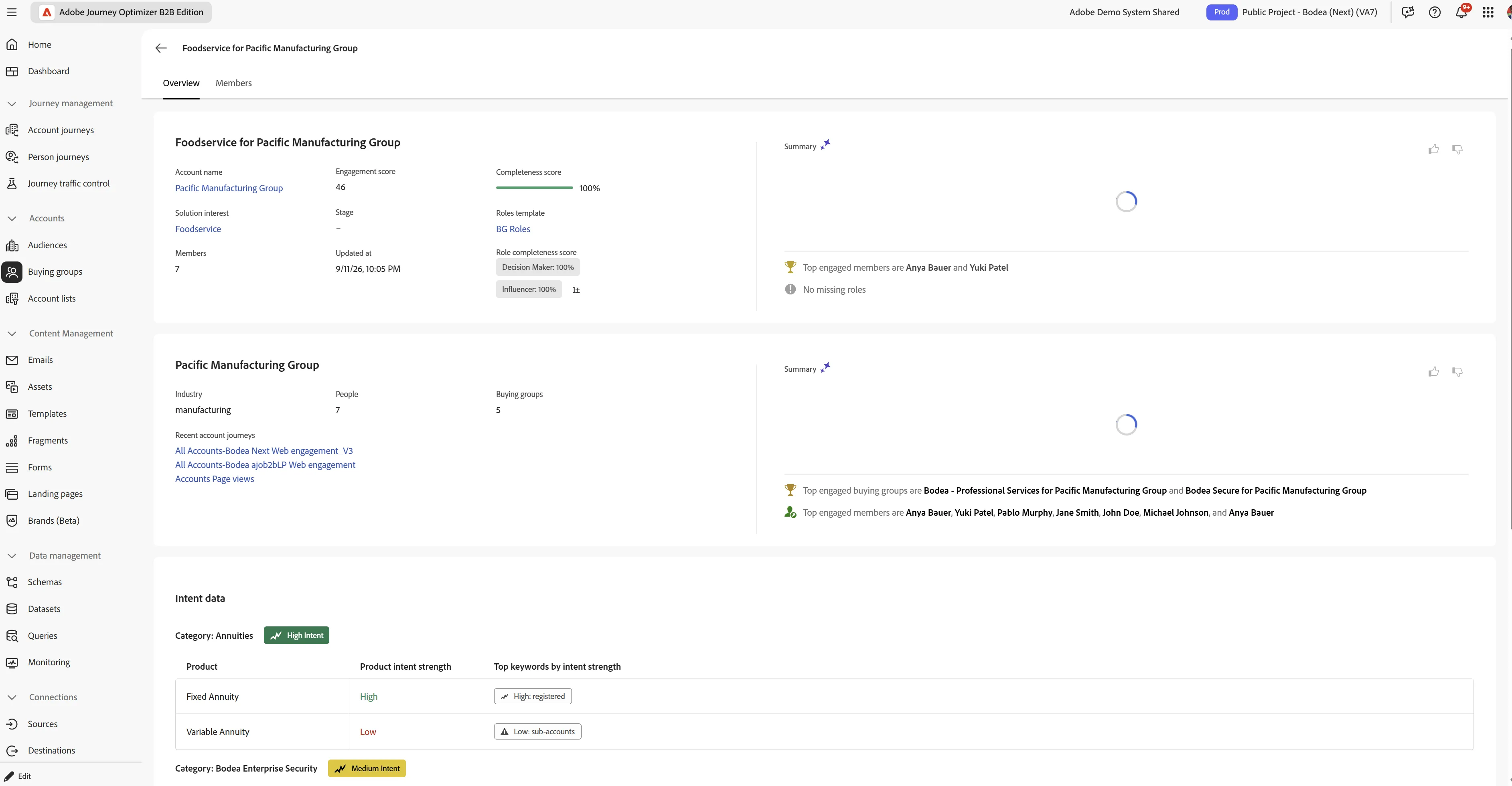
Under Specific Account's BG, we can also see the below information like whether or not they’re qualified for outreach, what they engaged with, and who our top contacts are. And those insights can be accessed in CRM as well.
Journey Statistics:
Once the journey is executed for your test ids, we can check to see the journey statistics below on the journey's Overview tab.