Configuring Mobile App Surface- DEPRECATED
2 min
All required certificates for configuring app surface are available here:
Live Demos App:
1.Access the App surfaces menu and click Create App surface.
2.Add a name to the App surface
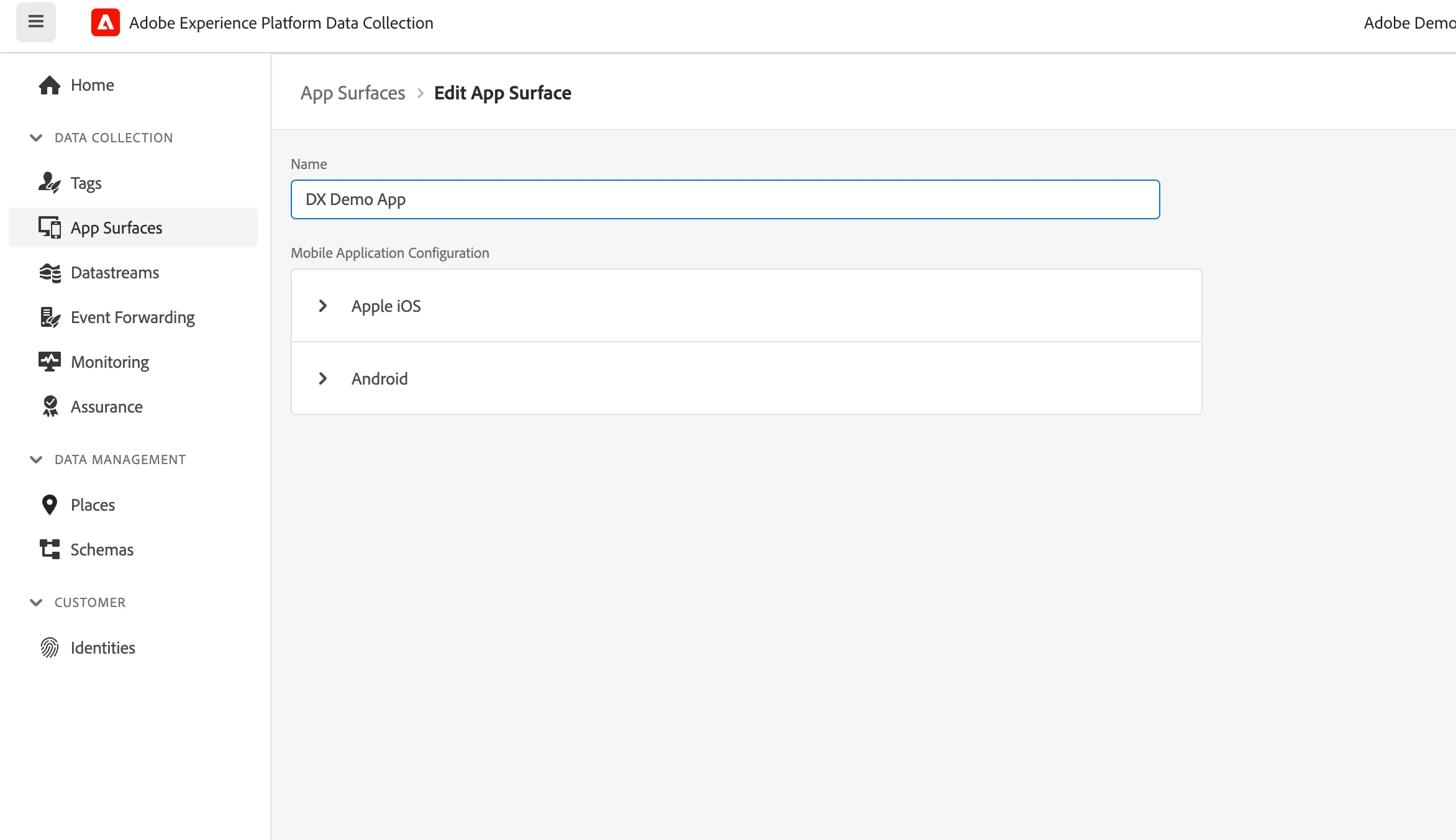
3.From the Apple iOS drop-down, configure the mobile application for Apple iOS.
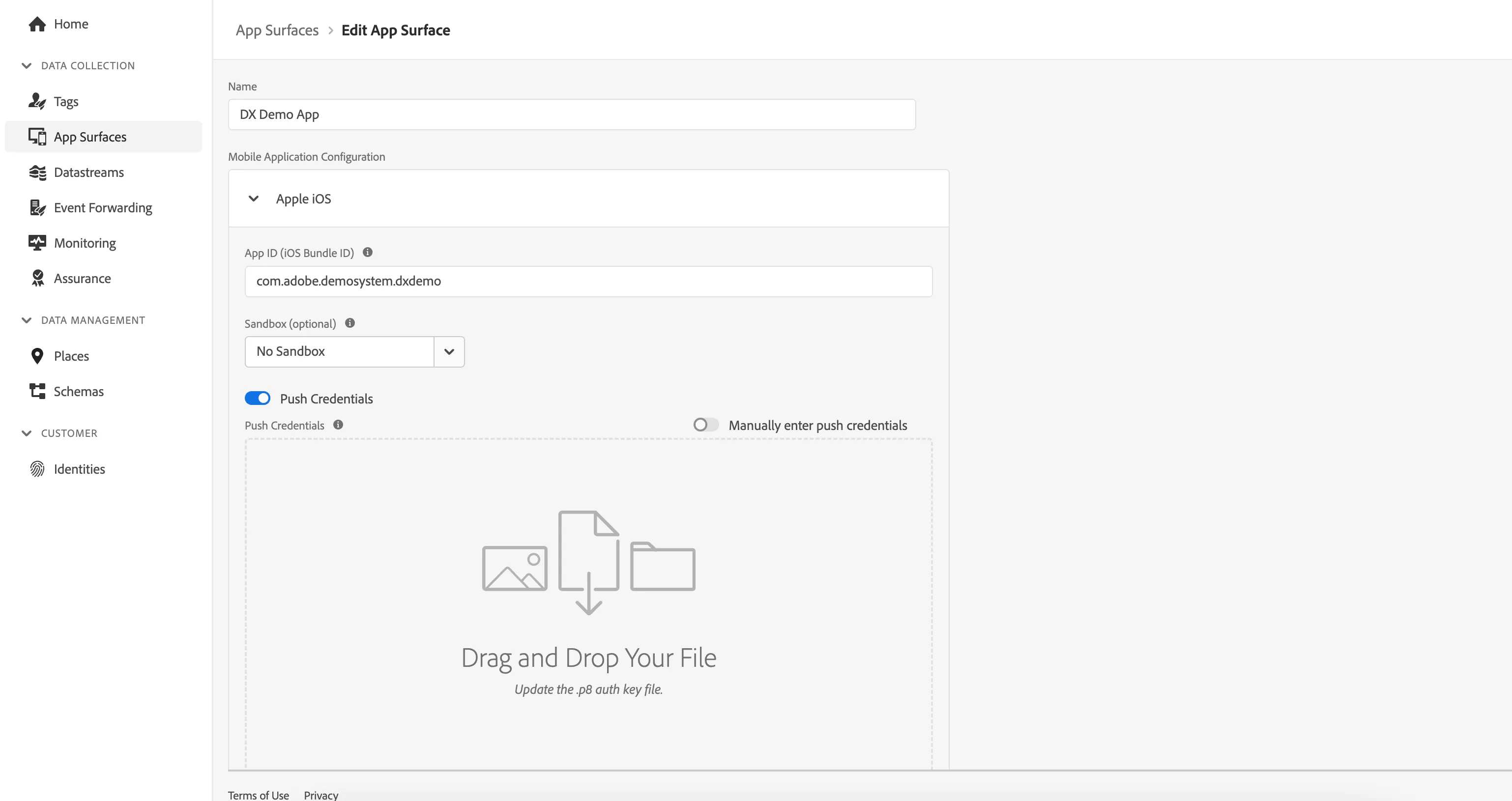
- Provide the App ID (iOS Bundle ID): com.adobe.demosystem.dxdemo
- Enable the switch for Push Credentials.Drag and drop the Apple Push Notification Authentication Key for Apple developer account
- Provide the Key ID
- Provide the Team ID
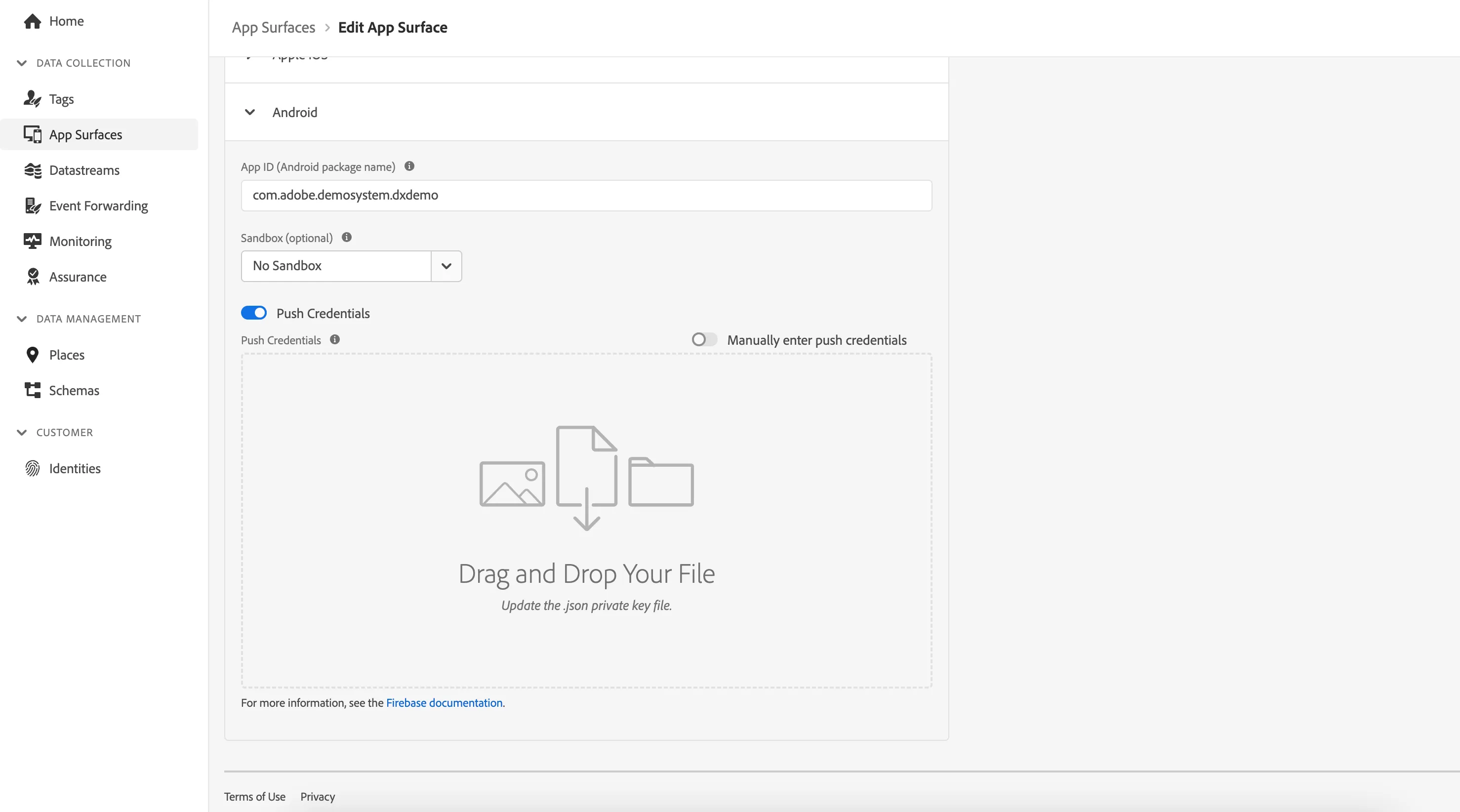
4.From the Android drop-down, configure the mobile application for Android.
- Provide App Id for android.
- Enable the switch for Push Credentials. Drag and drop the push credentials which is a json file available in the wiki page mentioned above.
5.Click Save when configuration of the App surface is finished.