How to create my own Partner Data demo?
There are several scenarios prepared for you on DSN public-securfinancial sandbox. You can learn about them here:
If you want to build your own version, using sandbox you have access too there are several assets that you can use.
- In quick setup https://dsn.adobe.com/quick-setup every preset has additional option to install Partner related schemas. You can also just installed this schemas yourself by going to advanced section and selecting "Partner" in the Core AEP secion.
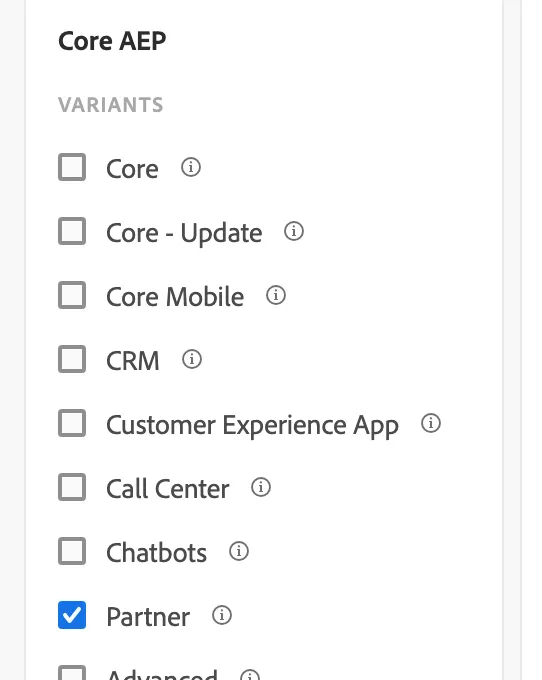
The action above will create:
- 2 field groups:Partner Enrichment and Partner Prospecting
- 2 schemas: Demo System - Partner Data Enrichment Schema (Global v2.0), Demo System - Partner Data Prospecting Schema (Global v2.0),
- 2 datasets: Demo System - Partner Data Enrichment Dataset (Global v2.0), Demo System - Partner Data Prospecting Dataset
- 1 identity: Demo System - PartnerId, "code": "partnerId"
- Schema descriptros for partnerId
- Few segments: High Earning Homeowners, Loyalty Program Prospects, New Channel Prospects
- 1 additional prospect audience is on the way: New Demographic Prospects
2. You can also use data generators to create data for the Demo System - Partner Data Enrichment Dataset (Global v2.0)
- Go to https://dsn.adobe.com/data
- Select the dataset name: Demo System - Partner Data Enrichment Dataset
- Select your org
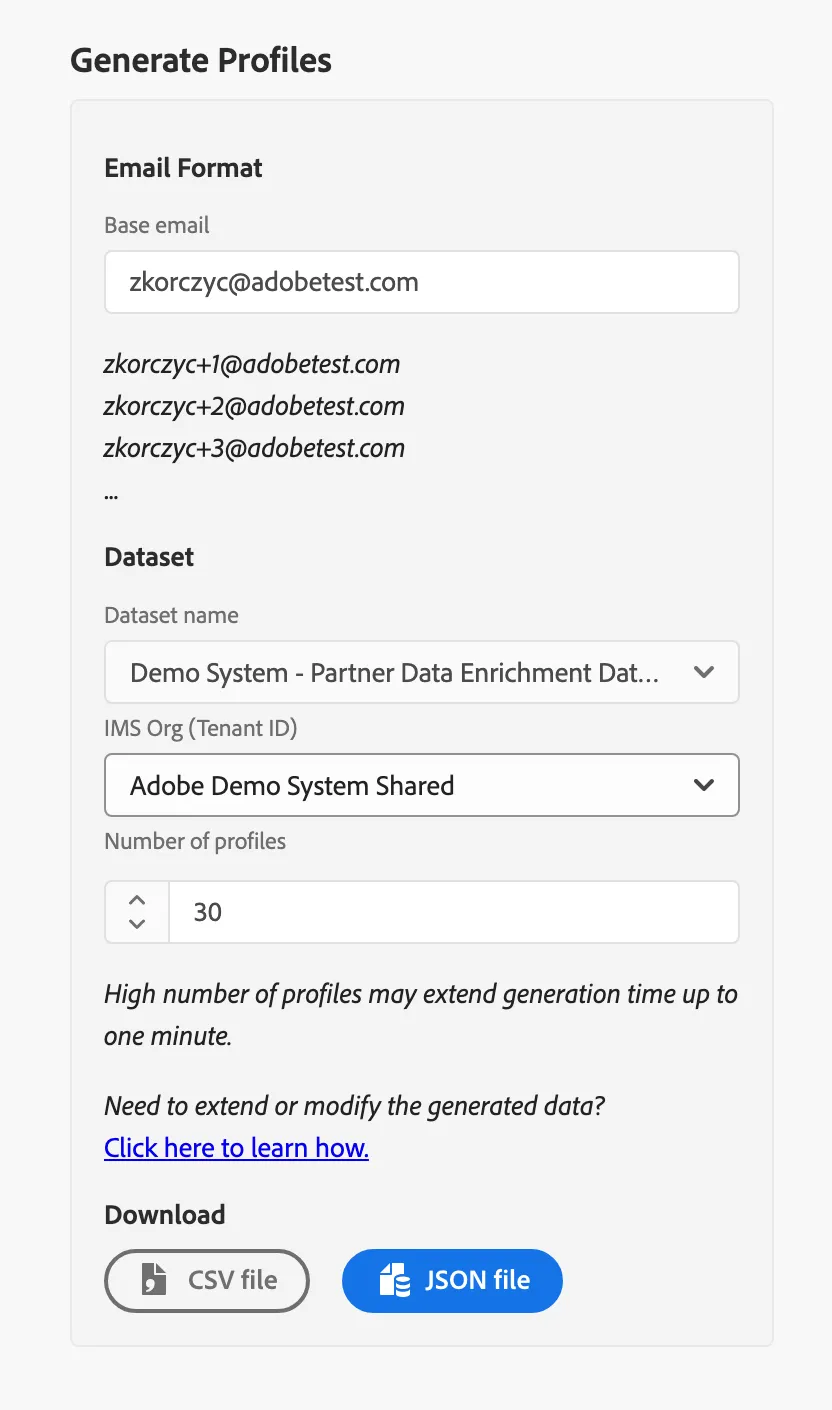
This is a sample file that was created:
Drag and drop the generated file to your dataset. This profiles can be used to enriched the already existing profiles with partner Id - more details in Partner Enrichment of Known Customers scenario.
3. Attach the Launch property to your website. It has two rules: Get Partner Data and Send Partner Date (learn more about in the on-site personalization scenario flow for SecurFinancial)
4. Activate the required segmnets for your campaign
4. Build the Activity in Target using the segments