Partner Enrichment of Known Customers
Before you will start this demo please read this article: Partner Data
IMS Org: Adobe Demo System Shared, sandbox: public-securfinancial
This demo is best used after:
- You’ve laid out the core foundational framework of the product (Sources, XDM, Identity Resolution, Governance, Profiles, Segmentation and Activation)
- You’ve talked about Offsite Prospecting use case – some of the content below could build from the other use case script
- When possible, understand the partners your customer works with to update your talk track to use that partner’s name/ID, or customize your demo data as needed in your own sandbox.
INTRO:
Another key unlock now possible with RTCDP’s support of partner data is partner-aided enrichment of 1P audiences in RTCDP.
You can now append partner-provided attributes to 1P profiles and govern them using RTCDP’s patented data governance framework. Additionally, brands can no bring in partner provided IDs and append them to profile to help expand the reach of those customers through additional channels. using the new partner ID namespace or by working directly with the partner before ingestion
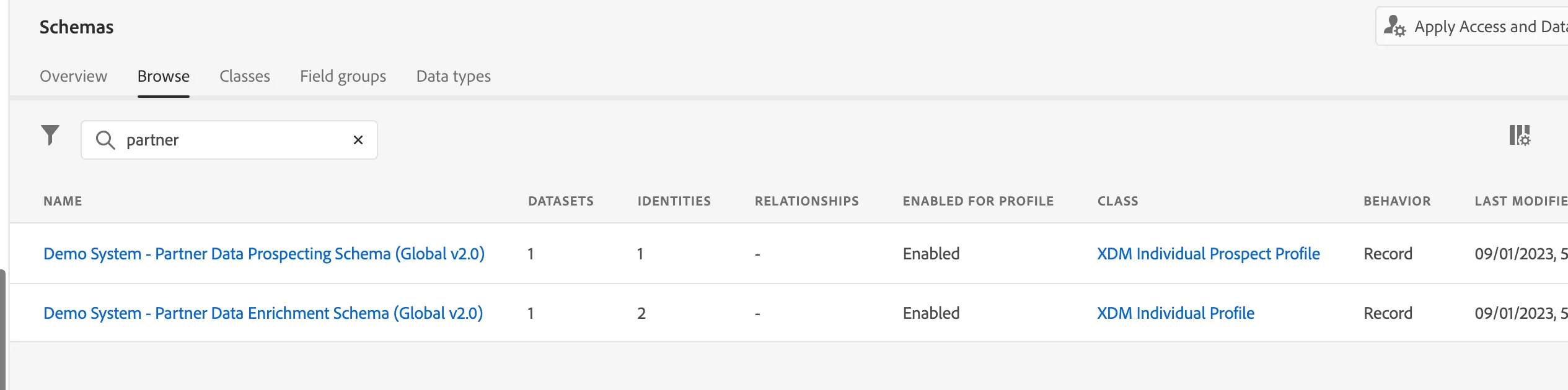
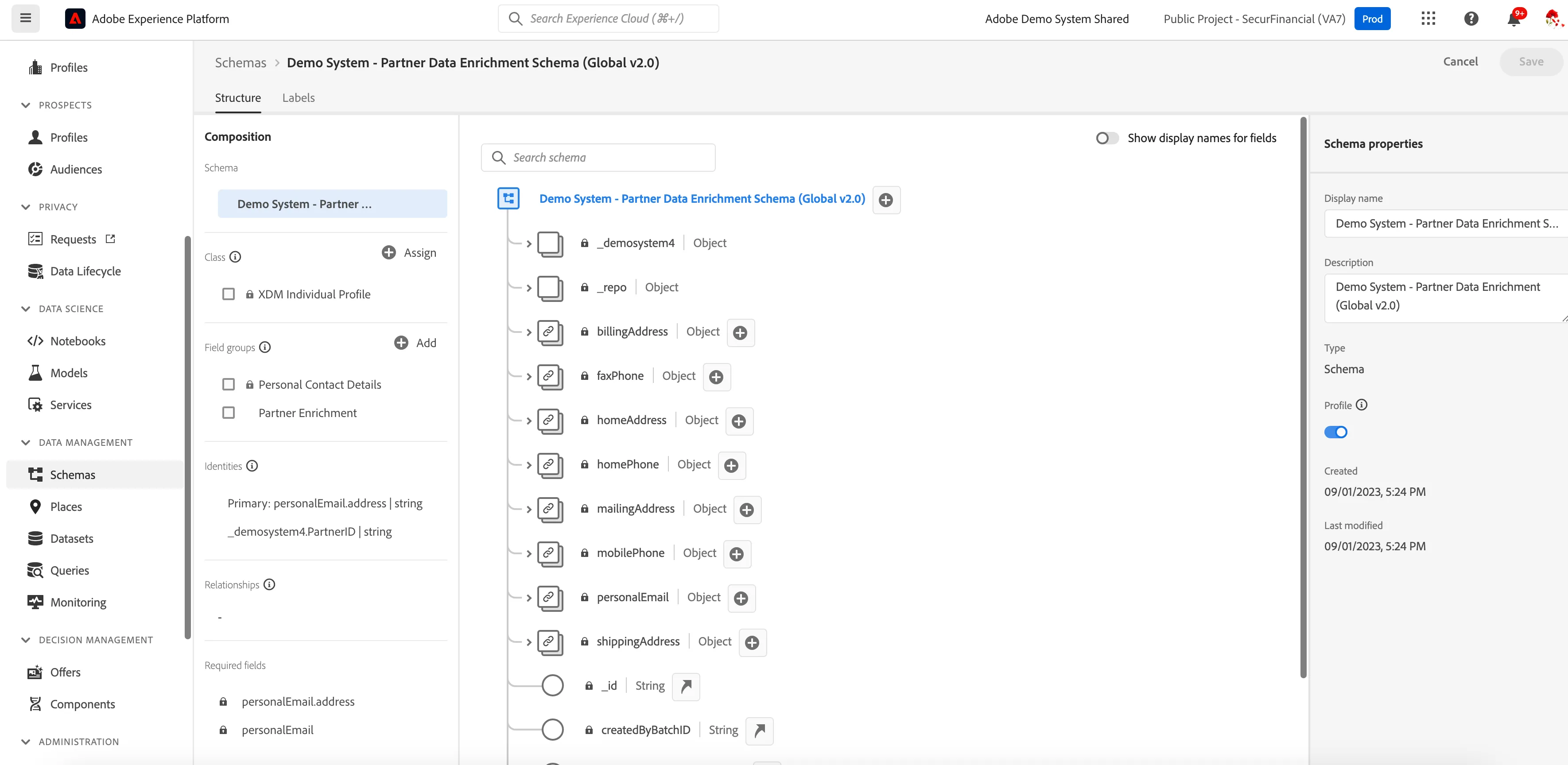
- Let’s take a look at the schema built for this use case – Demo System - Partner Data Enrichmenet Schema (Global v2.0)
(We can see that we’re looking to ingest the same types of attributes from the partner for this use case as for the prospecting use case. The difference here is that we know these attributes are aligned to a 1P profile based on a match the partner is doing prior to ingestion)
- The partner would take your 1P seed set, look within their universe for these 1P people, keying off of something like email address, hashed email, and would then send back the attributes they had for these people.
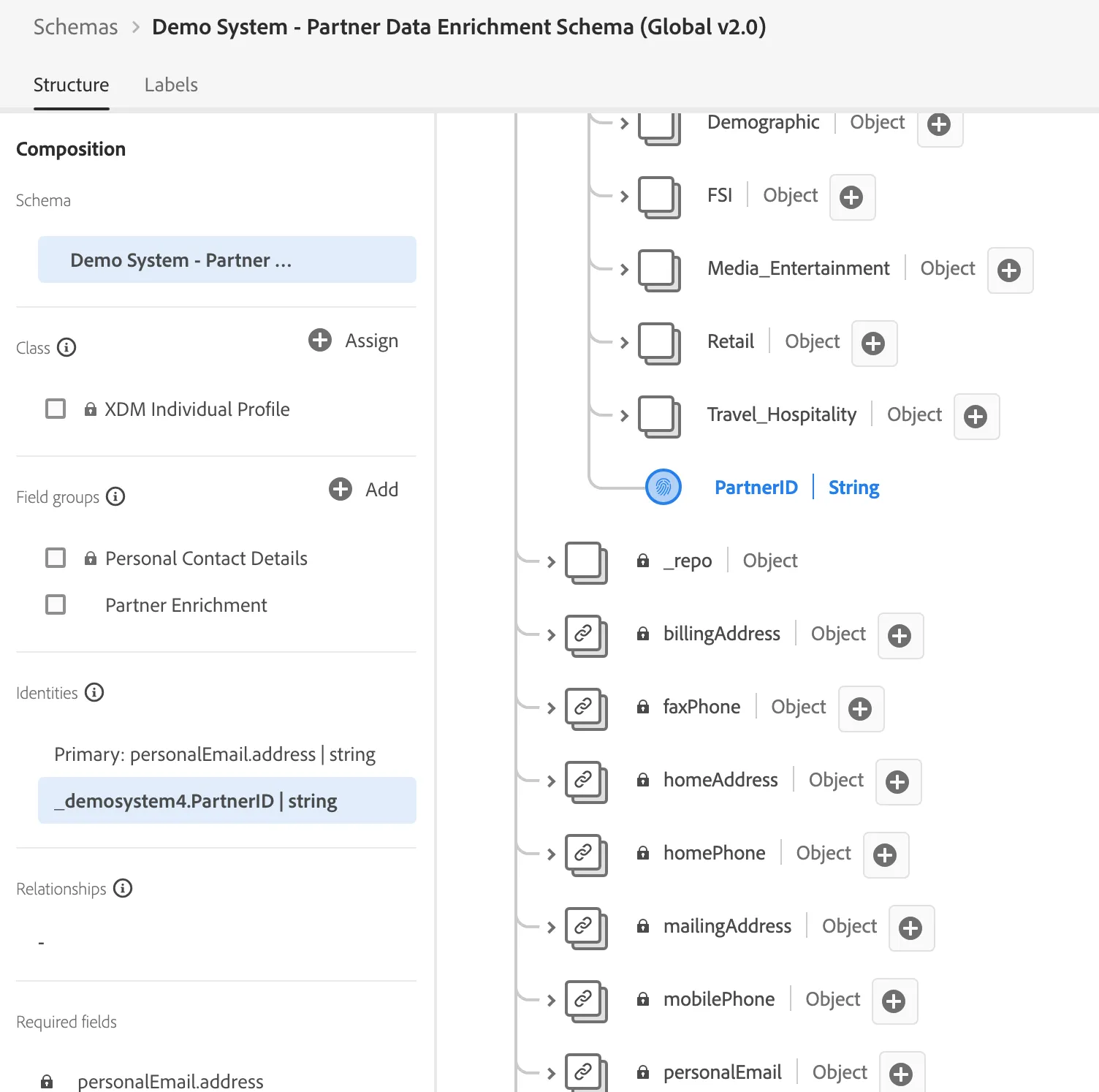
- So in this case, we’re using email address as the primary identity for stitching, so the data we’re ingesting to the system is aligned to a profile based of email.
- Partner ID is also ingested as an identity in the partner ID namespace, making sure it can be included in profile and can be used for activation as an ID without the risks of having it come into the ID graph
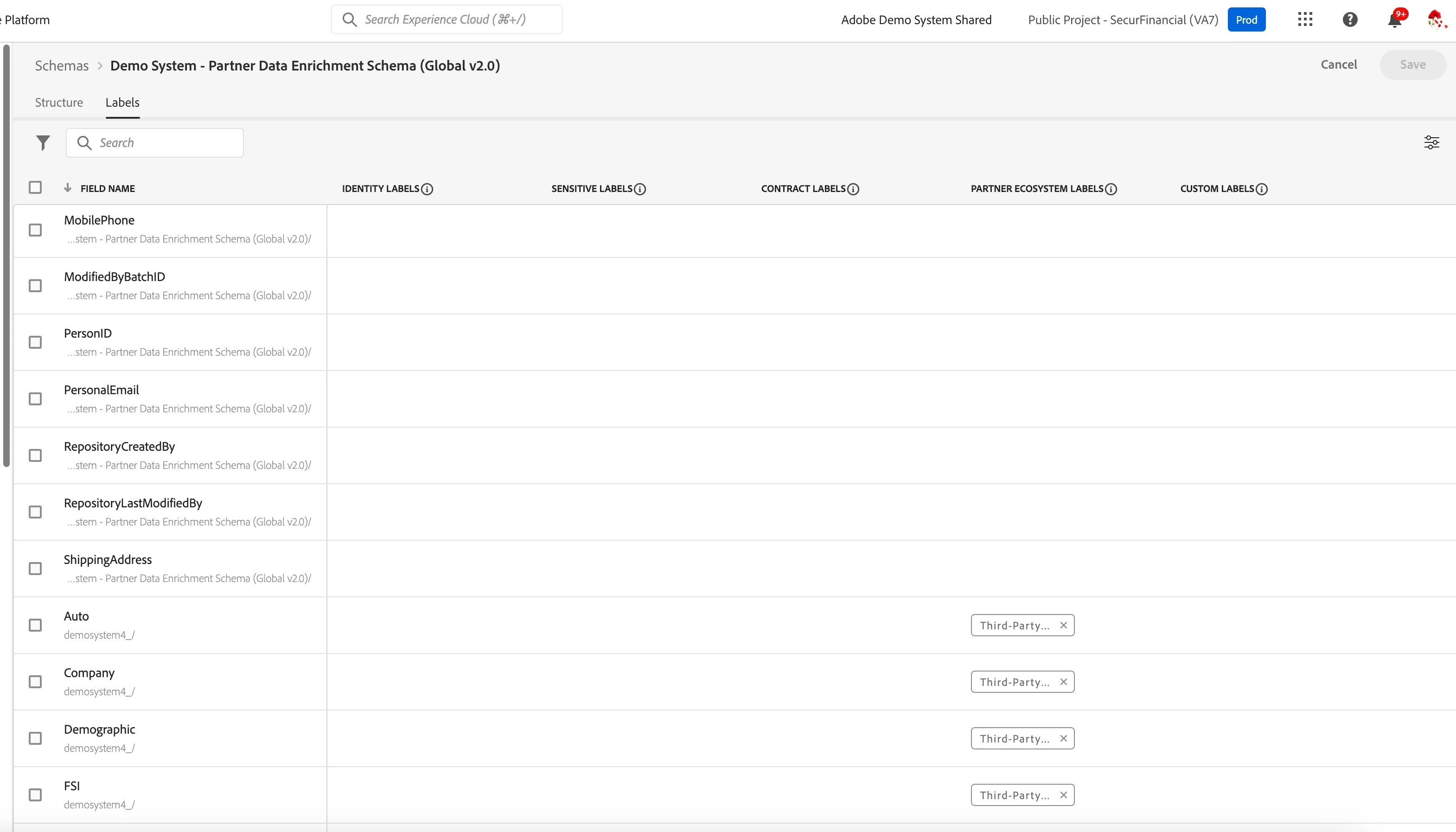
- Click on ‘Labels’ next to structure
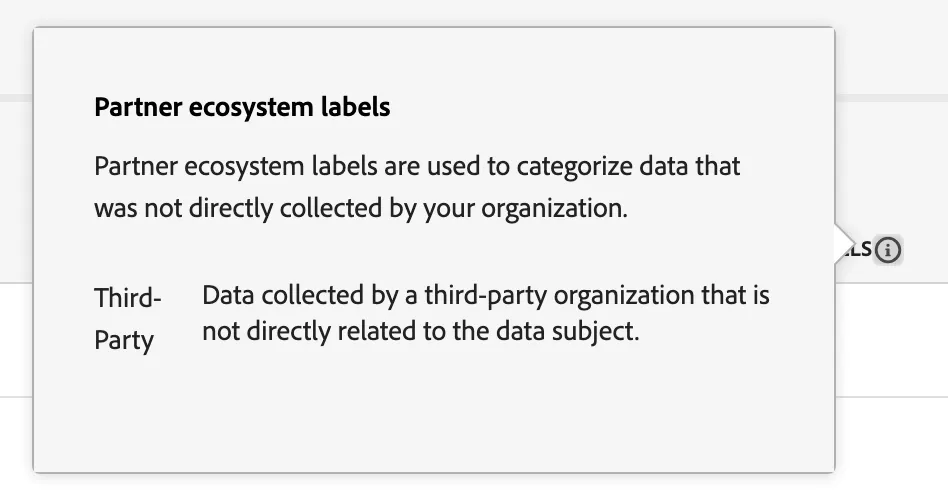
- Point out the new category of partner ecosystem labels
- Click on the i icon next to the Partner Ecosystem Labels
And just like we reviewed in the Offsite Prospecting schema, the ThirdParty data label is applicable here from the new Partner Ecosystem category.
Similarly, this allows for streamlined governance of 3P partner data, and this attribute-level based control means that within the enrichment file, if there are different policies that should be at play for different types of attributes, the data steward can have that granular level of control to label specifically within the schema. That way, different policies could be created for these use cases if the 3P data label didn’t apply for example, but you wanted to create a custom label to account for a certain nuance. You have that optionality here.
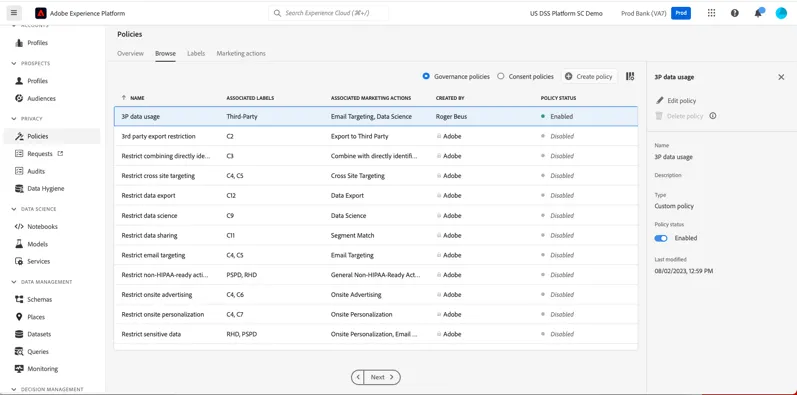
Here in the policy section, these labels are the foundation to the governance policies that come into play for activation.
For example, if the attribute data from a partner is not allowed to be used in data science modeling you do, or for email targeting based on contractual agreements between you and the partner, our DULE framework allows you to manage all of that here and apply these policies to your marketing team’s activation workflows.
- Click on datasets
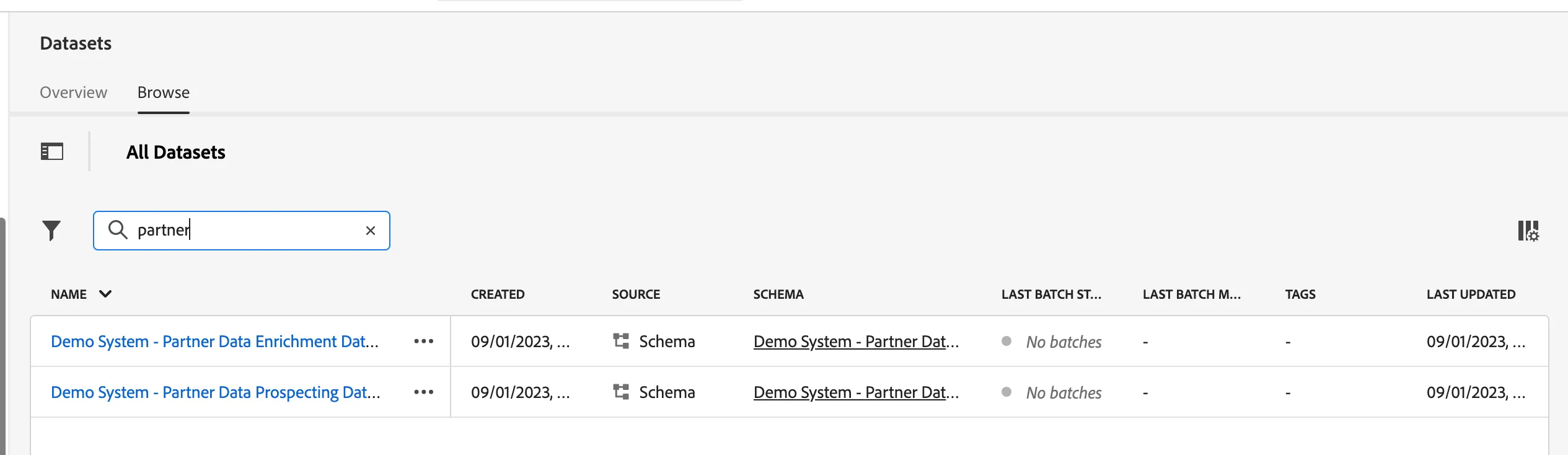
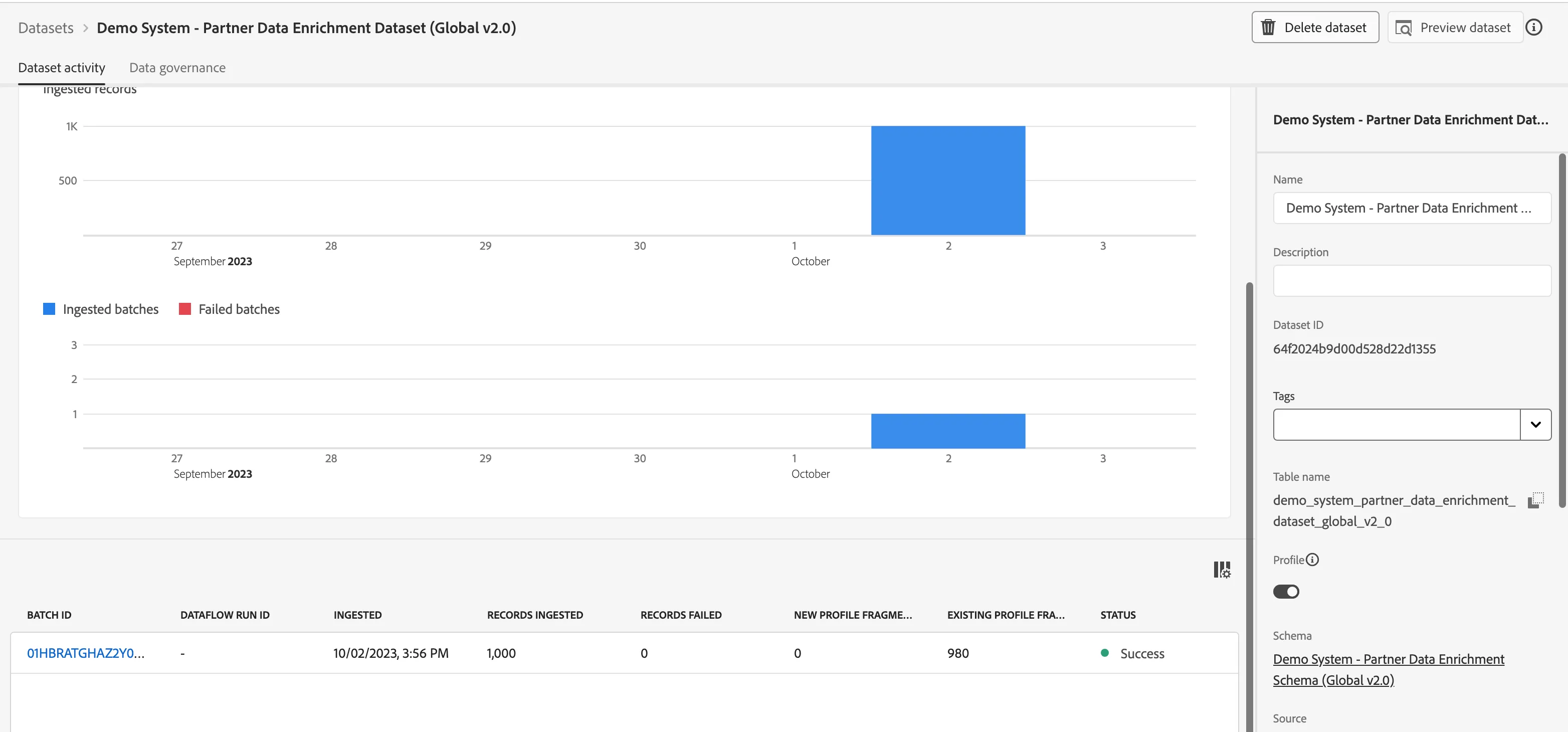
- Find the Demo System - Partner Data Enrichment Dataset (Global v2.0)
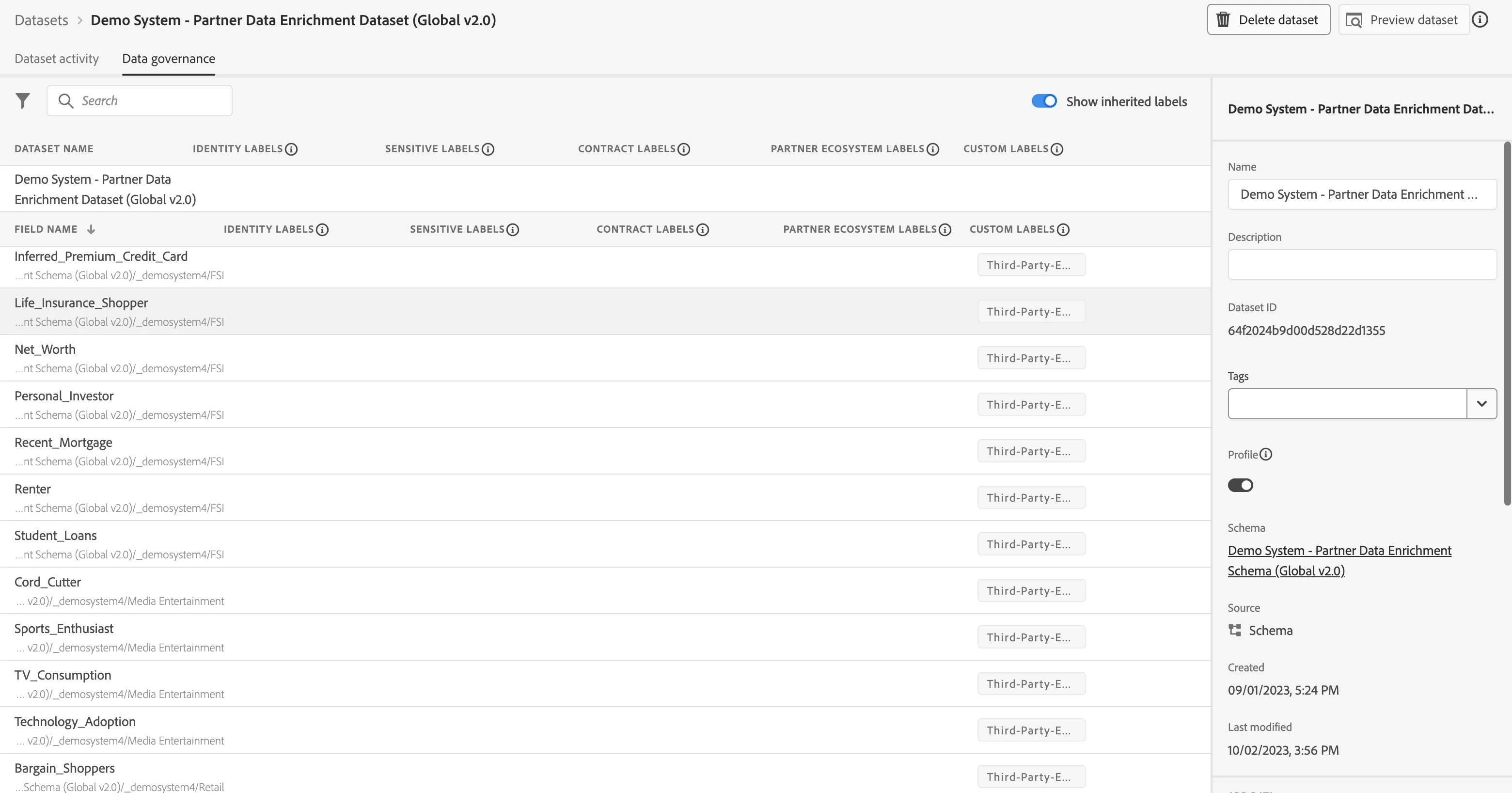
Once a schema is created, you’ll want to create a dataset based off of that schema so you can observe that data once it’s been given meaning. You’re able to apply data labels at this point in the implementation, which we’ve already handled at the schema level.
Within the datasets tab, there is a monitoring view for the ingestion patterns as well.
You can talk through all the steps below in as much detail as you need while explaining how source connectors work, even showcasing the s3 workflow.
Now you have few options:
- Use the profiles that are already ingested in public-securfinancial dataset. You can do a preview of dataset and select any profile.
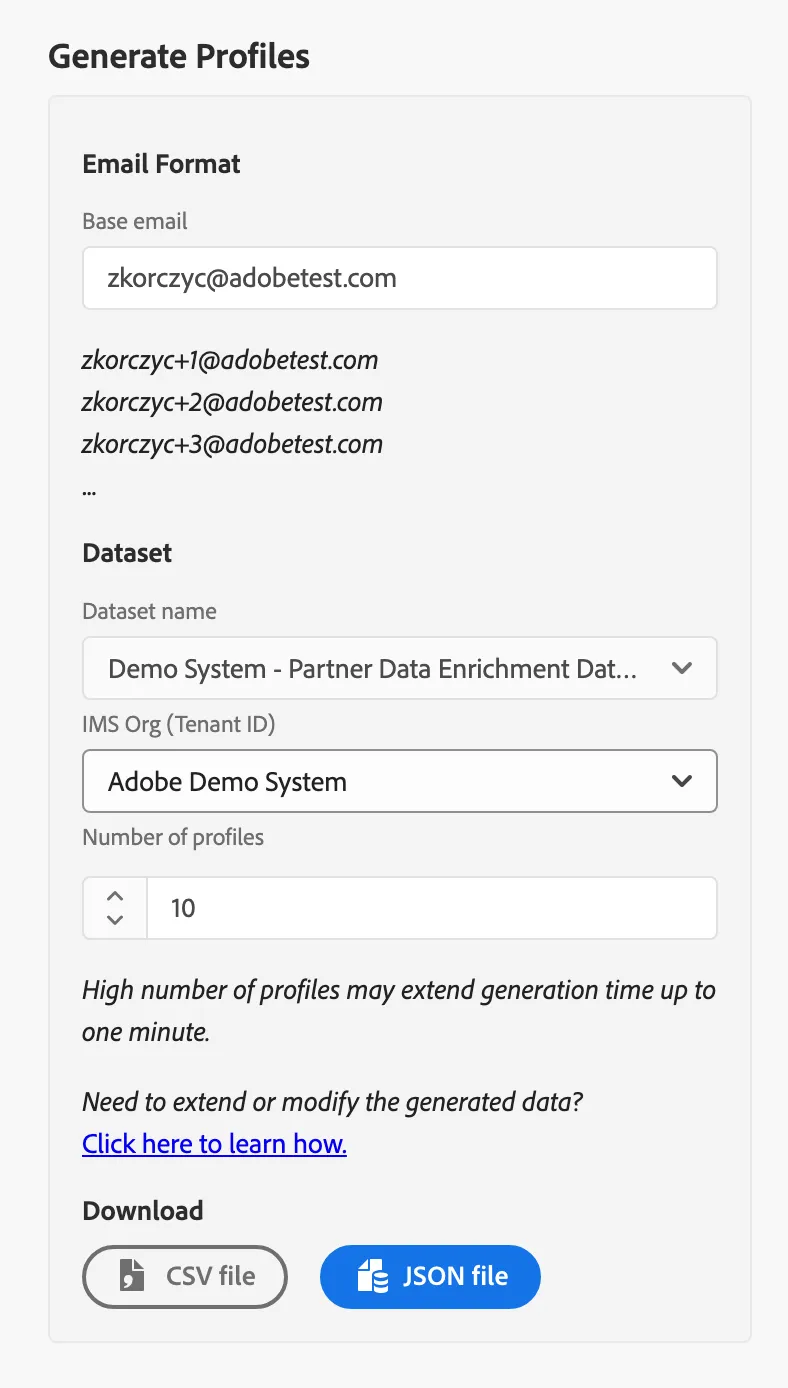
2. If you are using your own sandbox you can generate your own data:
- In the middle collumn select "Demo System - Partner Data Enrichment Dataset"
- Select your org that you will be using and number of profiles you want to generate.
- Download CSV or JSON and upload it to your dataset.
- You’ll note in the file there is an email address so this data file, which is made up of partner attributes and a partner ID, will get associated to my existing 1P profile.
Check the monitoring tab of the dataset
- Click on Profiles under the prospects section
- In the sandbox look up the Booby Brown profile https://experience.adobe.com/#/@demosystem4/sname:public-securfinancial/platform/profile/browse/BVpqCwhuzW6G28vm2p5P37IvnKJg?mergePolicyId=405dda65-aaaa-485b-b963-8c9950ad1d91&schemaName=_xdm.context.profile - this is the 1P profile where partner data has been loaded into the system for enrichment. Scroll to the bottom to highlight the new card ‘ partner enrichment data’
- Now because we’re ingesting partner data that’s been matched to an existing 1P profile outside of the system, we’re able to load it in against a 1P identity namespace, I can now look up this profile under the customer section of the UI.
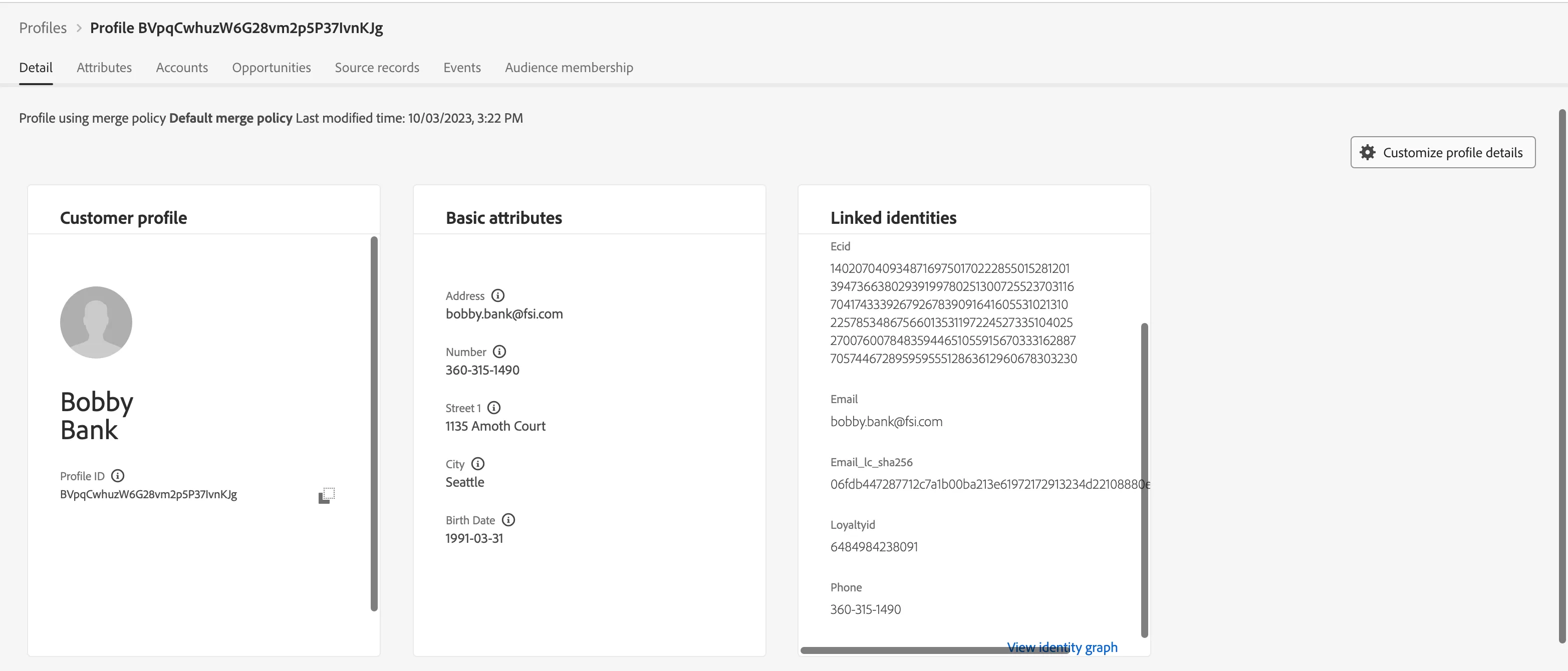
- I’m going to look up by email and pull up Bobby Bank’s profile.
- I want to draw your attention to two places –
- One – the linked IDs section. You’ll notice partner ID is not a linked ID- showing that that partner ID we used to match the attribute data and load into the system was not used in the ID graph. Instead, email address was used to stitch these profile fragments. But again, the partner ID is available on the profile and can be used for activation.
- And two – this partner enrichment data card show the 3P data attributes from the partner that we loaded into the CDP. Here we can see various attributes the partner had on Bobby that I didn’t have access to before.
- Click on Customer Audiences
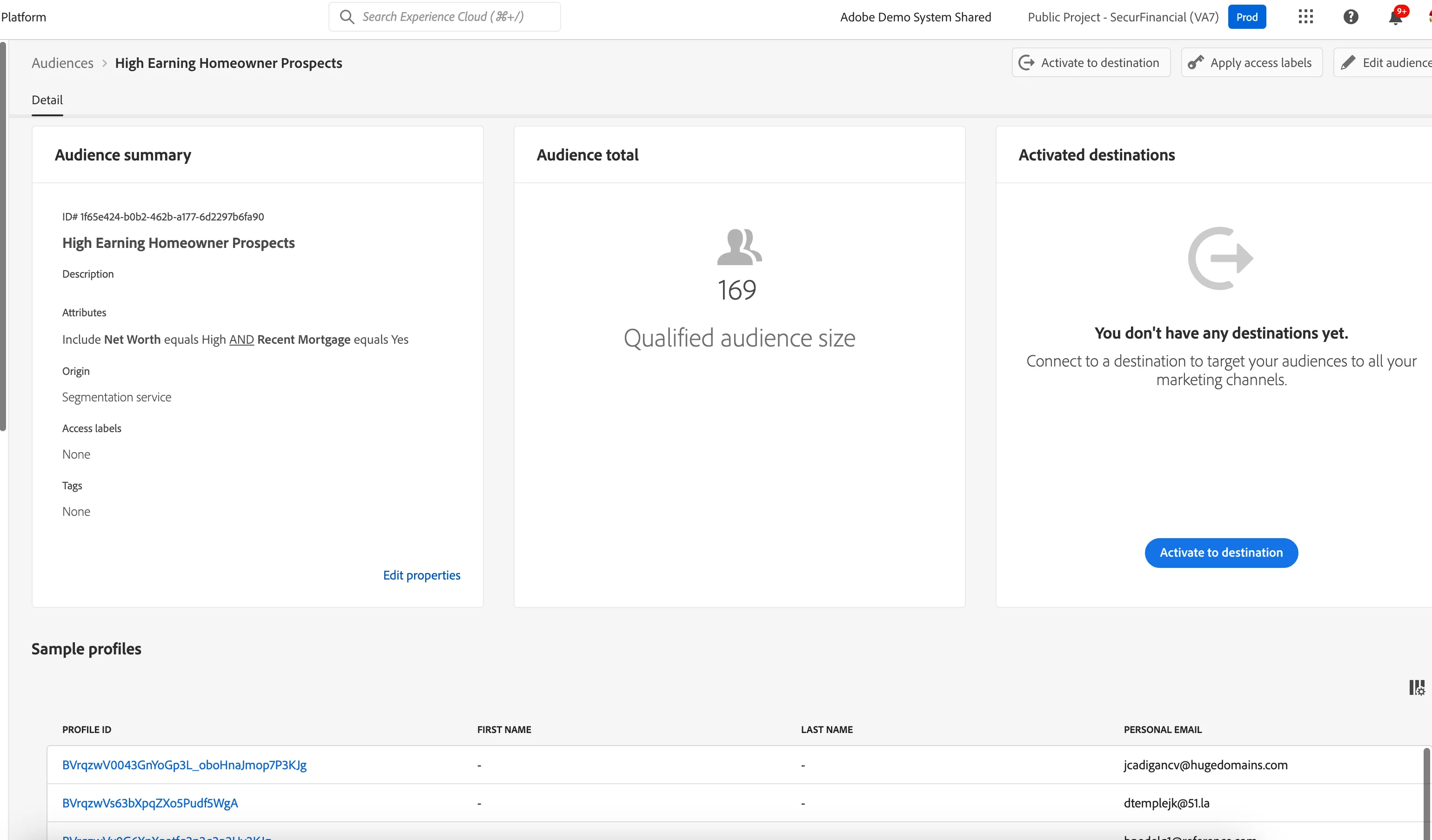
- Click on High earning homeowner prospects
- Now, I can use these partner provided attributes in my segmentation strategy.
- Because these attributes are aligned to the 1P profile, I’m able to build audiences in the general audience section vs. the prospect one.
- Let’s look at the High Earning Homeowner prospects segment. This segment was created using both 3P partner provided attributes as well as known, 1P data points I had on Bobby.
- This is saying find me everyone in the CDP who the partner said is likely to have a recent mortgage, has a high net worth and their account is flagged as not working with a financial advisor. This is a segment I can use in an upcoming prospecting campaign to find leads for the bank’s new financial advisor program.
- follow the click path for the segment activation workflow for the destination, which is Facebook in this demo
-
- If using a custom sandbox, configure using the credentials on sharepoint and follow the activation workflow
- I can now activate this segment to any downstream marketing or advertising destination the accepts the 1P IDs I have.
- The attributes from the partner enhanced my segment to help with cross sell or up sell initiatives
- And like I mentioned, any partner provided IDs on profile can also be used for activation in downstream destinations accepting of it.
- 1. Governance layer support for 3P data (ex: use for segmentation but not for personalization)
- 2. Most data vendors will want RTCDP to hold their ID in profile and use it for future enrichment. This was not possible before without causing profile collapse and hitting identity graph limits.
- 3. Data partner focused field groups which will make it simpler for implementation teams to onboard 3P attributes.