Message Center Email Trigger ACv8
5 min
Introduction
This document demonstrates the capability of delivering real-time Message Center emails to recipients using Postman through the Campaign API.
Demo Environment
- IMS Org: Adobe Demo System Shared
Note: For the message center credentials you need to drop a note to Infra team([email protected]) with subject - ADSS ACv8 MC Credentials.
Prerequisite: Please create your message center delivery template as published and add your event types in enum.
Demo Execution (Step-by-step)
- Download the Postman Collection.
- Import the Collection in Postman.
- Update the recipient email in the Trigger RT Email POST request.
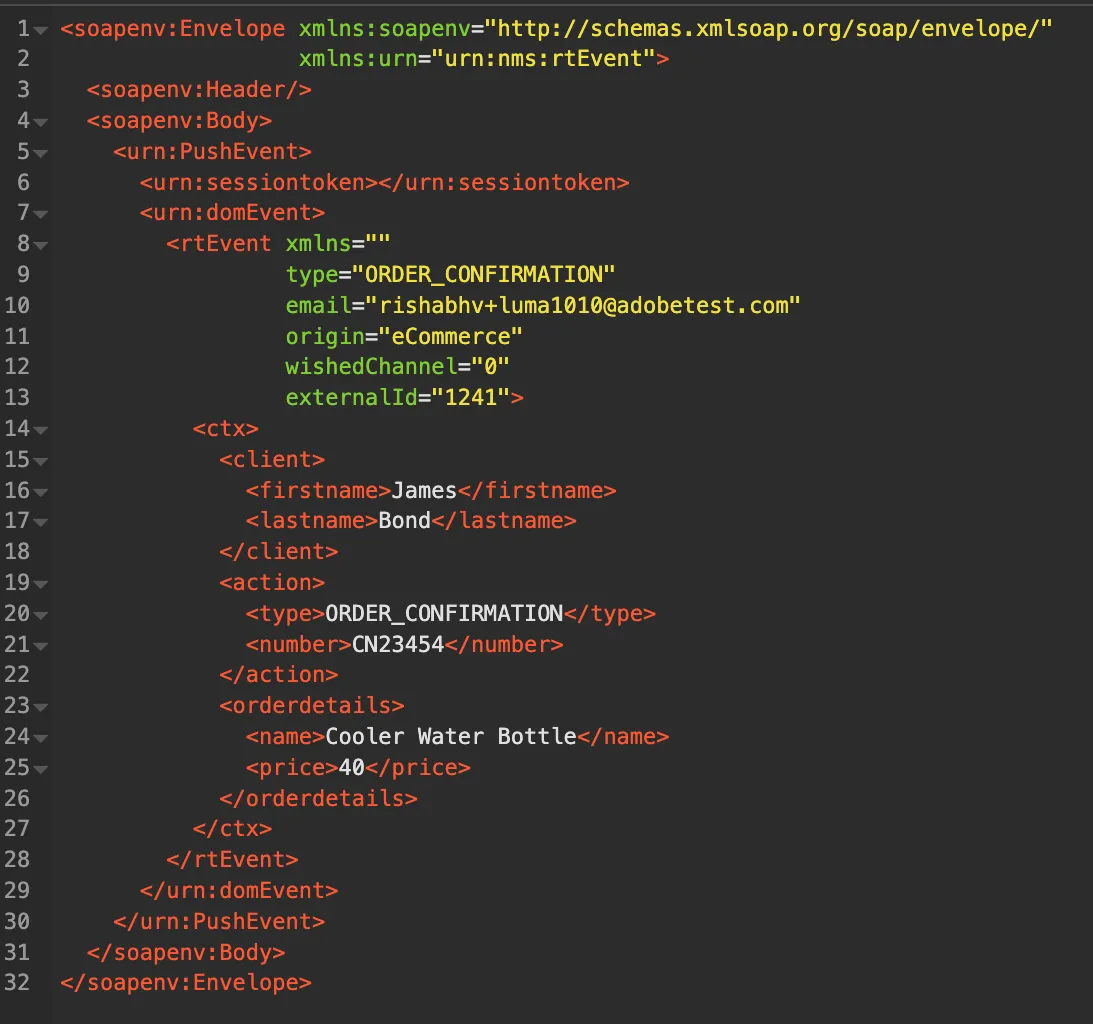
- Put the message center credentials under <urn:sessiontoken></urn:sessiontoken> like this <urn:sessiontoken>username/password</urn:sessiontoken>.
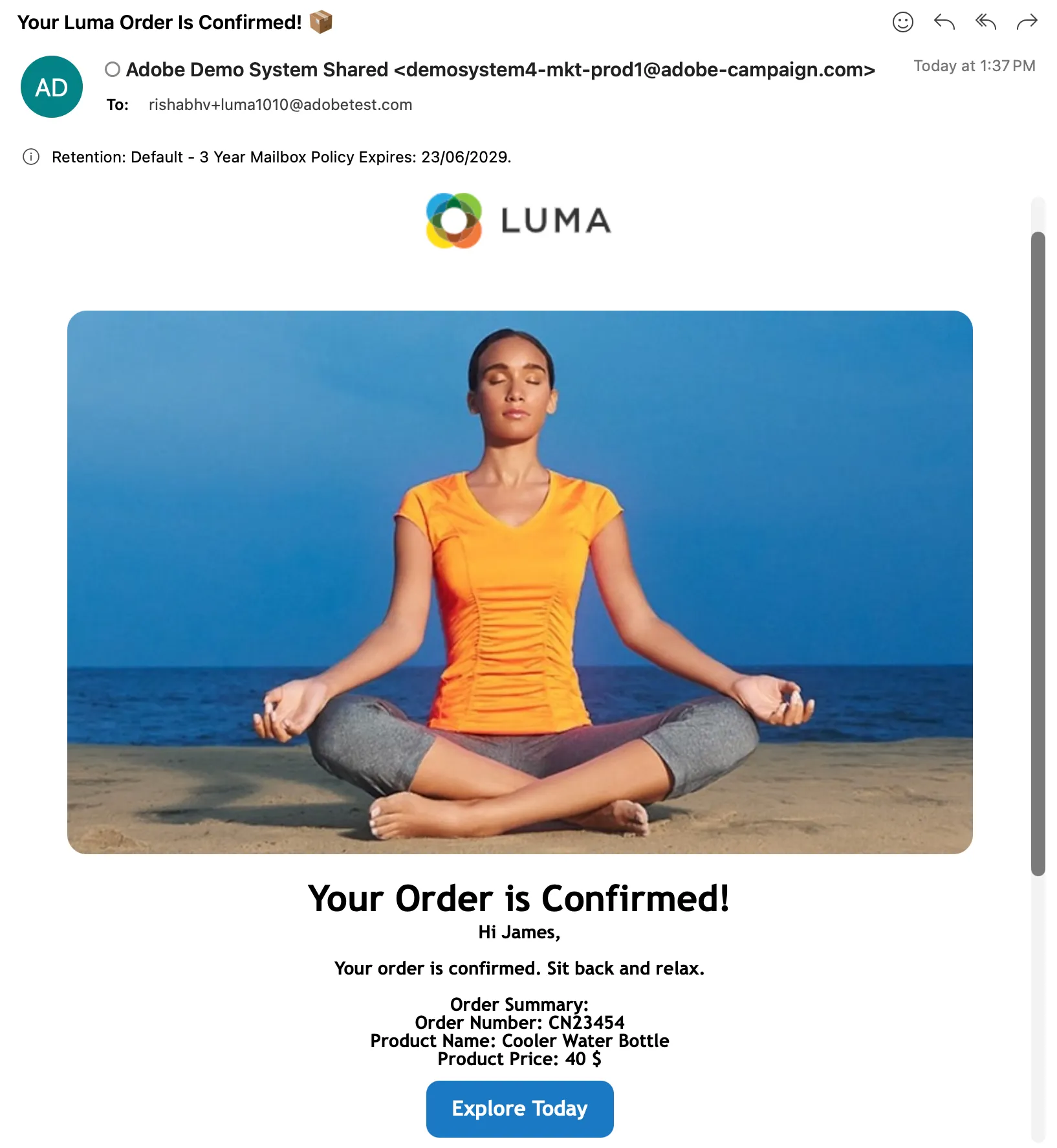
- Update the given body payload asper your personalization need as currently it is pointing to Luma Order Confirmation Email. and hit the Send button.
Payload Body:
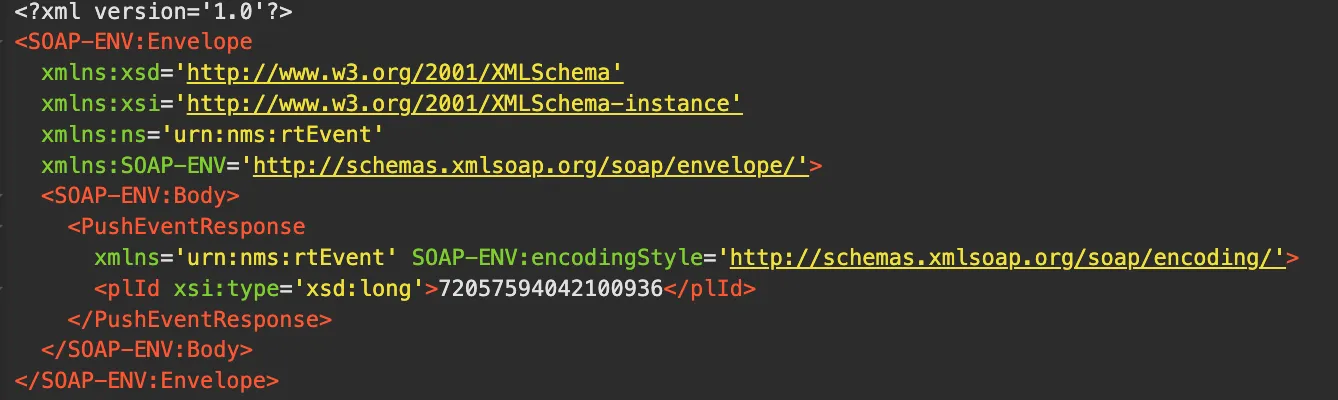
Successful Response:
Email with personalization details:
Troubleshooting
You might get access denied error while running the above API. Find Info here.
Resolution:
- Go to control panel of respective Org(ADSS). You need to be connected with vpn while doing below process and api trigger.
- Then browse to Instances settings > ip allow listing.
- Then go to chrome and search what is my ip and copy it and convert it to CIDR format(use AI).
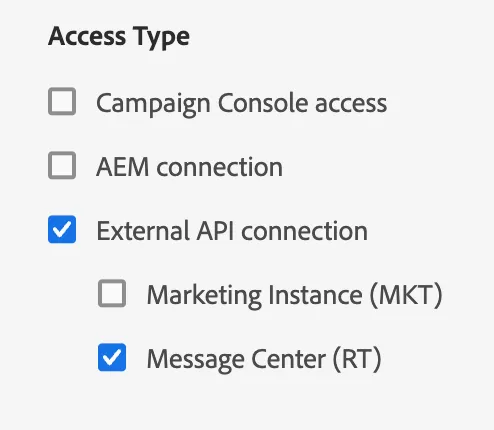
- On ip allow listing page click on Add new ip range then give a suitable name, copy the CIDR ip in IP field and under access type select External API Connection > Message Center RT. Hit save and a job will get trigger and once finished you can try the API it will work.