Live Activities
Store Pickup Journey
Overview
Luma uses Live Activities, powered by Adobe Journey Optimizer, to deliver real-time, state-based updates directly on the iPhone Lock Screen and in Dynamic Island.
Unlike traditional notifications, this is a continuous experience—the activity starts once and evolves as the order progresses.
Use case
A customer shops on Luma and selects store pickup. Instead of repeatedly checking the app, they receive real-time updates directly on their lock screen through Live Activities.
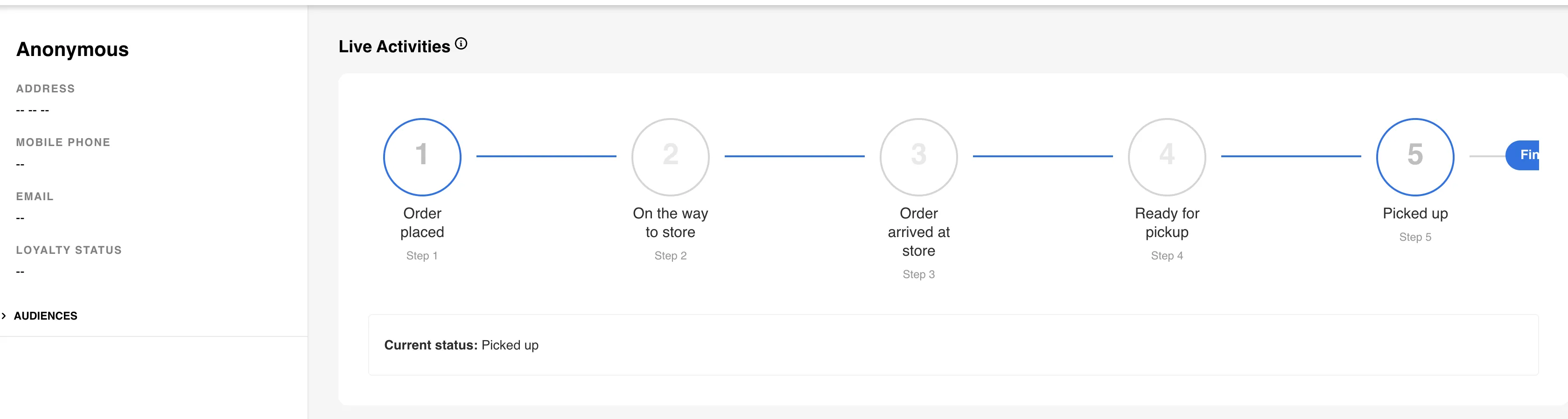
The journey begins when the customer places an order and selects store pickup. At this moment, the Journey Trigger project triggers the Live Activity start event, and the status “Order placed” appears on the user’s lock screen, confirming that the order has been successfully received.
Navigate to Luma Journey Trigger. Search by email namespace and trigger activity Step 1.
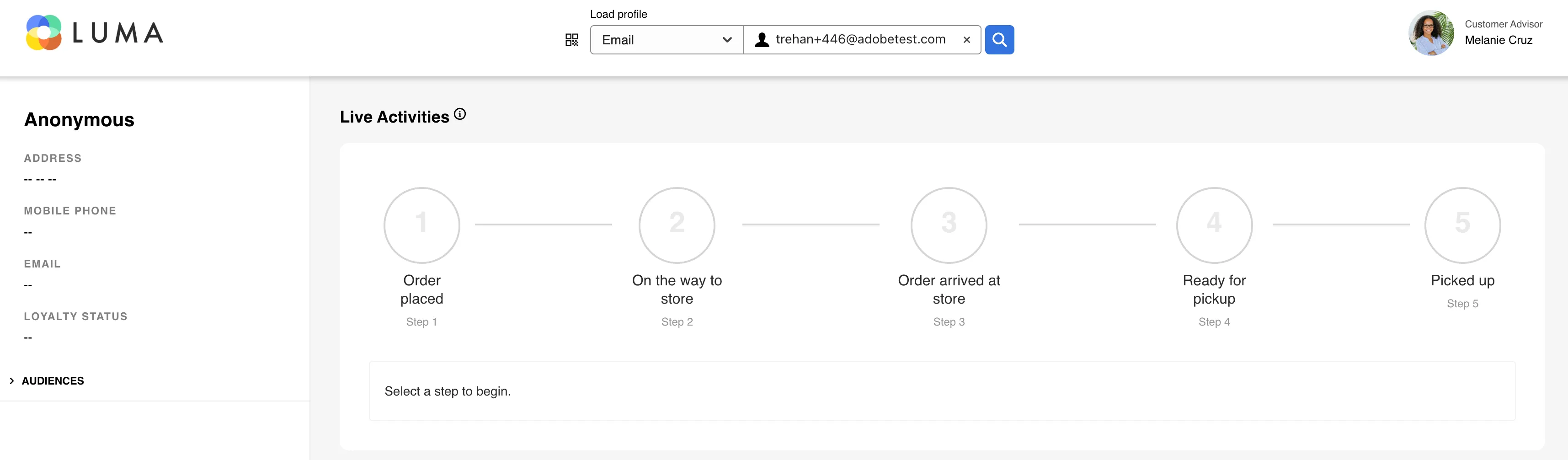
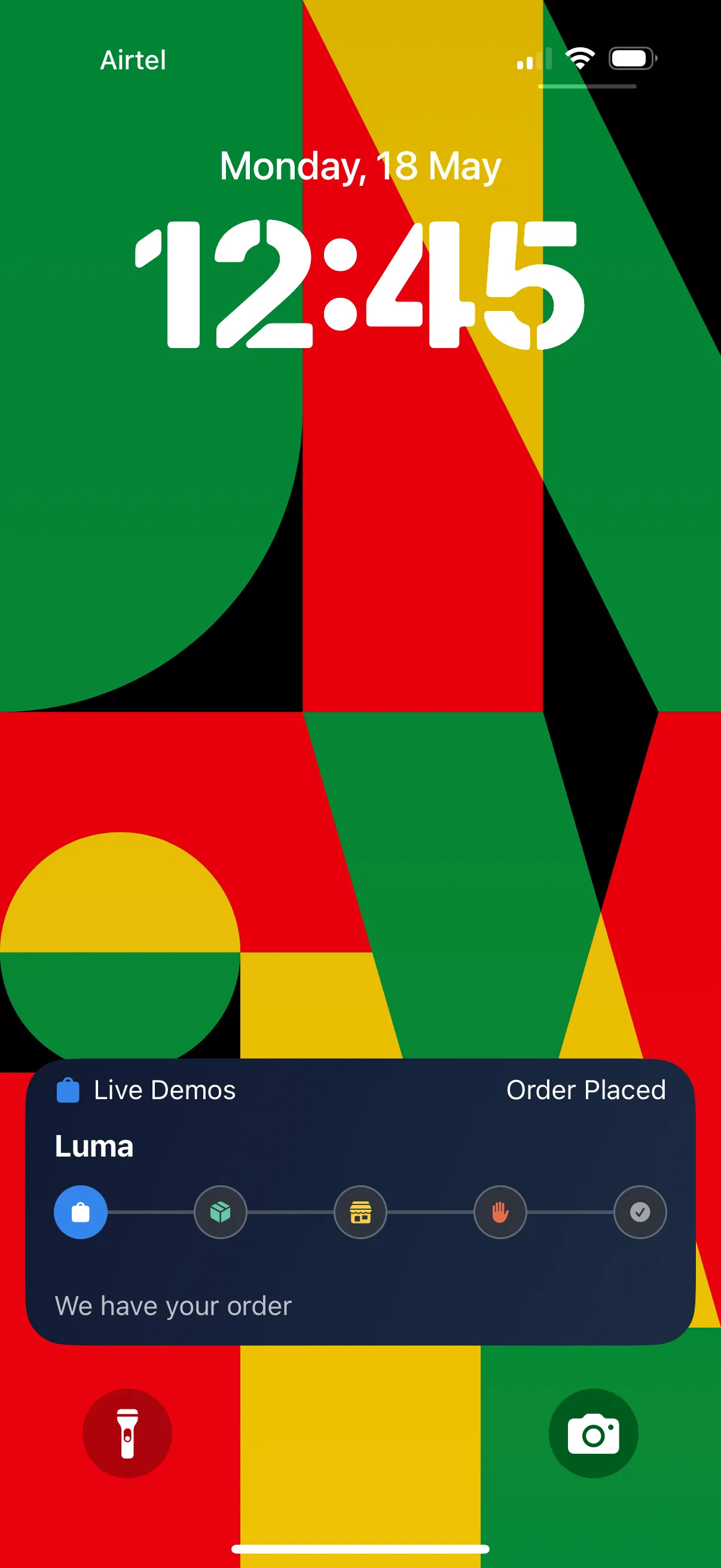
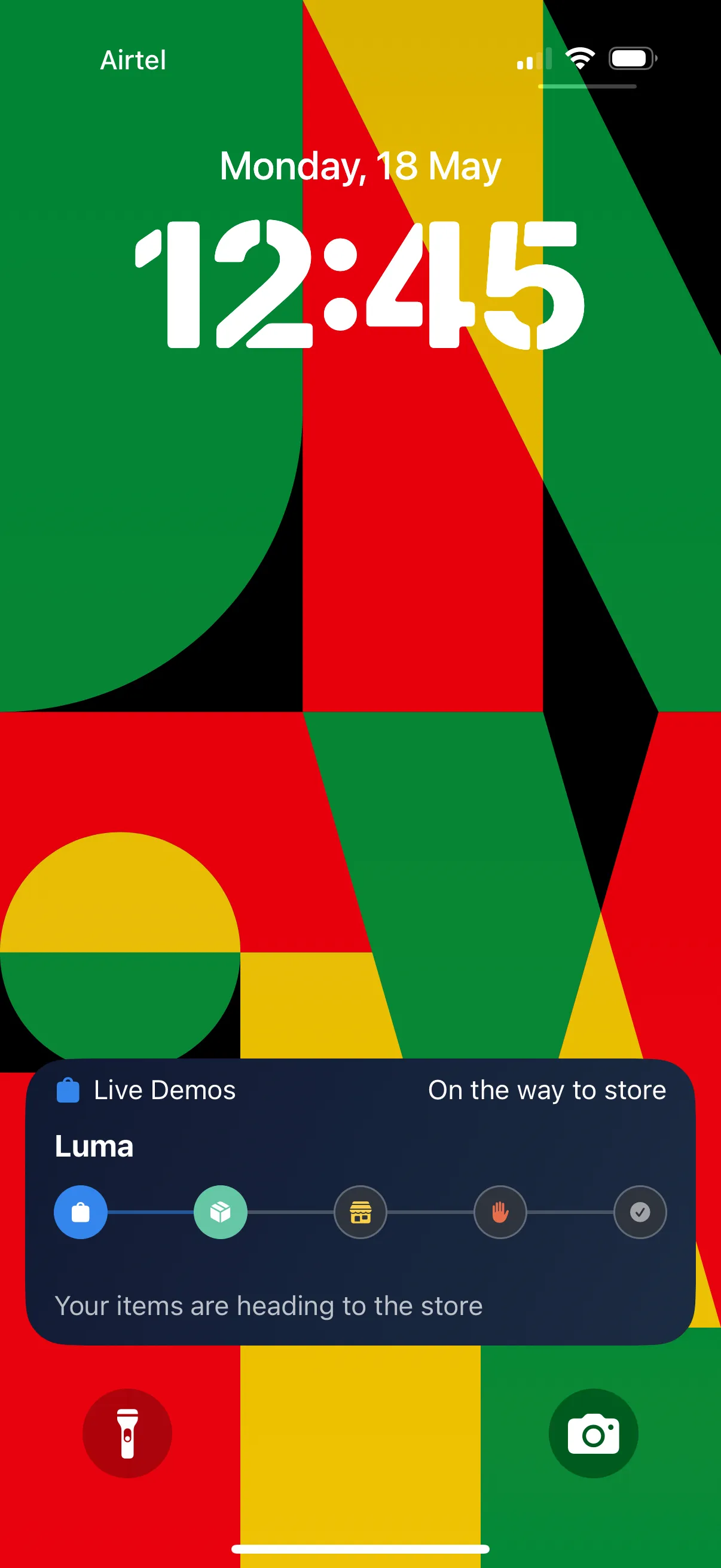
Once the order is processed and dispatched to the selected store, the Journey Trigger Project triggers a Live Activity update, changing the status to “On the way to store,” allowing the customer to track progress in real time without opening the app.
On the Luma journey trigger project, trigger Step 2: On the way to store
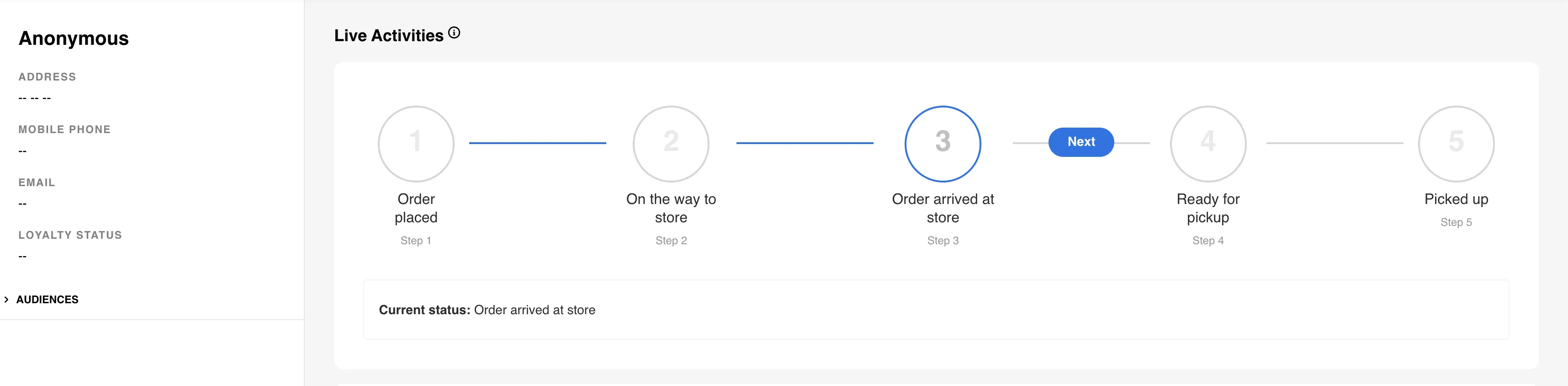
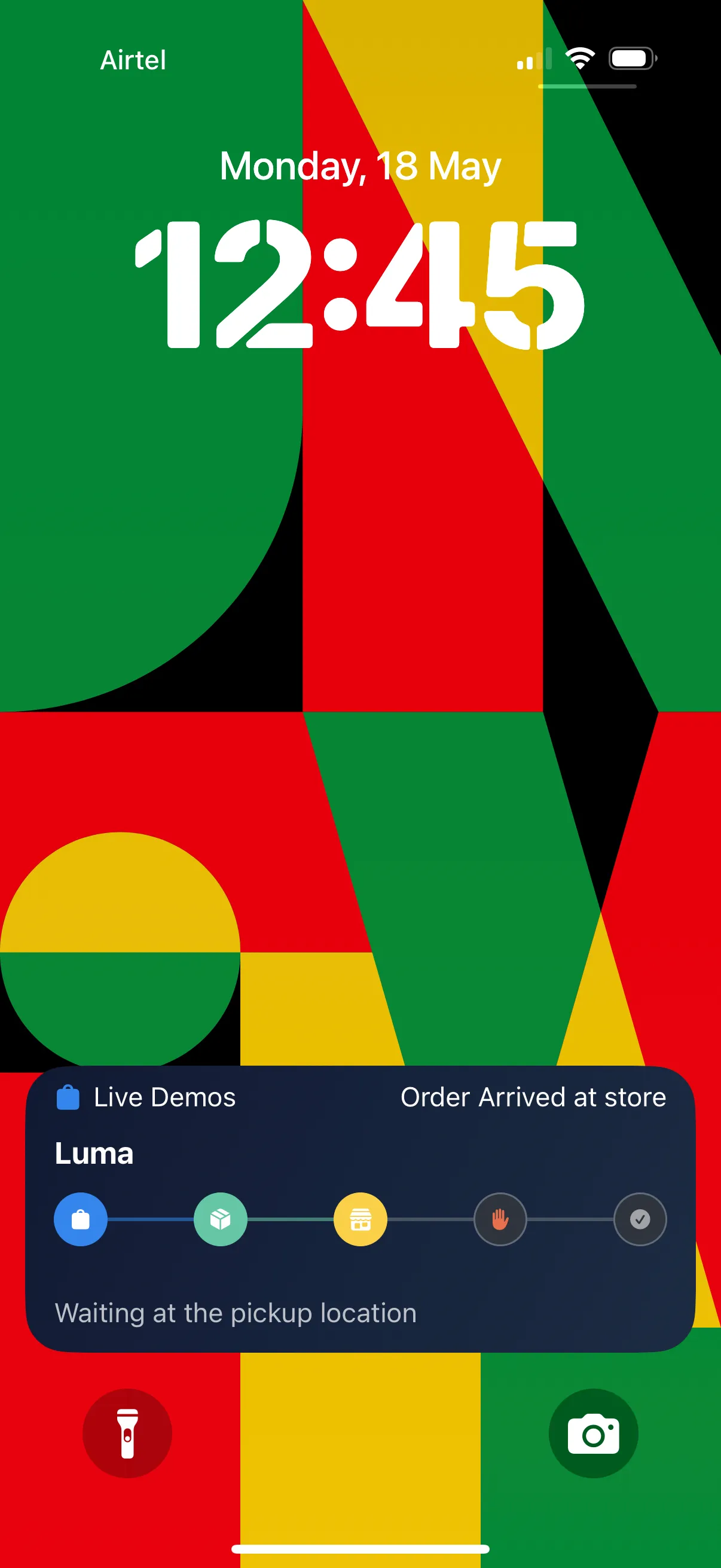
When the order reaches the store location, it triggers another Live Activity update. The status is updated to “Arrived at store,” indicating to the customer that the order is now at the store and nearing readiness for pickup.
On the Luma journey trigger project, trigger Step 3: Arrived at store
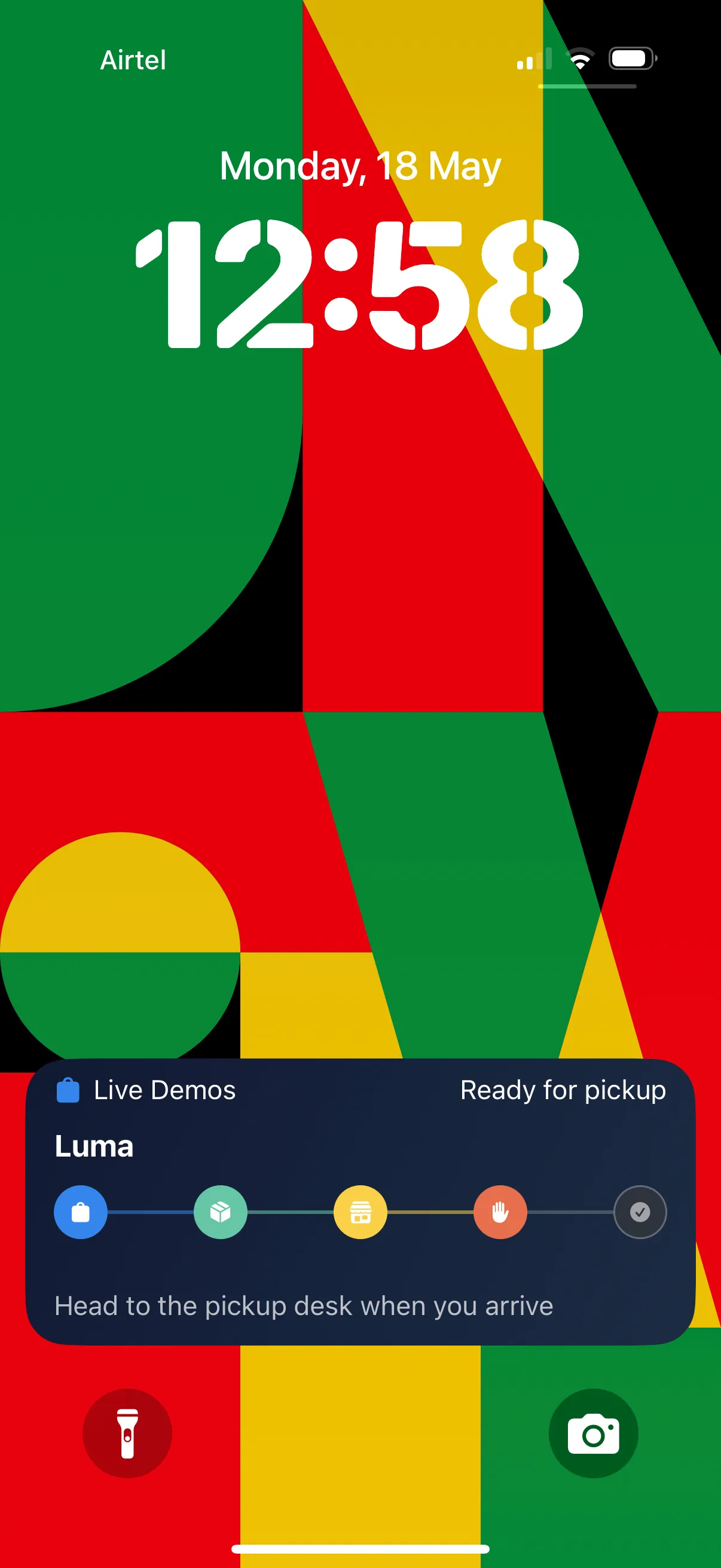
After the store staff prepares the order, the journey trigger triggers the next update, and the Live Activity status changes to “Ready for pickup.”
On the Luma journey trigger project, trigger Step 4: Ready for pickup
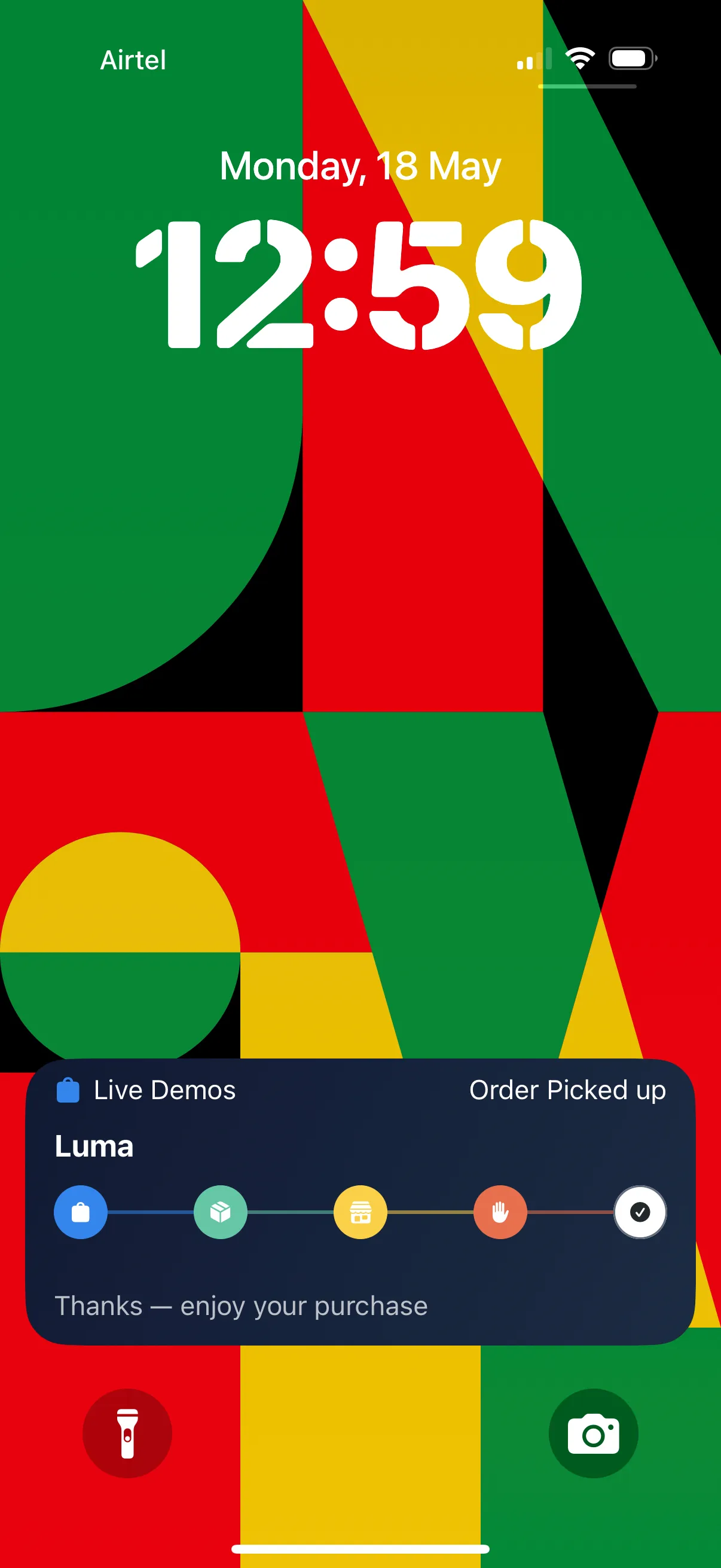
Finally, when the customer collects the order from the store, the Journey trigger triggers the end event for the Live Activity. The status is updated to “Picked up,” and the Live Activity is automatically dismissed, marking the successful completion of the journey.
On the Luma journey trigger, trigger Step 5: Picked up
Campaign used: