Partner Data - Offsite Retargeting
Before you start:
- Use lookback window of 24 hours or less to ensure the Computed Attribute updates hourly
- Create distinction in naming convention between Partner ID attributes: Partner ID-Computed Attribute (unauthenticated) vs Partner ID-Identity (authenticated)
- Use Partner ID-CA as activation key for mapping for during activation unknown retargeting use case
INTRODUCTION
Now that customers are able to ingest partner data into the RTCDP, I’m going to take you through a workflow of how we can perform offsite retargeting for unknown customers by utilizing a new feature, computed attributes
These two capabilities working in parallel will allow us to qualify unknown visitors and ensure the most recent ID is captured on the profile to then be used offsite for customer retargeting
Let’s first start by showing partner data in action, I’m going to pull up a customer website for a fake financial company, SecurFinancial where I am an unknown, unauthenticated visitor
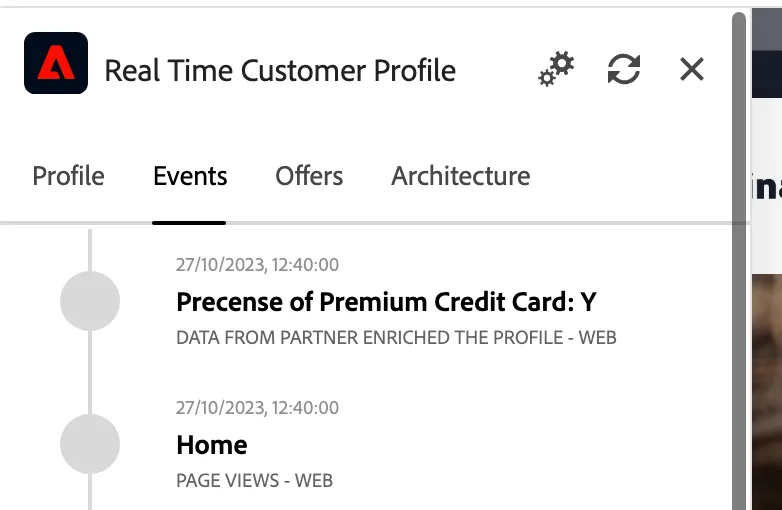
Open the profile viewer on the left hand site, switch to events
- If I pull up the profile viewer, you can see that when an unknown customer comes to a site, we only have an ECID (or Adobe Experience Cloud ID) with no other data; however, now, Third-Party partners are able to return their respective Partner ID associated with this visitor that the partner has just identified
- Adobe is able to ingest these attributes on an event-level without waiting for authentication or having the visitor return in a different session
- It is important to note that this attribute is coming in as an event-level attribute tied to an ECID,
- In order to successfully identify and retarget this unknown visitor we will need to now compute this attribute to a profile level which can be done with our new feature computed attributes
Talk Track:
- Moving into RTCDP, inside of the profiles section, I can navigate to the computed attributes.
- Computed attributes provide a self-service UI to take aggregates of event-level data and turn those aggregates into profile attributes for both known and unknown customers without any SQL or programming knowledge.
- I’m going to click create and can go ahead and name this attribute ‘Partner A ID - unknown’
- One timesaving feature is that the field name will automatically be mapped to the schema based off of the name given
- The second step is to define the attribute using the events and event attributes to act as filters
- The third input is the function where we will select ‘Most Recent’ to grab the most recent partner ID from the event payload and place it onto the profile
- Lasty, we will need to choose the timeframe or lookback window to be 24 hours which will enable this computed attribute to be updated hourly
- Now I can hit publish and this new computed attribute field will be added to the union schema and available in the profile class.
Click path:
Go to platform, make sure you are on the right sandbox: public-securfinancial
Click Computed attributes tab under Profile

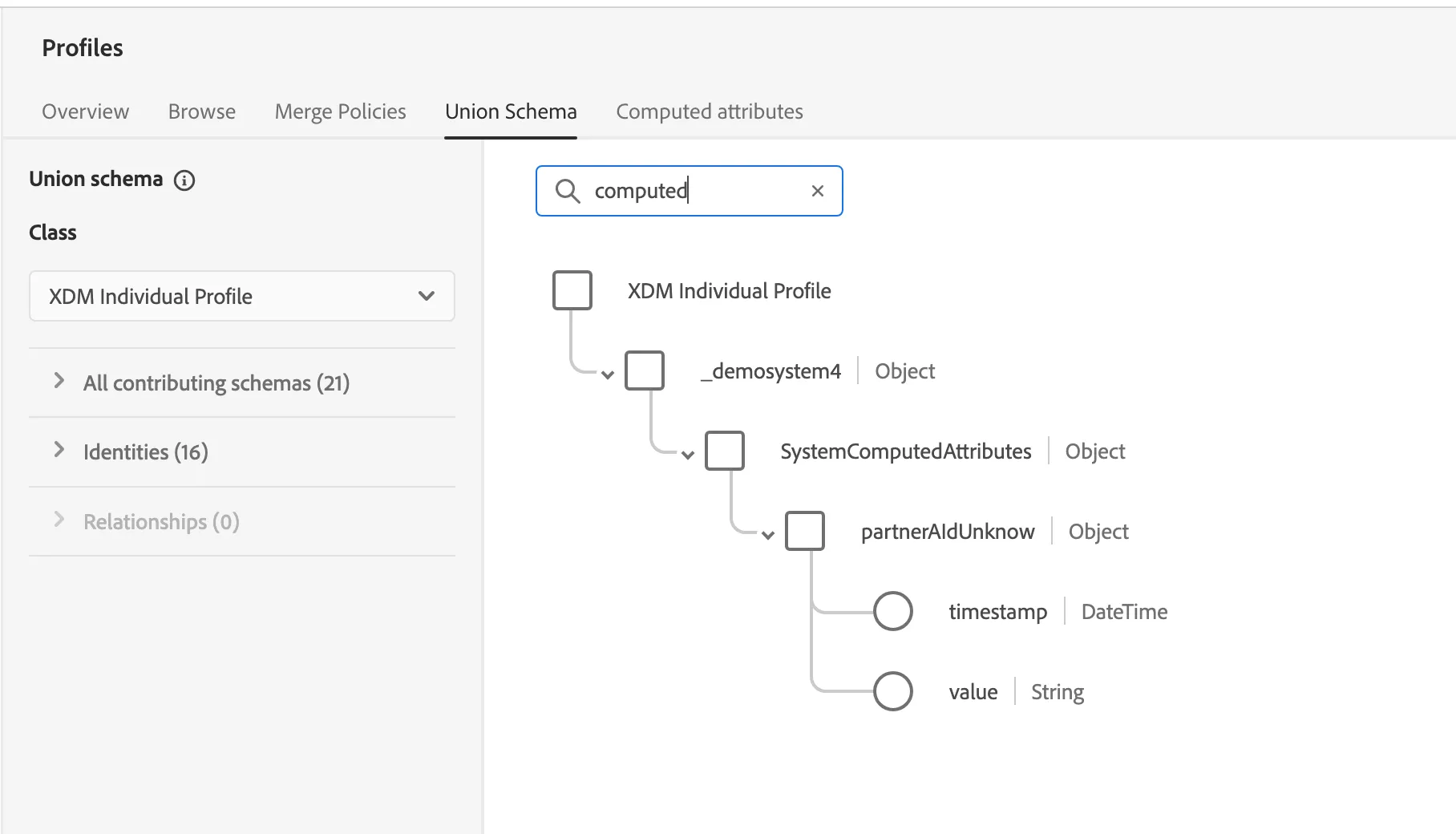
We now can select this Union Schema tab. Real-Time Customer Profile uses the union schema to create a holistic view of each individual customer, meaning all schemas that have been enabled for profile.
We can come in and search for Computed Attributes. We can see here the computed attributes have automatically been mapped directly onto this profile schema
The partner data here is working in unison with the computed attributes capability as now the most recent partner ID is available on the individual profile schema instead of as an experience event. Essentially, the attribute is now on the profile itself rather than just existing in the event-level payload where it was previously
- Customers may also utilize multiple partner IDs, computing individual partner IDs onto the profile for each partner to target visitors offsite. As each destination may vary on what Partner IDs are accepted.
Go to Customer --> Profiles
Switch tab to Union Schema
Type: computed in the filter to see the Computed Attributes
To illustrate how we could use this computed attribute that captures the Partner ID on the profile to drive offsite retargeting, let’s first look at how Adobe is able to segment these unknown visitors in real-time, using edge segmentation
Prior to adding this computed attribute, we were able to qualify (or disqualify) unknown visitors and serve them more personalized experiences using event-level data and rules-based logic
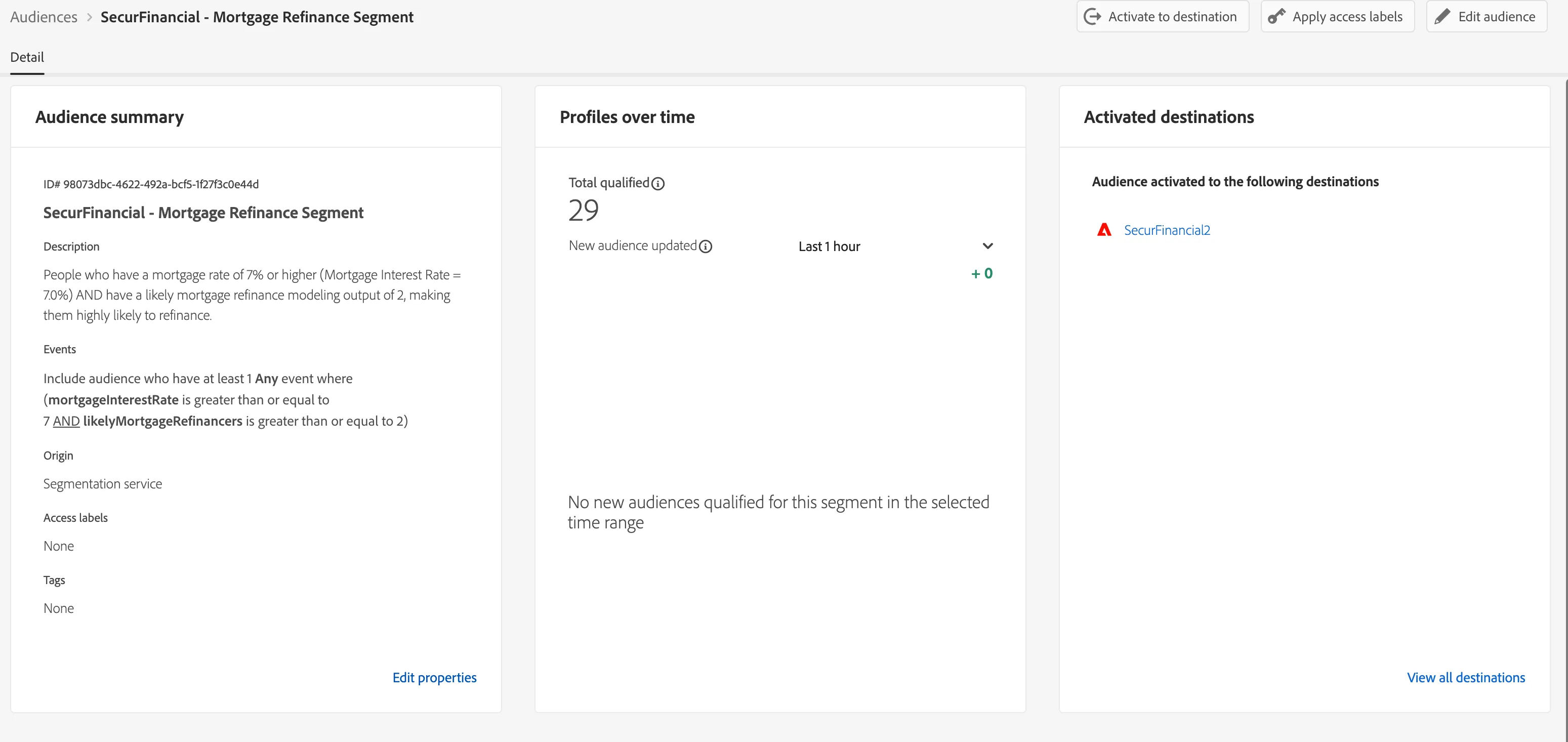
- For example, we have this Mortgage Refinance Segment
- This edge-segment utilized event-level partner-given attributes to personalize to people who have a mortgage rate of 7% or AND are highly likely to refinance
- If the segment is Premium credit card data (presence of premium credit card), this would be people whose credit Card Attrition Households is greater than or equal to 2 AND have the presence of a premium credit card
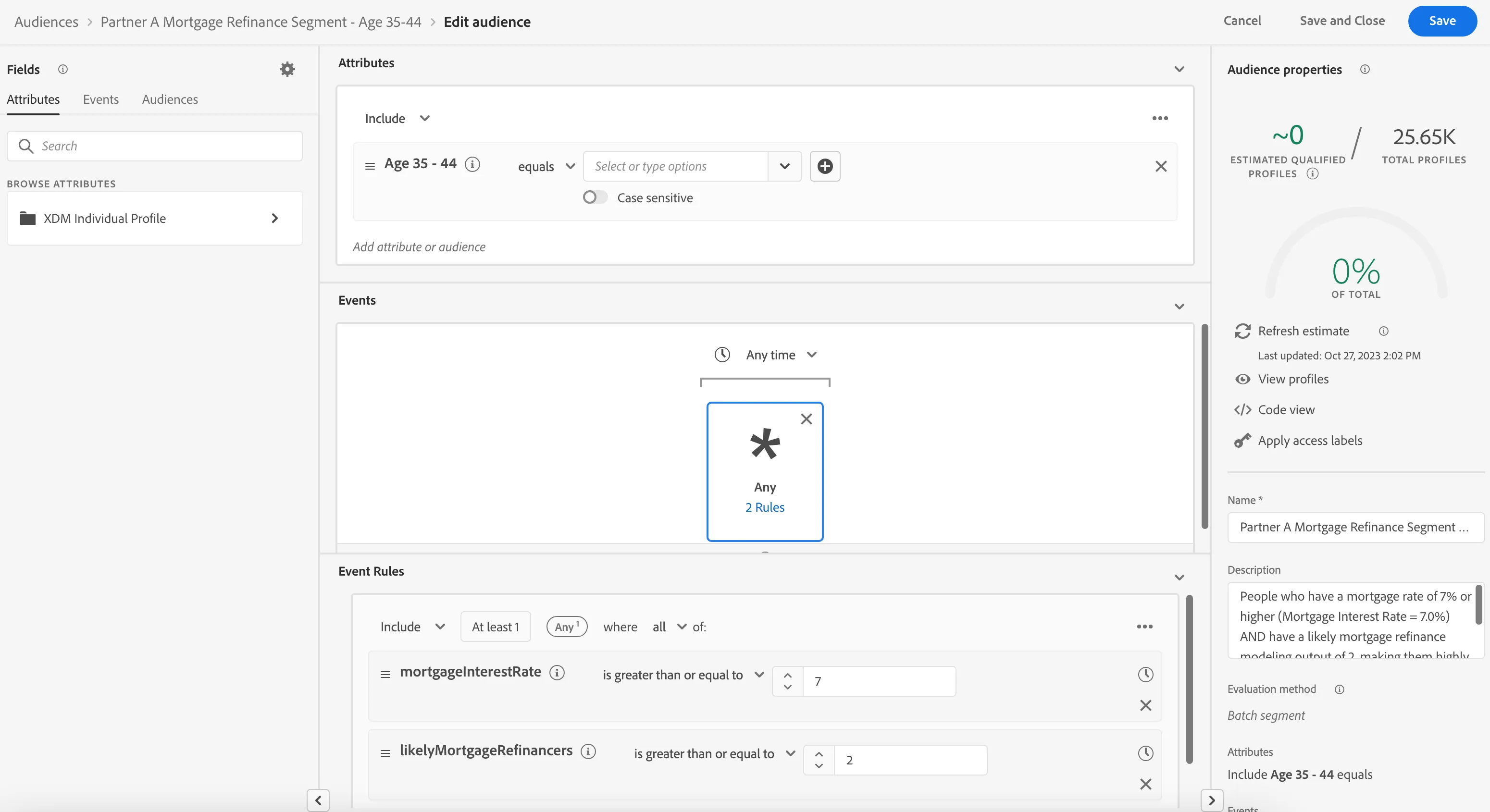
- We could take this one step deeper and enhance this existing segment by including other event or profile-level data, things like page view or demographic
- If we are looking to retarget first-time homebuyers, looking to refinance, let’s bring in the demographic attribute “Age 35-44”
- If Premium credit card data could be looking to retarget first-time homebuyers, offering different rates.
- Open the segment “Partner A Mortgage Refinance Segment – Age 35-44”.
- Now let’s look at how we can use the partner provided ID for activation to downstream
Click on Audience under customer
Look at the SecurFinancial – Mortgage Refinance Segment
At the end open the "SecurFinancial - Partner A Mortgage Refinance Segment – Age 35-44"
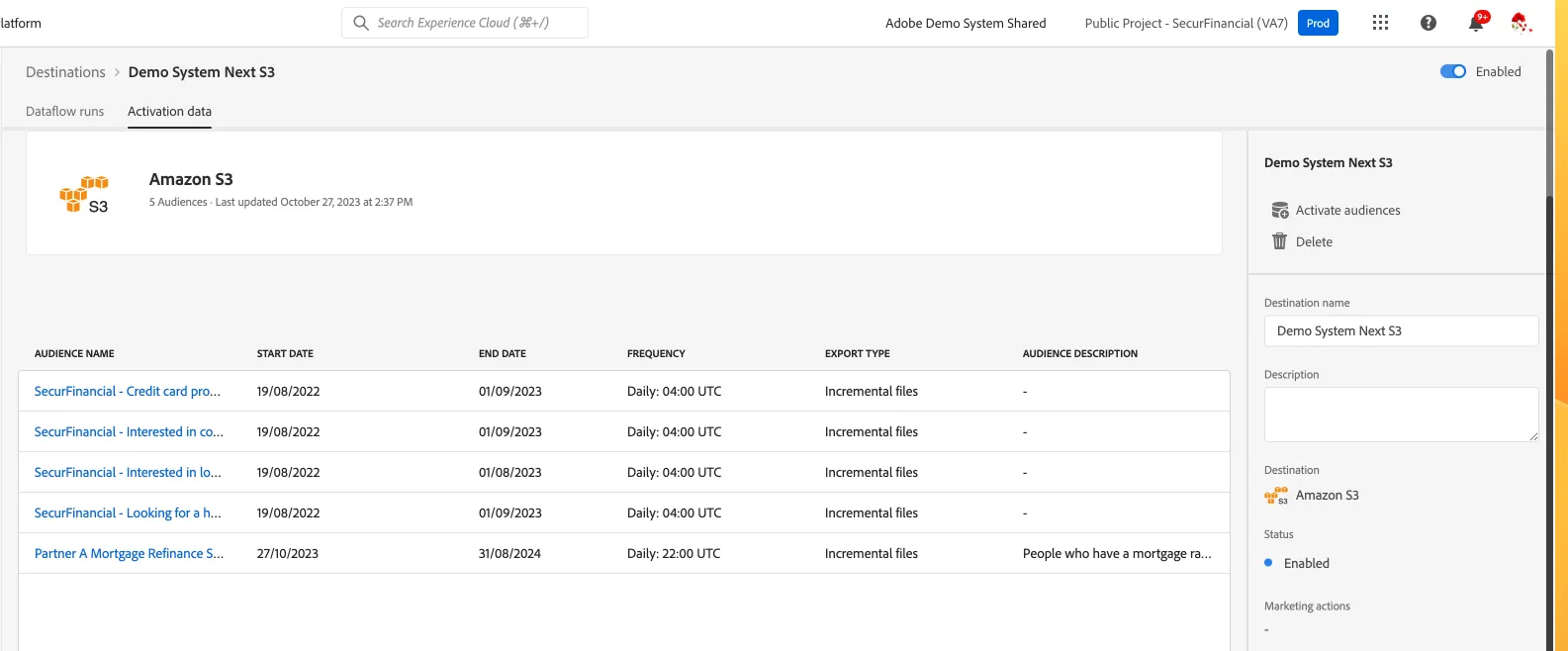
I can now activate this segment to any downstream destination. For today’s demo I am going to show a file-based destination for the partner to deliver this segment to various paid media destinations.
I can find Amazon S3 and select activate, choosing audiences as the data type we are looking to send out of the CDP and the specific S3 destination
You can describe how the “Partner A Mortgage Refinance Segment – Age 35-44” was shared to Amazon s3
- We set up the can schedule to export daily at 10pm after working hours
- We also used mapping, this is extremely important as we want to deliver the correct partner ID that the paid media destination is able to accept. In other words, if a specific destination can only work with Partner A ID we want to use this step to ensure we are sending over the Partner A IDs for everyone inside of this audience
- This is where that computed attribute we made will come into play. Because we computed the Partner ID from the event payload onto the profile, we can select the Partner ID as our activation key. The partner ID is now accessible and ready to be used to match and retarget your unknown visitors.
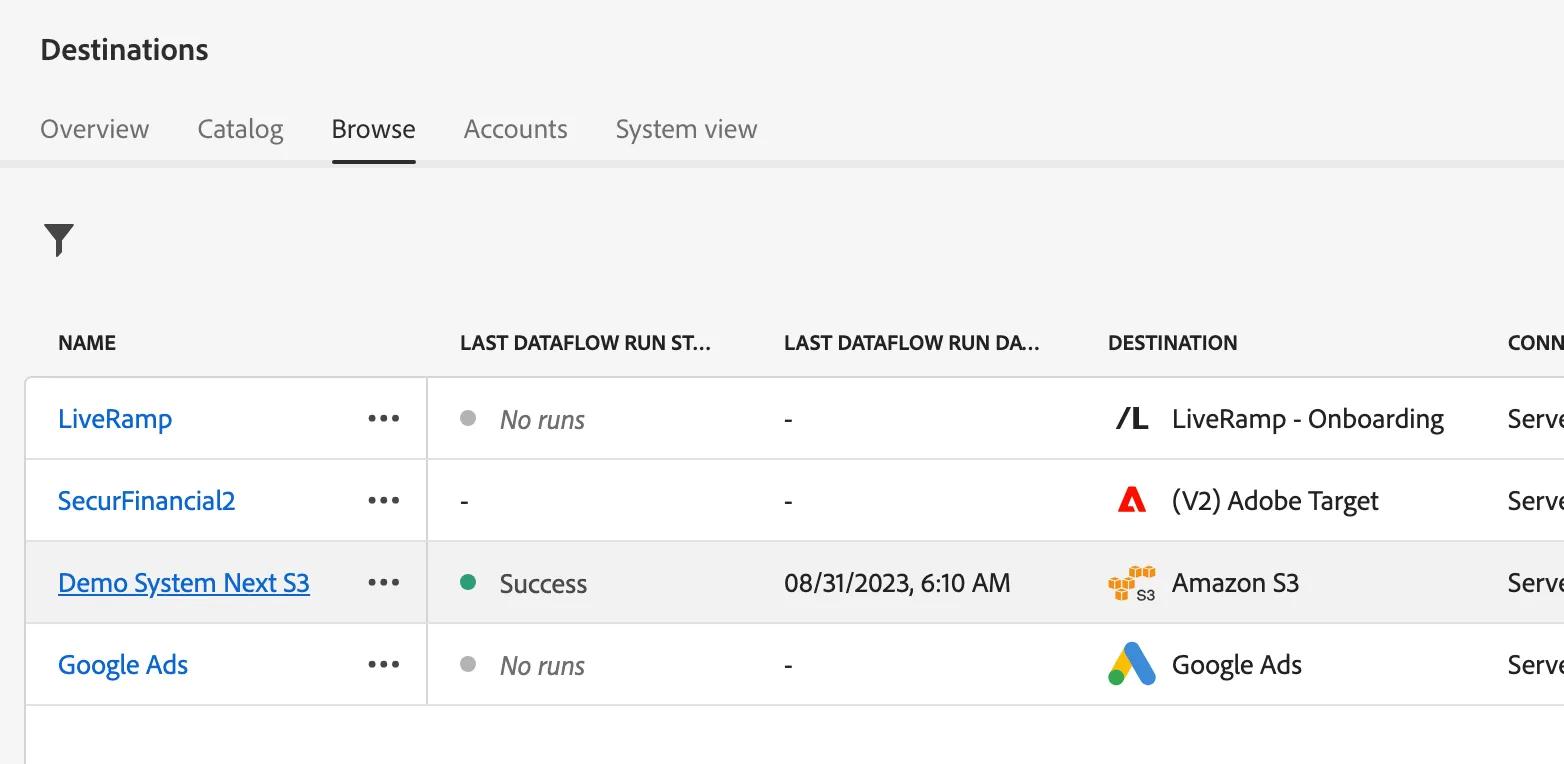
Click on Destinations under Connections
Click Browse tab
Open Demo System Next S3 destination
Switch to Activation data to see the segments that are being exported to S3